We are using XProtect 2022R3c and MIPS SDK 2022 R1.
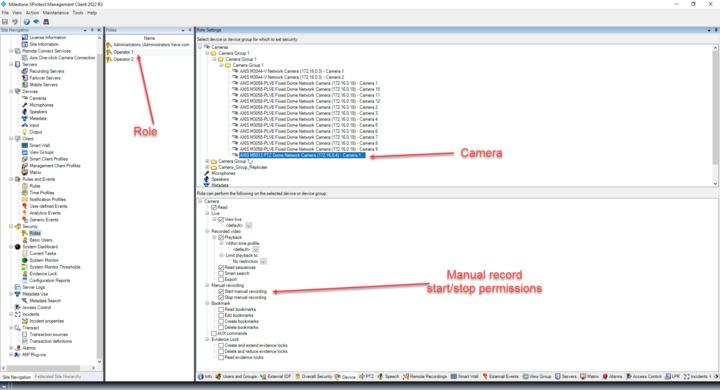
We have created a Role called ‘Operator 1’ and provided permission(Read, Live, Playback, read sequence, start manual record, stop manual record, etc…) to all cameras.
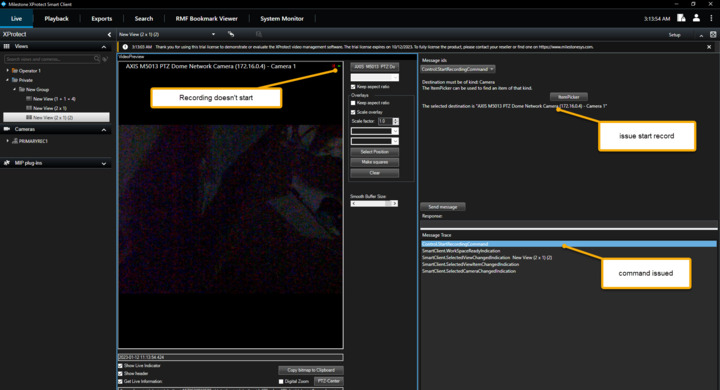
In SmartClient using Video preview, MessageTester from MIPS SDK plugin samples.
When an admin user logs in, and issues start manual recording to the camera, it starts recording and stops recording when stop manual recording command is issued using message tester.
When a user of the ‘Operator1’ role logs in and tries to issue a start manual recording, it doesn’t start to record even though the command is issued and has permission to record.
I tried setting up a basic user like you have (with the same permissions). I saw the same problem as you do.
I solved it by going to Role settings and finding the “External Events” tab. There I enabled “Trigger” on “RequestStartRecording” and “RequestStopRecording”. Could you please try the same on your system?
I work for Milestone as well. Sending messages triggers event, if your user don’t have permission to trigger events, then he/she cannot start or stop recording through messages.