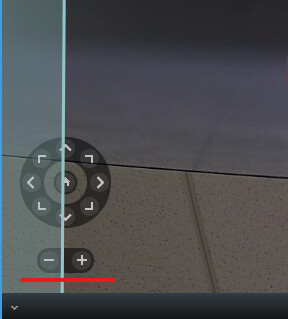
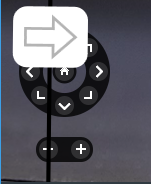
I’m using ActiveElementsOverlayAdd to display polygon shapes on video. The overlay is rendering in front of the Digital Zoom control (+/- zoom buttons and directional arrows), hiding these controls visually.
With IsHitTestVisible = false, clicks pass through to the controls, but the overlay shapes visually cover the Digital Zoom UI, making it hard for users to see the buttons.
I want the overlay to render behind (under) the Digital Zoom control so the controls remain fully visible.
ImageViewerAddOn addOn = // ...
List<FrameworkElement> elements = new List<FrameworkElement>();

// Add polygon with click-through enabled
Polygon polygon = new Polygon();
polygon.Points.Add(new Point(100, 100));
polygon.Points.Add(new Point(200, 100));
polygon.Points.Add(new Point(200, 200));
polygon.Stroke = Brushes.Blue;
polygon.StrokeThickness = 2;
polygon.IsHitTestVisible = false;  // Allows clicks to pass through
elements.Add(polygon);

// Register overlay
Guid overlayId = addOn.ActiveElementsOverlayAdd(elements,
    new ActiveElementsOverlayRenderParameters()
    {
        ZOrder = -10000,  // Tried: -10000 to 1000 - overlay still renders in front
        FollowDigitalZoom = true,
        ShowAlways = true
    });
How can I make overlays render visually behind the Digital Zoom control?
Does ZOrder only affect overlay-to-overlay ordering?
Thanks!