Adding Access Control inputs (e.g. smoke detector)

Hi, I would like to add information on “inputs” from an access control system. For example a smoke detector. There are two states, “enabled” and “disabled”. These inputs have nothing to do with a door. Can this be done somehow with the MIP Access Control plugin?

One idea is to add another tab to the existing tabs (Events, Doors, Cardholders) called “Inputs”. See below for the existing UI.
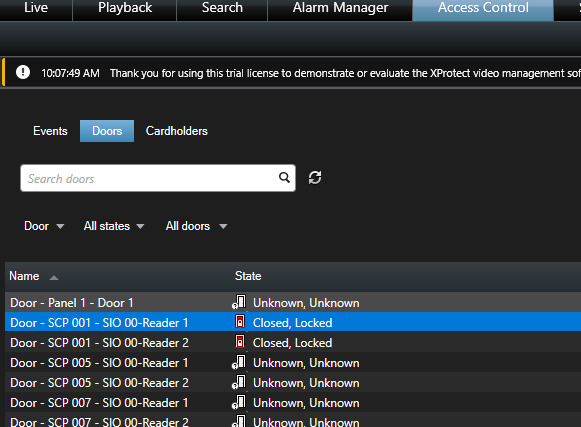
That would allow the user to see all the inputs and the current state, similar to what is done with doors.

If that isn’t possible, is there a way to achieve this using the existing Doors section? Or, let me know if there’s another better way. Thanks,

-Lou

I think you will have to create a different plugin for these items that are not Access Control items. They would not be shown on the Access Control tab in the Smart Client then but please note how things that are not Access Control in general uses Alarms or similar but different areas of the Smart Client.

OK, thanks Bo.

Is there a sample plugin that can be used as a starting point for this?

From my understanding of what you want to achieve I think you should explore the Sensor Monitor sample.

https://doc.developer.milestonesys.com/html/index.html?base=samples/sensormonitor_sample.html&tree=tree_1.html

OK, thanks I will take a look at that.