I’m integrating an analytics application with XProtect through AI Bridge. The IVA pushes metadata successfully, but nothing shows up on the XProtect side. I’m not sure where in the pipeline it’s getting lost, so I’d appreciate help narrowing it down.
Setup
XProtect VMS: 2026 R1
AI Bridge: 3.0.1 (docker compose based)
Smart Client and Management Client: 2026 R1 Update 4
What works
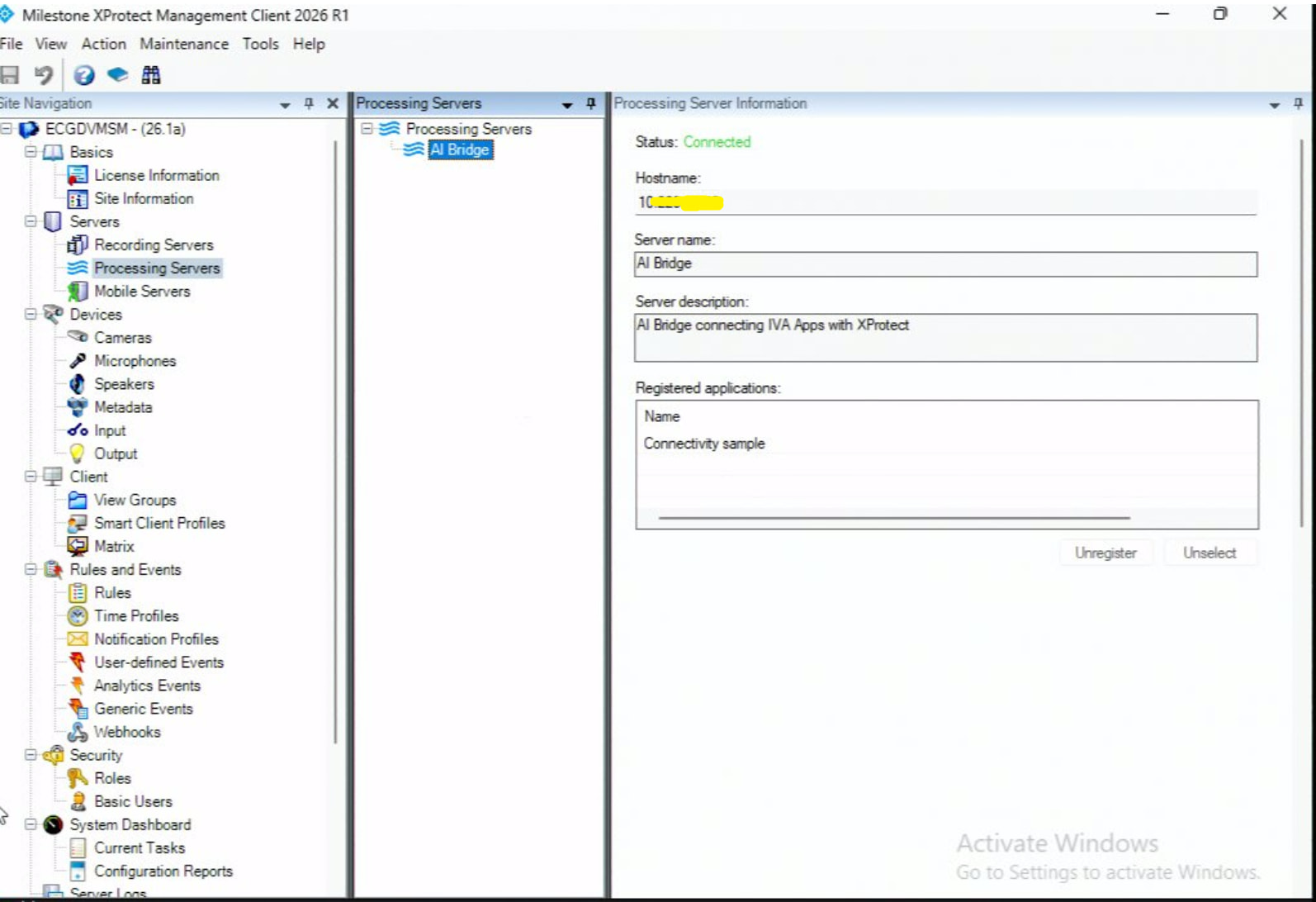
The IVA is registered and visible under Processing Servers→AI Bridge in Management Client(MC)
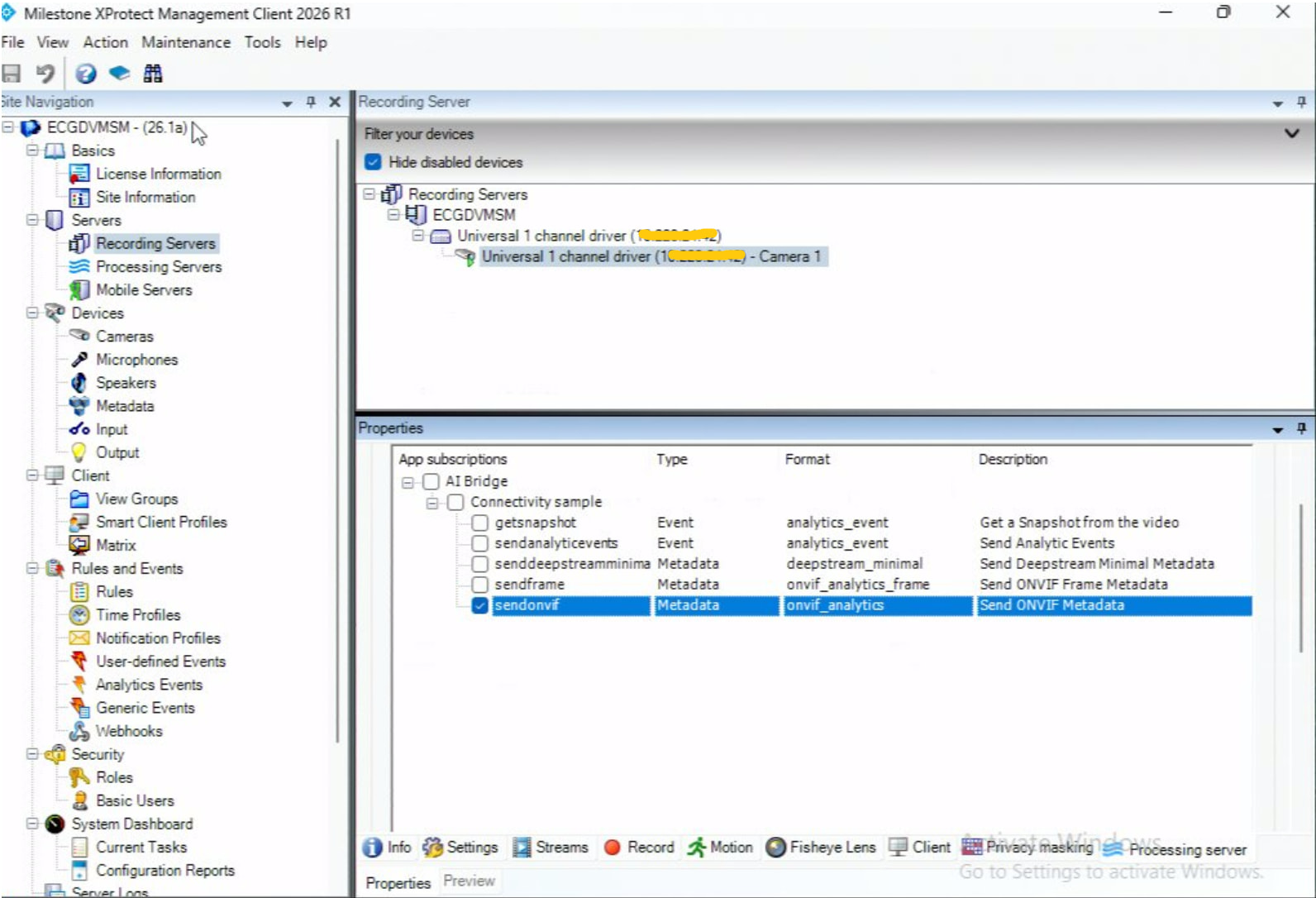
I’ve subscribed the camera to the IVA’s metadata in MC
The IVA pushes ONVIF-format metadata and gets HTTP 200 responses
What doesn’t work
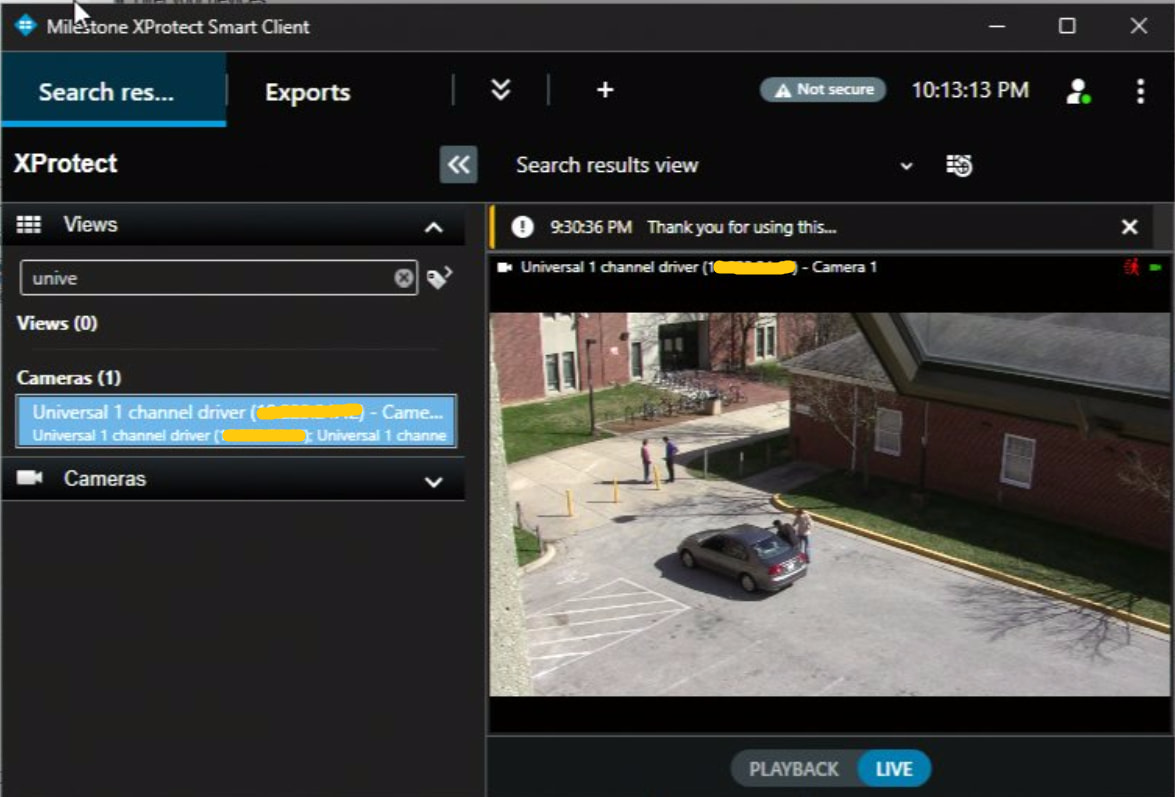
Smart Client does not show any bounding boxes on the camera in live or playback.
In Management Client, under Metadata → [subscribed camera], I don’t see the animated metadata preview that I saw in a tutorial.
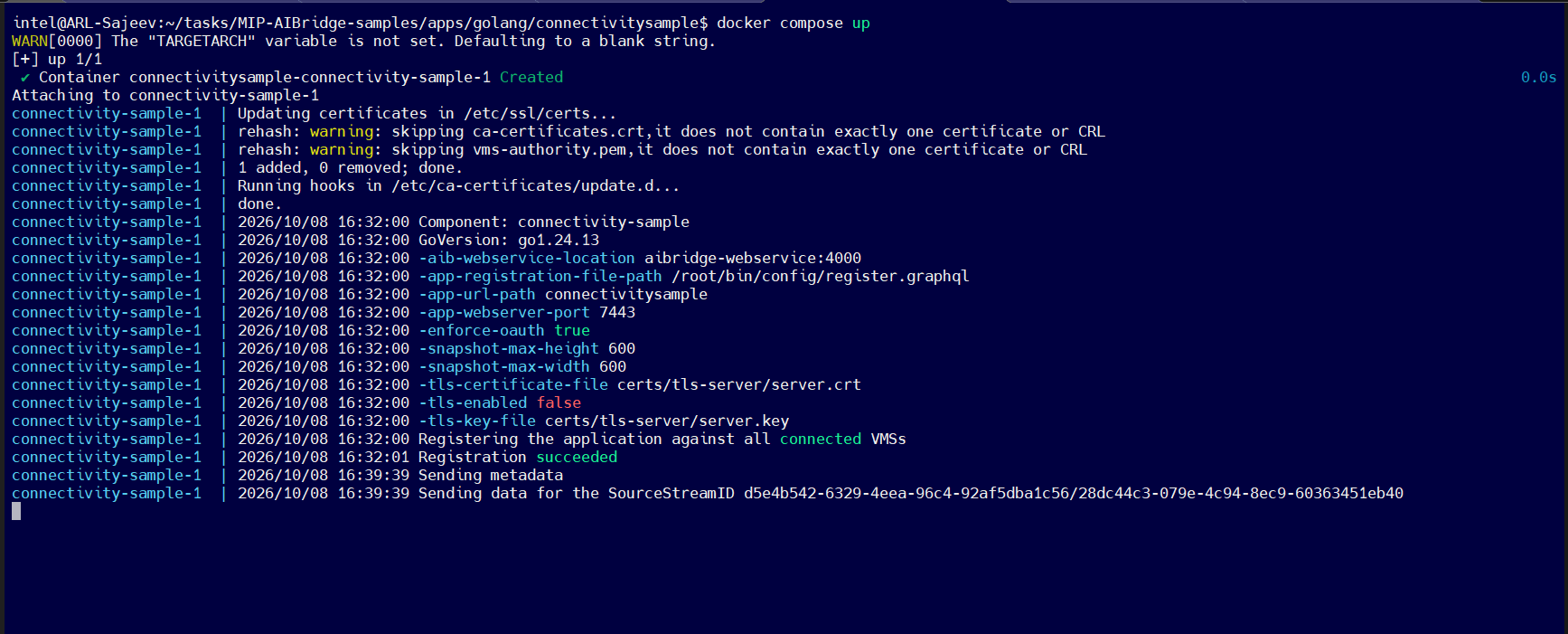
I also ran the official connectivity sample (here) using Docker Compose. It shows the same behavior: no bounding boxes or animated preview in MC
Since the sample app has the same problem, I suspect the cause is in configuration or the AI Bridge ↔ XProtect connection rather than in my app’s metadata format.
Questions
What’s the recommended way to check whether metadata actually reaches the recording server after AI Bridge returns HTTP 200? Is there a specific log or trace I should look at?
Besides subscribing the camera to the IVA metadata, what other configuration is needed for Smart Client to draw bounding boxes? any Smart Client setting ?
What does it mean if the metadata preview under Metadata → camera is empty? Which part of the chain does that rule in or out?
I can share logs, sample payloads, or screenshots if that helps.
One thing first, from our own setup: the Management Client never draws bounding boxes in the metadata preview, even when everything works. When metadata arrives, it shows an animation (it looks like steam coming out of the metadata icon), and the boxes only appear in the Smart Client. So if you don’t get that animation, the metadata is not reaching the recording server, and the problem is before the Smart Client. Things worth checking, roughly in this order:
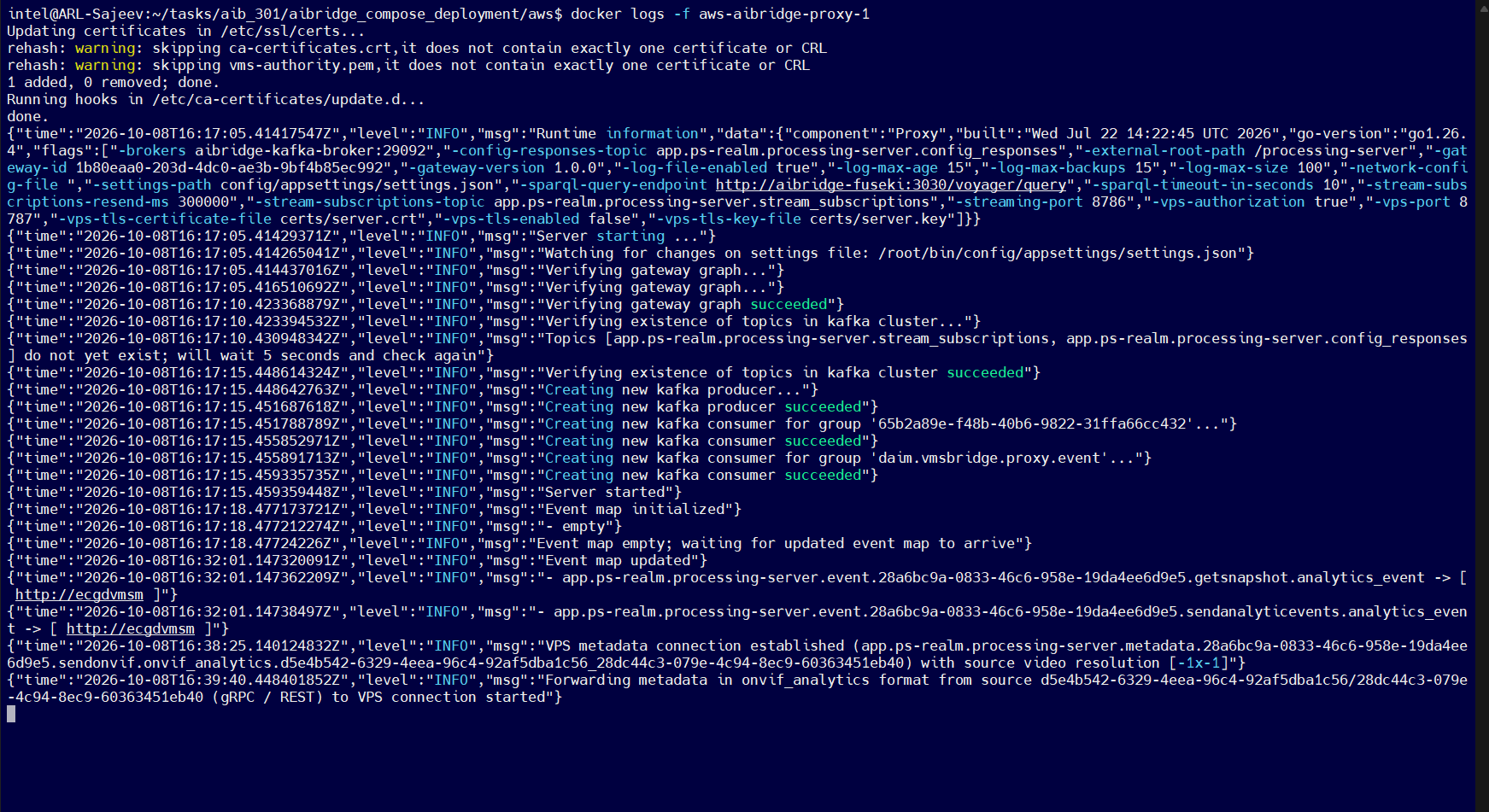
Same stream as the subscription. The metadata has to be published for the exact camera and stream that XProtect subscribed to. If the camera has several streams and the app publishes on another one, the AI Bridge accepts it but nothing is forwarded. The AI Bridge proxy container’s log is the place to look: it reports when it forwards a stream to XProtect and when it gets no data for it.
Format matches the registration. The payload format must match the metadata format registered for that topic (ONVIF_ANALYTICS or DeepStream minimal). Changing the format means re-registering.
Timestamps. Stamp each frame with the time of the video it describes, not the time you send it.
Clocks in sync. If the Smart Client, the recording server and the AI Bridge run on different machines, keep their clocks synchronised with NTP. The Smart Client matches boxes to video by time, so a few seconds of clock drift between machines is enough to lose the boxes, even when the metadata arrives fine.
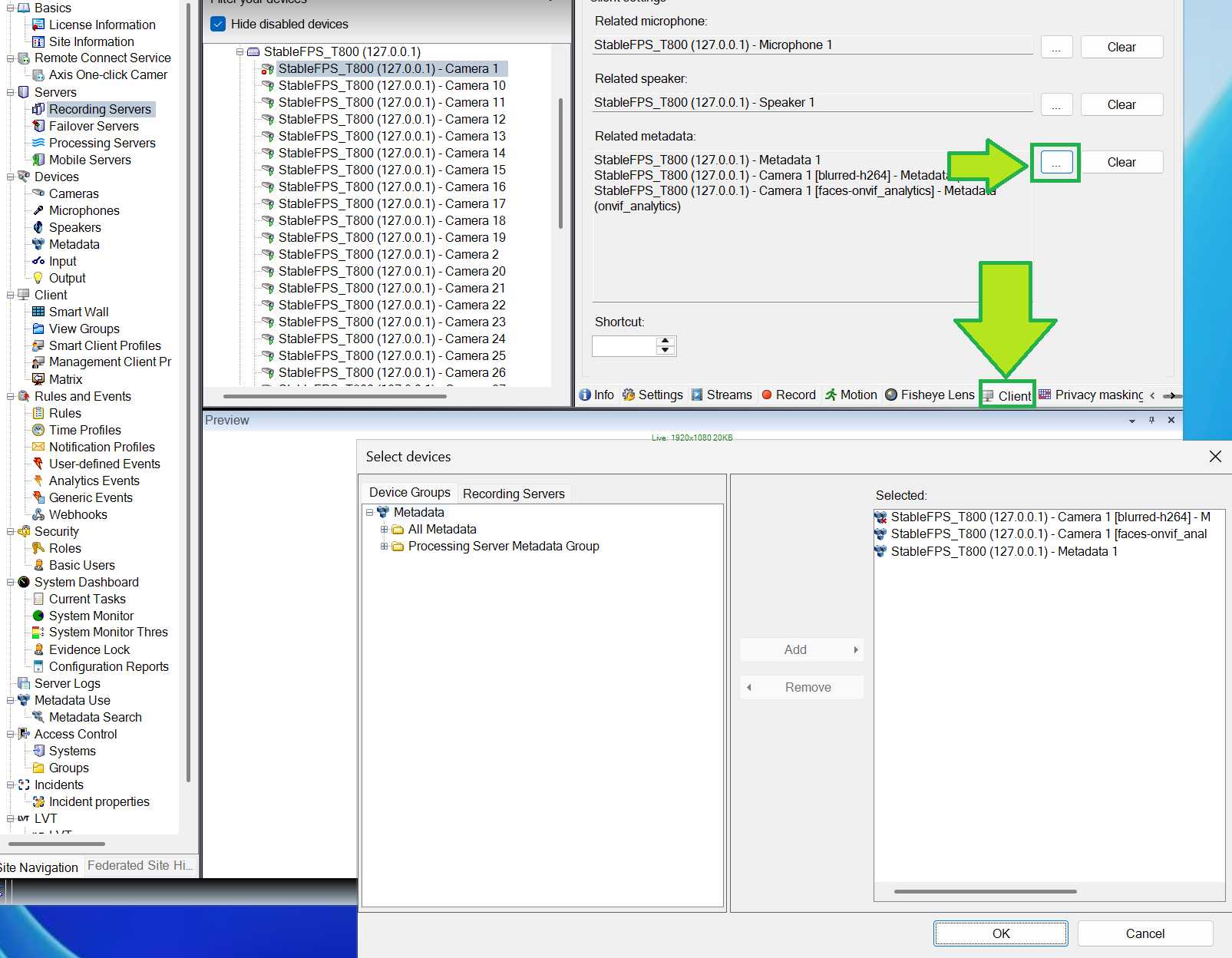
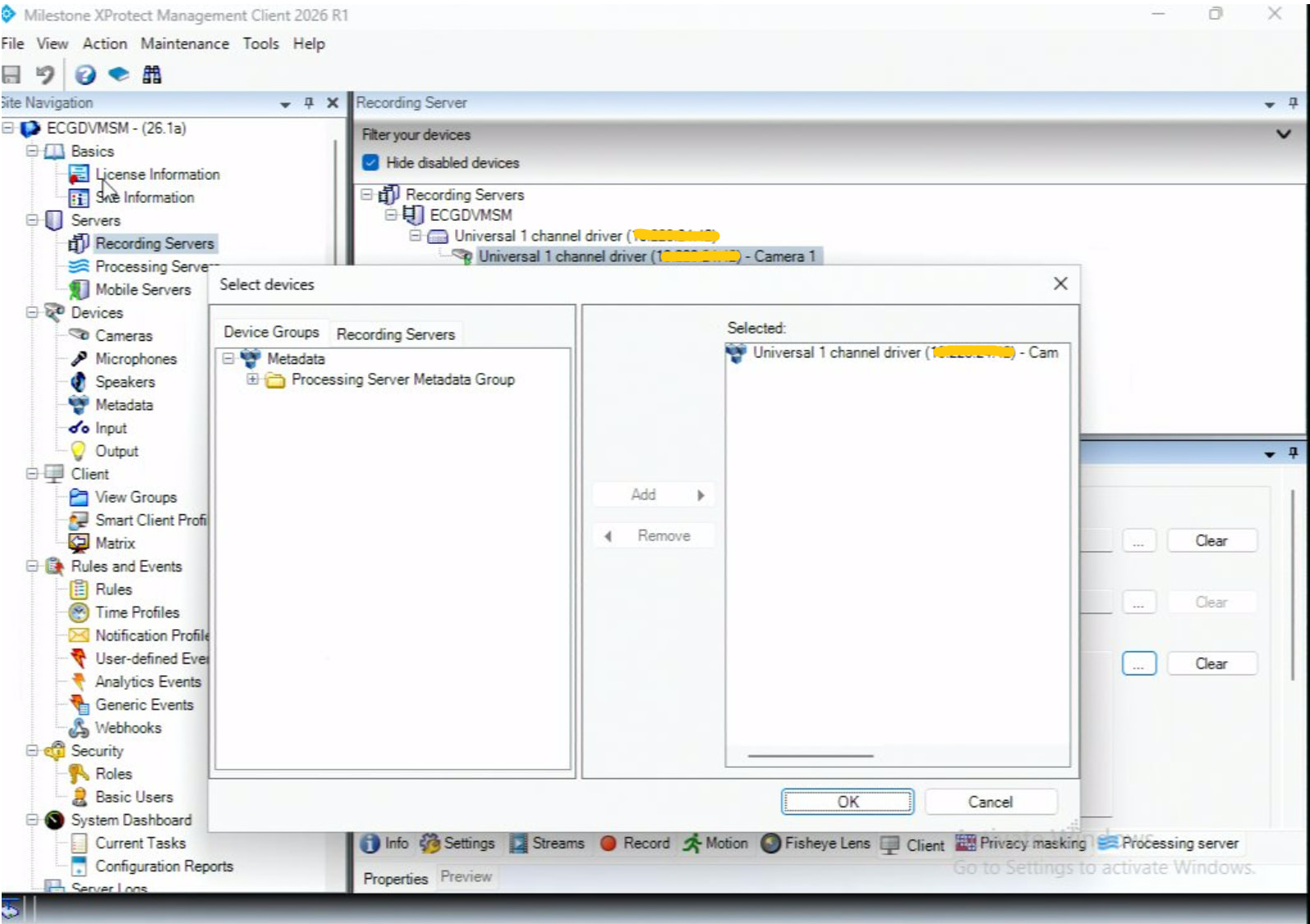
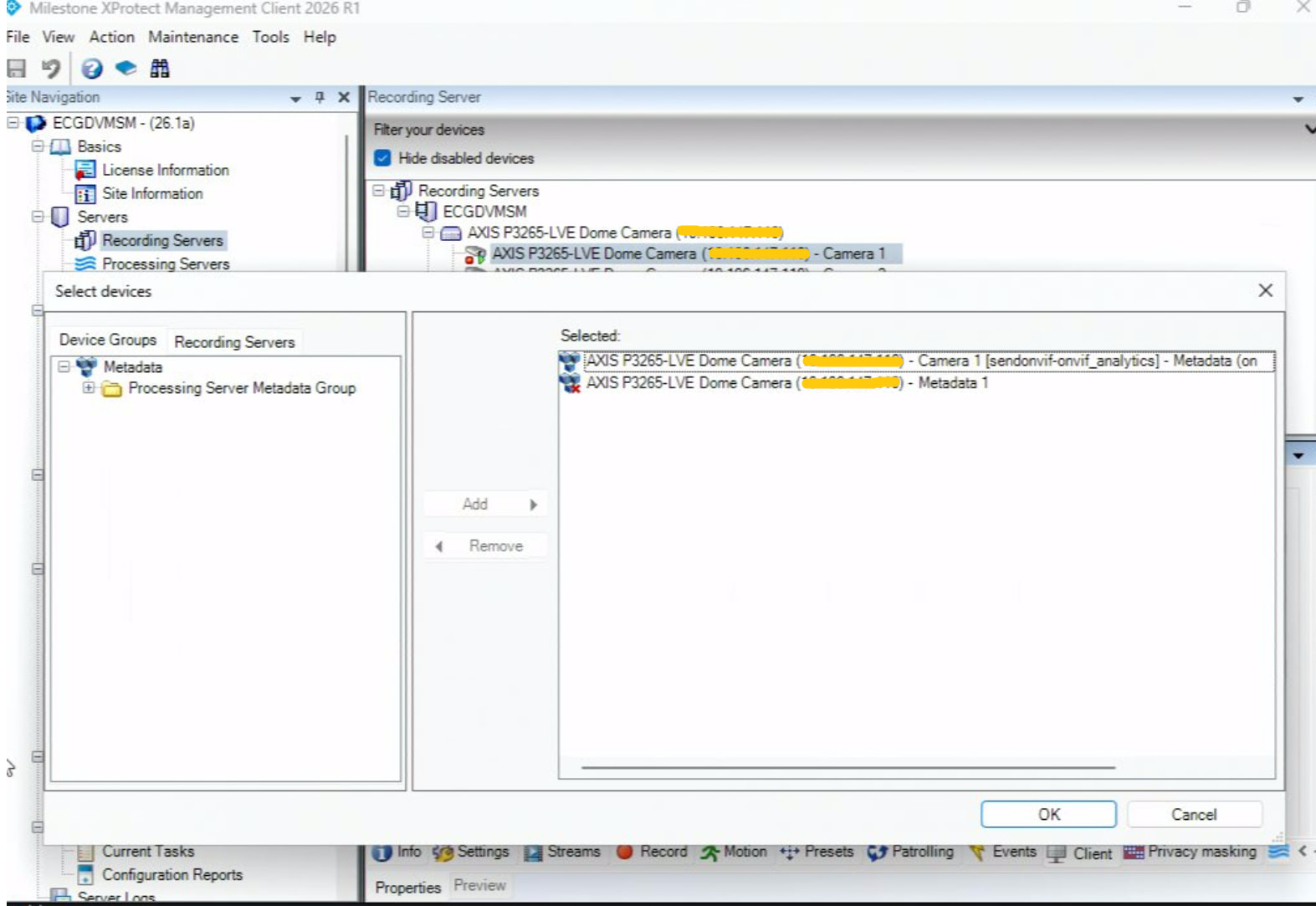
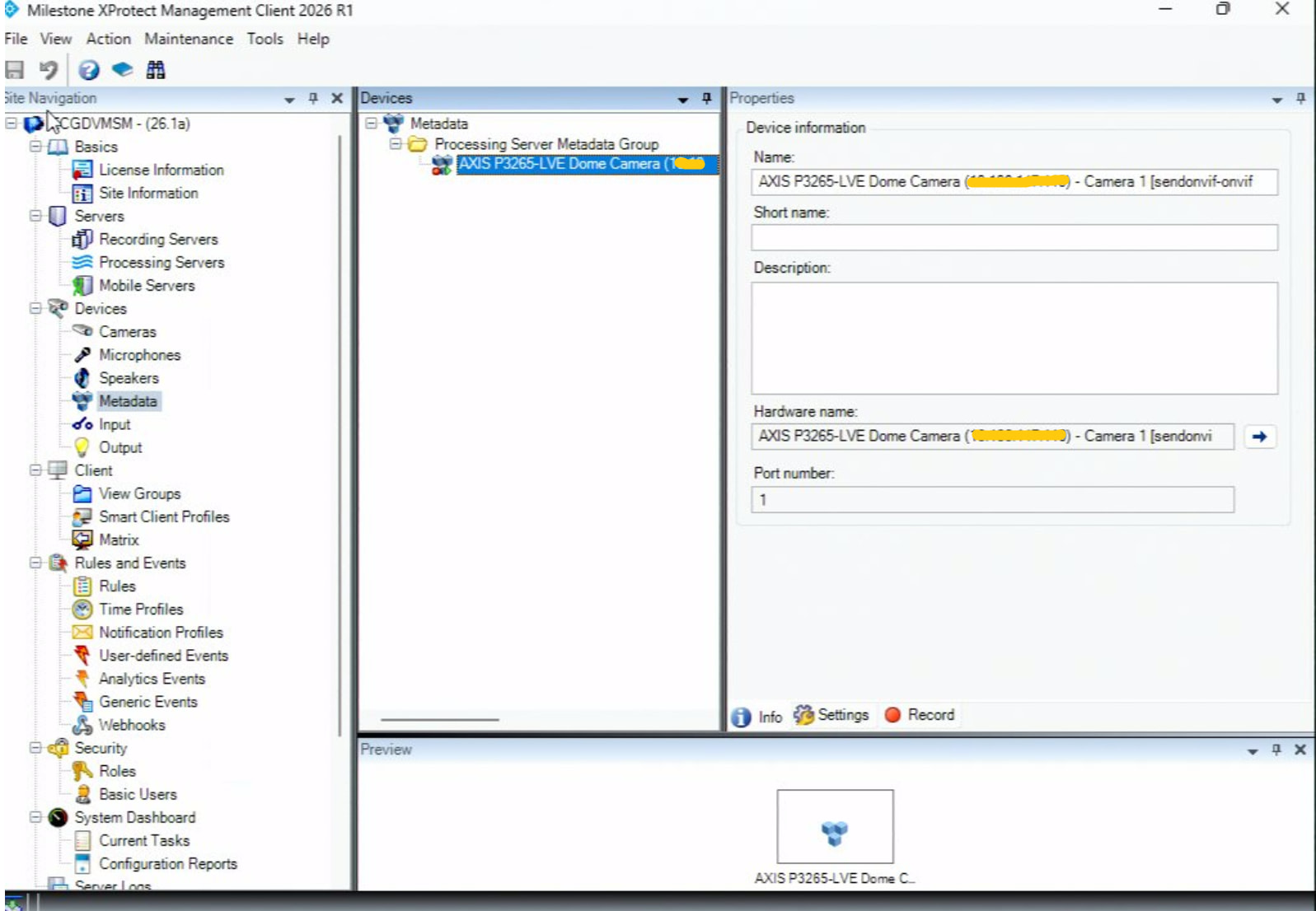
Related metadata. Once you get the animation, link the metadata to the camera: Management Client, Recording Servers, select the camera, Client tab, the “…” button next to Related metadata. The AI Bridge’s metadata devices are under Metadata, Processing Server Metadata Group. Add yours, and the Smart Client draws its boxes on that camera.
Thank you for the thorough suggestions and debugging steps. I really appreciate the detailed response.
Although, I didn’t get the issue fixed, I found there was another issue after investigating the proxy logs as per your suggestion.
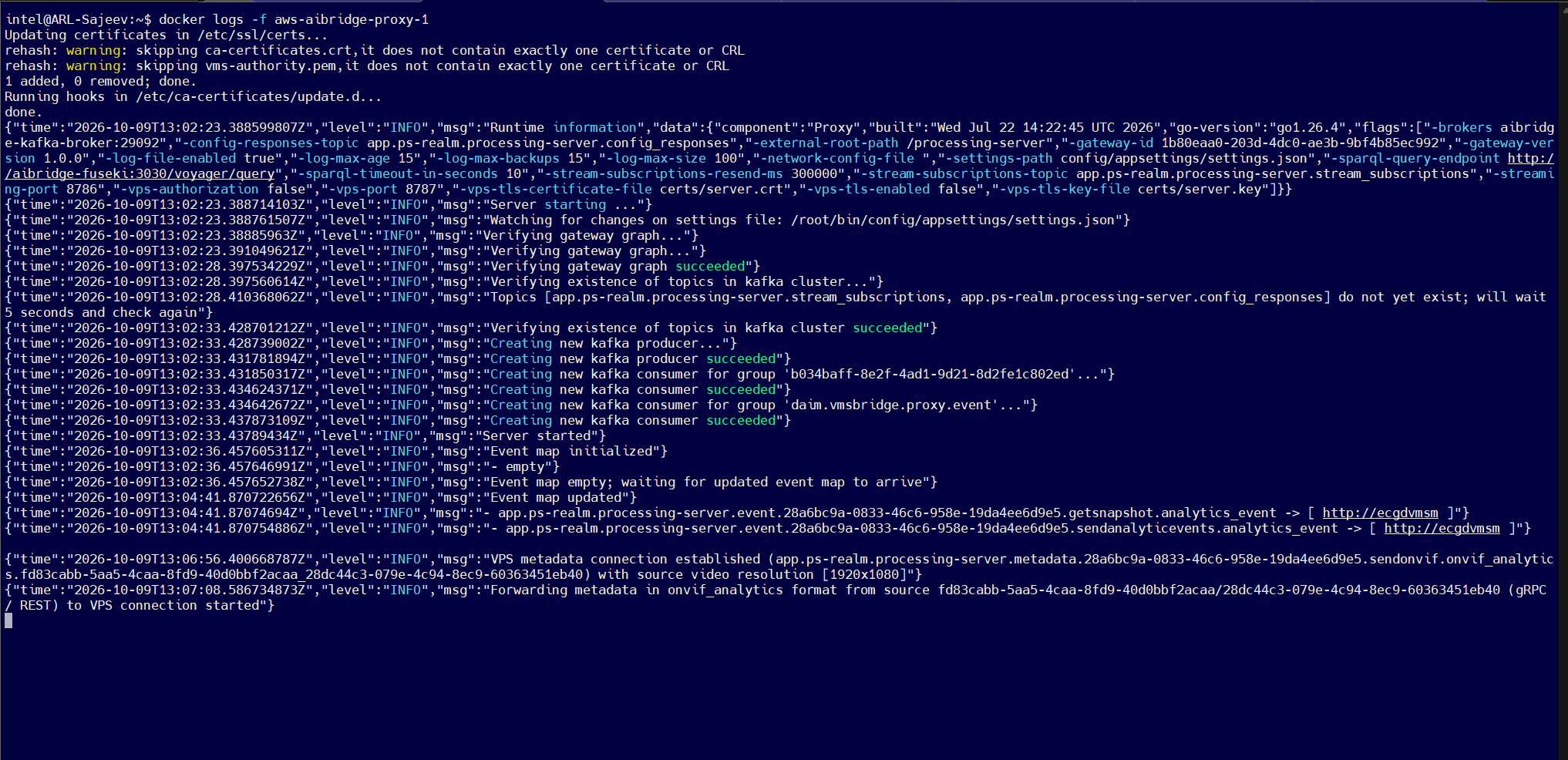
There were DNS failures reported in the logs. I’m behind corporate proxy and after unsetting those, the proxy logs were clean, and I could see VPS metadata connection established and Forwarding metadata in onvif_analytics format… which I suppose I’m moving in the right direction.
All devices are NTP synced, so timestamp should not be an issue I believe.
Related metadata are present after I subscribe to the topic. More on the steps I followed in detail below…
There were some proxy issue. got them fixed first (described in my prev comment).
I then tried with the connectivity sample app. Still no luck !
Here’s what I did.
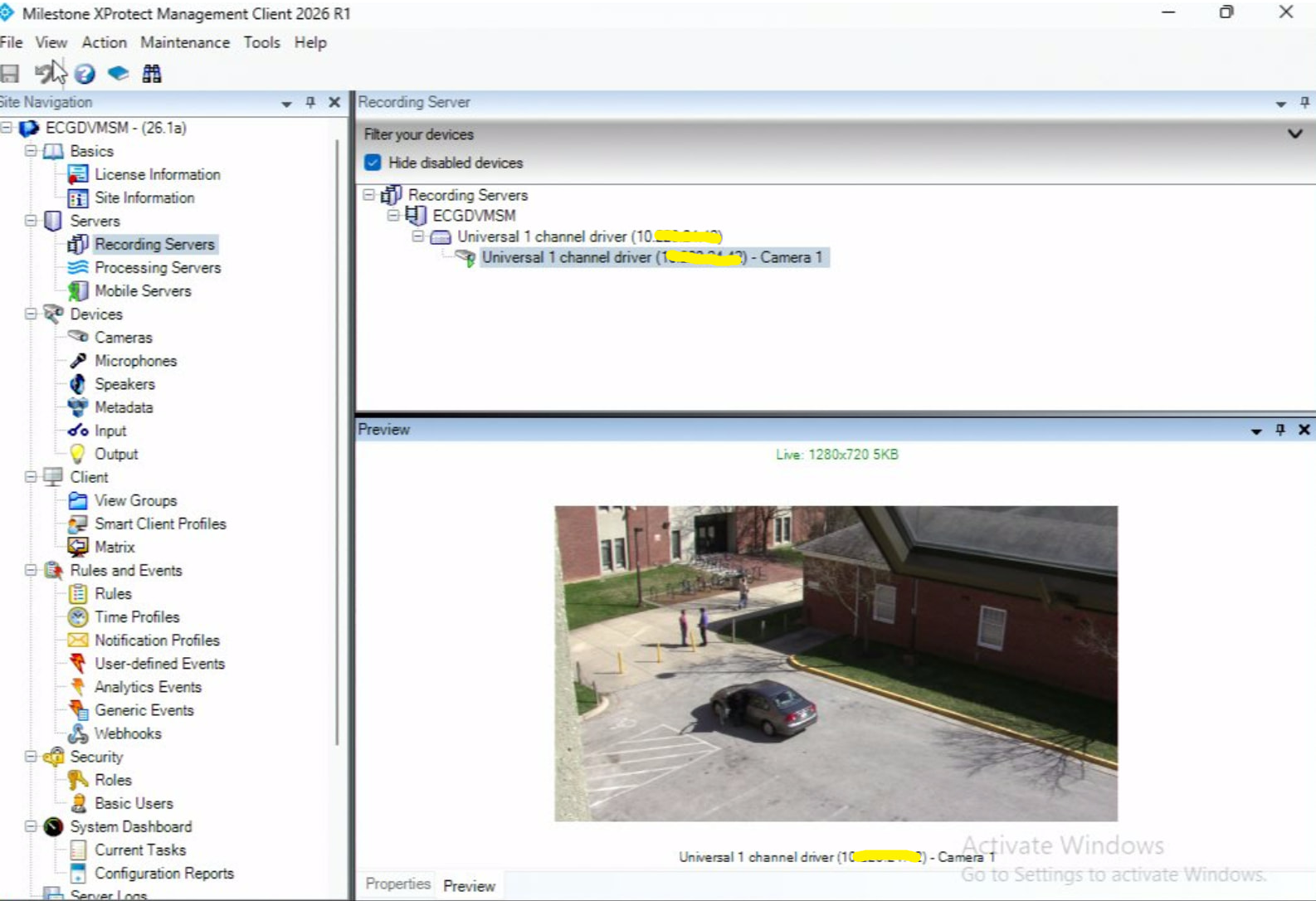
I’m running a simulated RTSP stream via ffmpeg and routed via mediamtx if that makes any difference. It is this RTSP stream that I’ve added to the XProtect. This is my only “camera“.
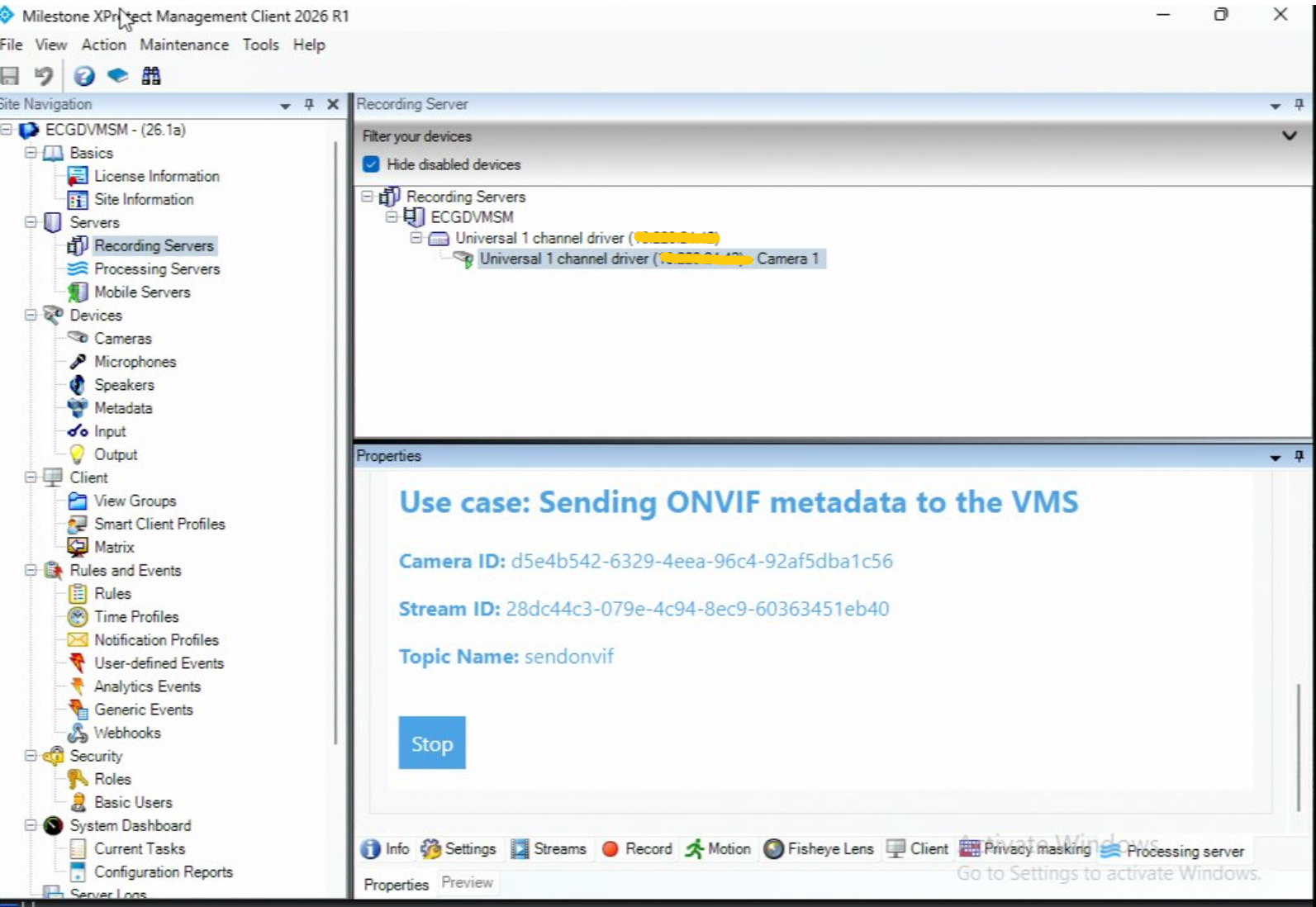
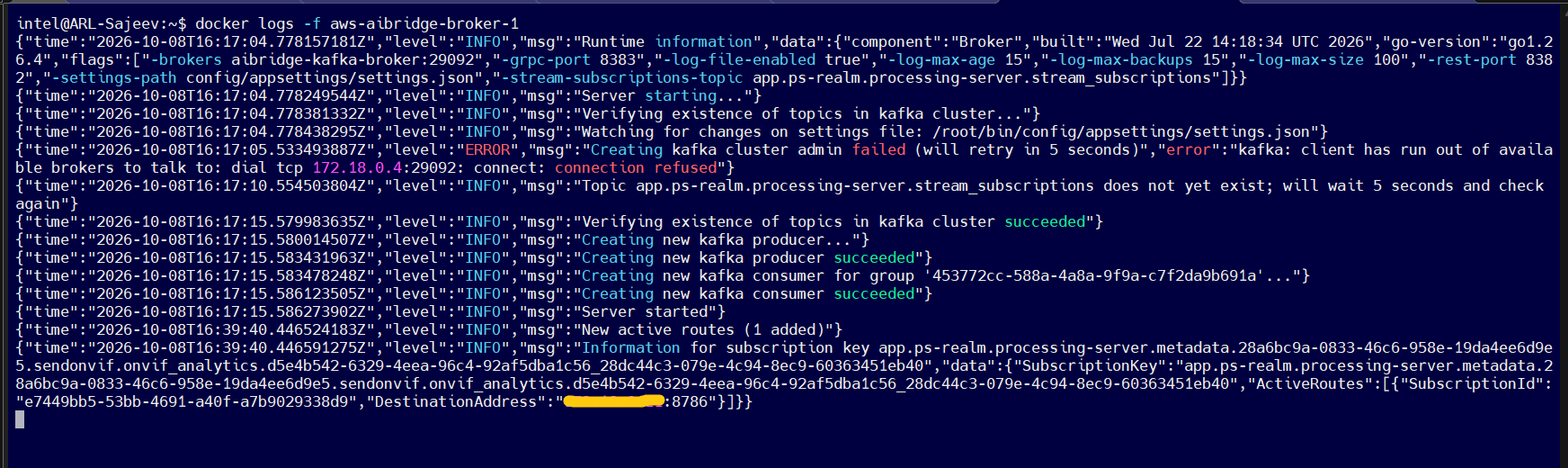
I then click Start in the webview panel underneath. This starts the metadata publish confirmed by the connectivitysample logs. Also, from the proxy and broker logs.
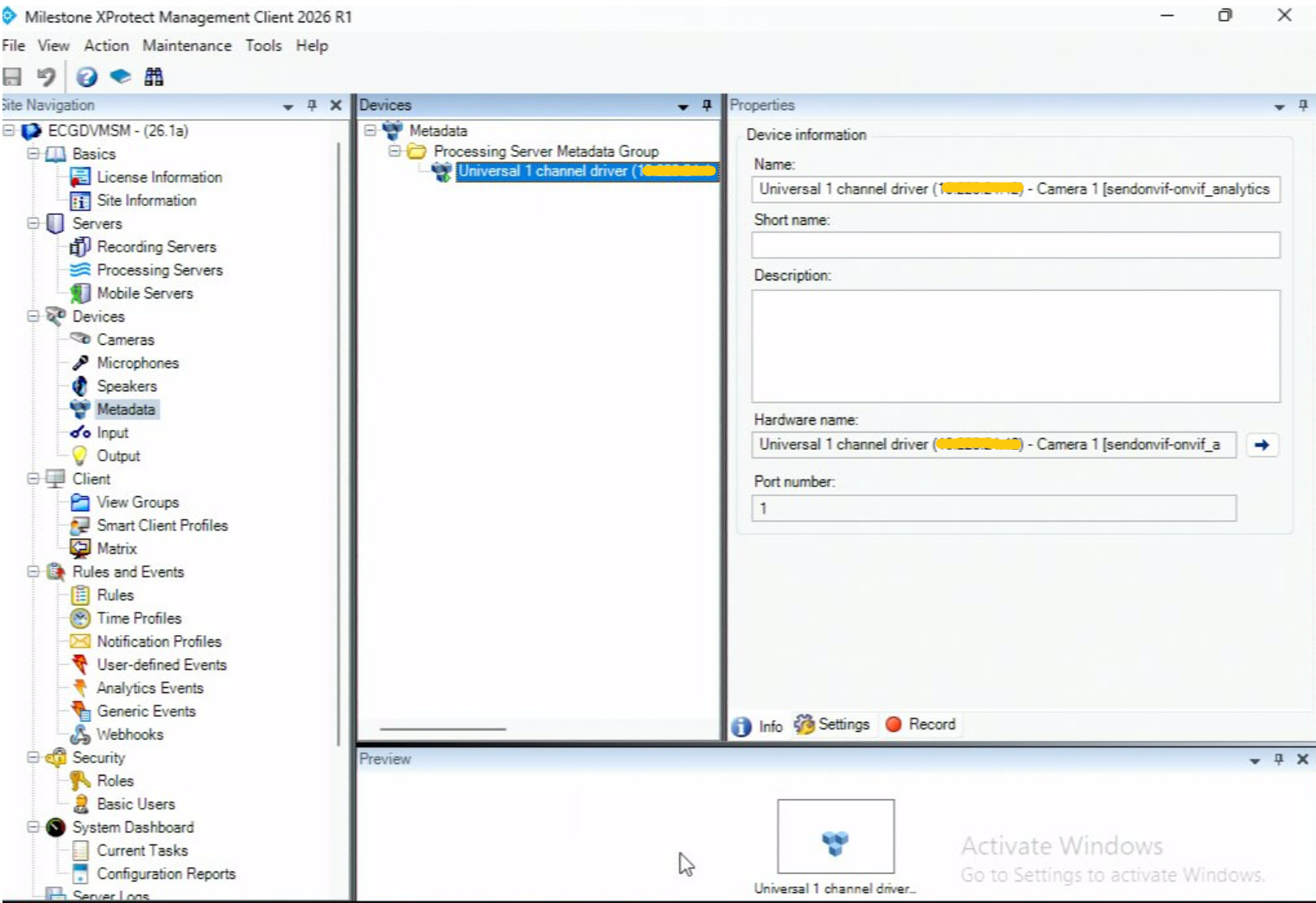
One thing I noticed is that Under the Recording Server→ select camera→ Client tab, I see two related metadata instead of one (a Camera 1[sendonvif-onvif-analytics]-Metadata(onvif_analytics) and a Metadata 1)
2026-10-09 18:27:13.229+05:30 [    39] INFO       - ******************************* Starting logger *******************************
2026-10-09 18:27:16.289+05:30 [    85] INFO       - d5e4b542-6329-4eea-96c4-92af5dba1c56  Universal 1 channel driver (XX.XXX.XX.42) - Camera 1  Starting frame group media db consumer (table: d5e4b542-6329-4eea-96c4-92af5dba1c56)
2026-10-09 18:27:16.289+05:30 [    85] INFO       - d5e4b542-6329-4eea-96c4-92af5dba1c56  Universal 1 channel driver (XX.XXX.XX.42) - Camera 1  Creating performance counter for device frame group media db consumer (table: d5e4b542-6329-4eea-96c4-92af5dba1c56)
2026-10-09 18:27:18.252+05:30 [    95] INFO       - d5e4b542-6329-4eea-96c4-92af5dba1c56  Universal 1 channel driver (XX.XXX.XX.42) - Camera 1  Device communication established
2026-10-09 18:27:21.405+05:30 [    86] INFO       - fd83cabb-5aa5-4caa-8fd9-40d0bbf2acaa  AXIS P3265-LVE Dome Camera (10.XXX.XXX.XXX) - Camera 1  Starting frame group media db consumer (table: fd83cabb-5aa5-4caa-8fd9-40d0bbf2acaa)
2026-10-09 18:27:21.405+05:30 [    86] INFO       - fd83cabb-5aa5-4caa-8fd9-40d0bbf2acaa  AXIS P3265-LVE Dome Camera (10.XXX.XXX.XXX) - Camera 1  Creating performance counter for device frame group media db consumer (table: fd83cabb-5aa5-4caa-8fd9-40d0bbf2acaa)
2026-10-09 18:27:21.637+05:30 [    86] INFO       - 70dbdfbc-f802-4393-aede-69b4fda167cc  AXIS P3265-LVE Dome Camera (10.XXX.XXX.XXX) - Camera 2  Starting frame group media db consumer (table: 70dbdfbc-f802-4393-aede-69b4fda167cc)
2026-10-09 18:27:21.637+05:30 [    86] INFO       - 70dbdfbc-f802-4393-aede-69b4fda167cc  AXIS P3265-LVE Dome Camera (10.XXX.XXX.XXX) - Camera 2  Creating performance counter for device frame group media db consumer (table: 70dbdfbc-f802-4393-aede-69b4fda167cc)
2026-10-09 18:27:21.723+05:30 [    36] WARN       - 70dbdfbc-f802-4393-aede-69b4fda167cc  AXIS P3265-LVE Dome Camera (10.XXX.XXX.XXX) - Camera 2  Device communication error (NoDataException). Error: GetMediaDataBlock returned no data.
2026-10-09 18:27:21.793+05:30 [    80] INFO       - fd83cabb-5aa5-4caa-8fd9-40d0bbf2acaa  AXIS P3265-LVE Dome Camera (10.XXX.XXX.XXX) - Camera 1  Device communication established
2026-10-09 18:27:22.590+05:30 [    86] INFO       - a7b2195e-1b73-4b92-b4cc-464ca00280bf  AXIS P3265-LVE Dome Camera (10.XXX.XXX.XXX) - Camera 3  Starting frame group media db consumer (table: a7b2195e-1b73-4b92-b4cc-464ca00280bf)
2026-10-09 18:27:22.590+05:30 [    86] INFO       - a7b2195e-1b73-4b92-b4cc-464ca00280bf  AXIS P3265-LVE Dome Camera (10.XXX.XXX.XXX) - Camera 3  Creating performance counter for device frame group media db consumer (table: a7b2195e-1b73-4b92-b4cc-464ca00280bf)
2026-10-09 18:27:22.653+05:30 [    42] WARN       - a7b2195e-1b73-4b92-b4cc-464ca00280bf  AXIS P3265-LVE Dome Camera (10.XXX.XXX.XXX) - Camera 3  Device communication error (NoDataException). Error: GetMediaDataBlock returned no data.
2026-10-09 18:27:22.685+05:30 [    86] INFO       - 09b265ac-1600-49d8-a975-1ca5f33aaceb  AXIS P3265-LVE Dome Camera (10.XXX.XXX.XXX) - Camera 4  Starting frame group media db consumer (table: 09b265ac-1600-49d8-a975-1ca5f33aaceb)
2026-10-09 18:27:22.685+05:30 [    86] INFO       - 09b265ac-1600-49d8-a975-1ca5f33aaceb  AXIS P3265-LVE Dome Camera (10.XXX.XXX.XXX) - Camera 4  Creating performance counter for device frame group media db consumer (table: 09b265ac-1600-49d8-a975-1ca5f33aaceb)
2026-10-09 18:27:22.840+05:30 [    99] WARN       - 09b265ac-1600-49d8-a975-1ca5f33aaceb  AXIS P3265-LVE Dome Camera (10.XXX.XXX.XXX) - Camera 4  Device communication error (NoDataException). Error: GetMediaDataBlock returned no data.
2026-10-09 18:27:22.889+05:30 [    86] INFO       - 5364bb33-c552-4530-a000-643ec16a4abb  AXIS P3265-LVE Dome Camera (10.XXX.XXX.XXX) - Camera 5  Starting frame group media db consumer (table: 5364bb33-c552-4530-a000-643ec16a4abb)
2026-10-09 18:27:22.889+05:30 [    86] INFO       - 5364bb33-c552-4530-a000-643ec16a4abb  AXIS P3265-LVE Dome Camera (10.XXX.XXX.XXX) - Camera 5  Creating performance counter for device frame group media db consumer (table: 5364bb33-c552-4530-a000-643ec16a4abb)
2026-10-09 18:27:22.966+05:30 [   102] WARN       - 5364bb33-c552-4530-a000-643ec16a4abb  AXIS P3265-LVE Dome Camera (10.XXX.XXX.XXX) - Camera 5  Device communication error (NoDataException). Error: GetMediaDataBlock returned no data.
2026-10-09 18:27:23.057+05:30 [    86] INFO       - d4b39d9e-2974-4271-a237-71fb91107c6e  AXIS P3265-LVE Dome Camera (10.XXX.XXX.XXX) - Camera 6  Starting frame group media db consumer (table: d4b39d9e-2974-4271-a237-71fb91107c6e)
2026-10-09 18:27:23.057+05:30 [    86] INFO       - d4b39d9e-2974-4271-a237-71fb91107c6e  AXIS P3265-LVE Dome Camera (10.XXX.XXX.XXX) - Camera 6  Creating performance counter for device frame group media db consumer (table: d4b39d9e-2974-4271-a237-71fb91107c6e)
2026-10-09 18:27:23.126+05:30 [   101] WARN       - d4b39d9e-2974-4271-a237-71fb91107c6e  AXIS P3265-LVE Dome Camera (10.XXX.XXX.XXX) - Camera 6  Device communication error (NoDataException). Error: GetMediaDataBlock returned no data.
2026-10-09 18:27:23.153+05:30 [    86] INFO       - 9c254ae9-6365-4d0d-9444-8255abda0407  AXIS P3265-LVE Dome Camera (10.XXX.XXX.XXX) - Camera 7  Starting frame group media db consumer (table: 9c254ae9-6365-4d0d-9444-8255abda0407)
2026-10-09 18:27:23.153+05:30 [    86] INFO       - 9c254ae9-6365-4d0d-9444-8255abda0407  AXIS P3265-LVE Dome Camera (10.XXX.XXX.XXX) - Camera 7  Creating performance counter for device frame group media db consumer (table: 9c254ae9-6365-4d0d-9444-8255abda0407)
2026-10-09 18:27:23.308+05:30 [    93] WARN       - 9c254ae9-6365-4d0d-9444-8255abda0407  AXIS P3265-LVE Dome Camera (10.XXX.XXX.XXX) - Camera 7  Device communication error (NoDataException). Error: GetMediaDataBlock returned no data.
2026-10-09 18:27:23.323+05:30 [    86] INFO       - dfc987c8-8fcb-473b-9f93-b8829263e9b3  AXIS P3265-LVE Dome Camera (10.XXX.XXX.XXX) - Camera 8  Starting frame group media db consumer (table: dfc987c8-8fcb-473b-9f93-b8829263e9b3)
2026-10-09 18:27:23.323+05:30 [    86] INFO       - dfc987c8-8fcb-473b-9f93-b8829263e9b3  AXIS P3265-LVE Dome Camera (10.XXX.XXX.XXX) - Camera 8  Creating performance counter for device frame group media db consumer (table: dfc987c8-8fcb-473b-9f93-b8829263e9b3)
2026-10-09 18:27:23.377+05:30 [    39] WARN       - dfc987c8-8fcb-473b-9f93-b8829263e9b3  AXIS P3265-LVE Dome Camera (10.XXX.XXX.XXX) - Camera 8  Device communication error (NoDataException). Error: GetMediaDataBlock returned no data.
2026-10-09 18:27:24.858+05:30 [    88] INFO       - fd83cabb-5aa5-4caa-8fd9-40d0bbf2acaa  AXIS P3265-LVE Dome Camera (10.XXX.XXX.XXX) - Camera 1  OnRecordingStateChanged, isRecordingRecords=True (table: fd83cabb-5aa5-4caa-8fd9-40d0bbf2acaa)
2026-10-09 18:28:51.805+05:30 [   164] INFO       - fd83cabb-5aa5-4caa-8fd9-40d0bbf2acaa  AXIS P3265-LVE Dome Camera (10.XXX.XXX.XXX) - Camera 1  OnRecordingStateChanged, isRecordingRecords=False (table: fd83cabb-5aa5-4caa-8fd9-40d0bbf2acaa)
2026-10-09 18:28:51.828+05:30 [    88] INFO       - fd83cabb-5aa5-4caa-8fd9-40d0bbf2acaa  AXIS P3265-LVE Dome Camera (10.XXX.XXX.XXX) - Camera 1  OnRecordingStateChanged, isRecordingRecords=True (table: fd83cabb-5aa5-4caa-8fd9-40d0bbf2acaa)
2026-10-09 18:36:57.206+05:30 [   380] INFO       - 4eb875e6-193c-4174-ac78-1e3bf06ad8aa    (null)  VPS - ServiceParametersChanged - Configuration:
2026-10-09 18:36:57.206+05:30 [   380] INFO       - 4eb875e6-193c-4174-ac78-1e3bf06ad8aa    (null)  VPS - DriverParametersChanged - Parameters:
2026-10-09 18:36:57.206+05:30 [   380] INFO       - 4eb875e6-193c-4174-ac78-1e3bf06ad8aa    (null)  VPS - SourceCameraChanged - Source:
2026-10-09 18:36:57.222+05:30 [   380] INFO       - 4eb875e6-193c-4174-ac78-1e3bf06ad8aa      VPS - DriverParametersChanged - Parameters: VPSNODES,http://XX.XXX.XX.42:8787/processing-server/metadata/28a6bc9a-0833-46c6-958e-19da4ee6d9e5/sendonvif/onvif_analytics/fd83cabb-5aa5-4caa-8fd9-40d0bbf2acaa/28dc44c3-079e-4c94-8ec9-60363451eb40
2026-10-09 18:36:57.222+05:30 [   380] INFO       - aa4d9094-6149-40af-b89e-23312fd803f4  AXIS P3265-LVE Dome Camera (10.XXX.XXX.XXX) - Camera 1 [sendonvif-onvif_analytics] - Metadata (onvif_analytics)  Starting frame group media db consumer (table: aa4d9094-6149-40af-b89e-23312fd803f4)
2026-10-09 18:36:57.222+05:30 [   380] INFO       - aa4d9094-6149-40af-b89e-23312fd803f4  AXIS P3265-LVE Dome Camera (10.XXX.XXX.XXX) - Camera 1 [sendonvif-onvif_analytics] - Metadata (onvif_analytics)  Creating performance counter for device frame group media db consumer (table: aa4d9094-6149-40af-b89e-23312fd803f4)
2026-10-09 18:36:57.234+05:30 [   339] INFO       - aa4d9094-6149-40af-b89e-23312fd803f4  AXIS P3265-LVE Dome Camera (10.XXX.XXX.XXX) - Camera 1 [sendonvif-onvif_analytics] - Metadata (onvif_analytics)  OnRecordingStateChanged, isRecordingRecords=True (table: aa4d9094-6149-40af-b89e-23312fd803f4)
2026-10-09 18:37:07.256+05:30 [   364] INFO       - aa4d9094-6149-40af-b89e-23312fd803f4  AXIS P3265-LVE Dome Camera (10.XXX.XXX.XXX) - Camera 1 [sendonvif-onvif_analytics] - Metadata (onvif_analytics)  Device communication established
Thanks again for digging into this. This is a blocker for our development, so your continued help with debugging is highly appreciated.
I tried testing the metadata connectivity without the AI Bridge and used the mip-sdk sample component BoundingBoxMetadataProvider instead.
I built the project and ran the steps in the README. With that I was able to see the bounding box from this sample including the metadata animation in MC.
Not sure if this can provide any clue or isolate the issue with the ai-bridge based metadata push.
lisber
(Lisber Gouveia de Pontes (Milestone Systems))
9
Hi there,
That application may not be using VPS Protocol, so is not an indication that your XProtect installation should work fine on AI Bridge.
Am definitely not sure what’s going on in your setup. Could please zip all the Recording Server Logs + AI Bridge logs and attach them here (if you can’t then please open a support case and then provide all the logs).
Thanks for your patience and for sending the logs through.
With the help of @lisber we dug into the logs and got some interesting findings:
Your AI Bridge setup is correct and it is sending metadata to the VMS. You do not need to change anything on this setup.
The VMS is receiving the metadata but it cannot be retrieved on Smart Client due to a bug we are just finding and reporting.
Evidence on the logs that metadata is being produced and it does reach the VMS:
aib_proxy.log — VPS metadata connection established (…sendonvif.onvif_analytics.…) followed by Forwarding metadata in onvif_analytics format from source <endpoint>/<channel> … to VPS connection started
DeviceHandling.log — the metadata device is created and reports Device communication established
MediaDb.log — CreateTableExclusively(<metadata device id>, …) a couple of seconds later, i.e. the Recording Server received real metadata and opened a database table for it.
The problem comes with long devices names (cameras and metadata), RS creates a performance counter based on it and it fails preventing the metadata to be sent to clients. It can be seen on C:\ProgramData\Milestone\XProtect Recording Server\Logs\WebServer.log log file.
Workaround
We tested it in our testing environments and we concluded that using your device names results in metadata not being sent, and shortening them solves the issue - at least until there is a fix from the VMS side.
Stop all metadata sending process.
Unsibscribe cameras from topics.
Delete all metadata devices related to the cameras.
Rename devices with shorter names - even though we did not meassure what was the limit, AXIS-P3265-Cam1 will work, the final name shouldn’t be longer than 96 characters.
Re-subscribe to topics.
Check metadata devices have shorter names.
Start sending metadata.
Check metadata is received - either on Smart Client or Management Client with the moving icons on the metadata devices.
Even though the shorter names workaround fixed the issue, this patch is the right solution for this particular problem and keeps the VMS upgraded with the latest fixes. Hope you can try your solution with it.