We already can add an Alarm with the SDK with one camera assigned to it. Question-1 is: Can we do so and add more than one camera with the SDK? I have seen this done from the Management Client by adding “Related cameras” as seen in this screen shot. https://www.app-techs.com/files/download/BTX/Forum/2022-09-13-Alarm-RelatedCameras_.jpg Question-2 is: Does the solution involve making the Alarm Source to be a User Defined Event?
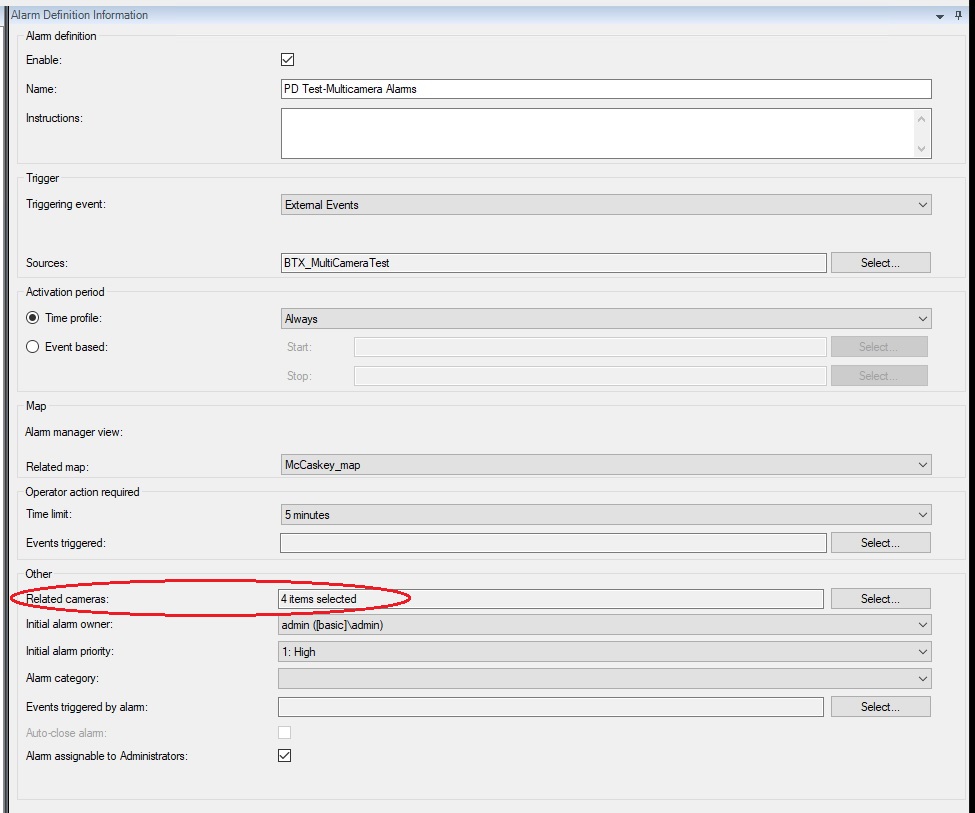
Alarms and Analytics Events can have only one source, but you can display multiple cameras for an Alarm by adding extra.
You have two ways:
-
You have an Alarm Definition where you have added one or multiple cameras to the Related Cameras field. -
You can submit an Analytics Event where you have added one or multiple cameras to the ReferenceList.
I think number two is what you were missing and the reason you ask.
I made an experiment and added this small snippet of code to the LibraryEventGenerator sample (EventForm.cs line 108..), (Item is a camera)
-
ReferenceList references = new ReferenceList();
Reference reference = new Reference() { FQID = item.FQID };
references.Add(reference);
AnalyticsEvent analyticsEvent = new AnalyticsEvent()
{
                        EventHeader = eventHeader,

                        SnapshotList = snapshots,

                        ReferenceList = references
};
-
How I got it working with your help …
alarm.ReferenceList = referenceList;