Hello.
We have implemented an integration between Salto and Milestone, using MIP-AC SDK. We are already currently receiving doors and events on Milestone clients.
We are now on a process of looking into further developing the functionalities of the access control integration plugin.
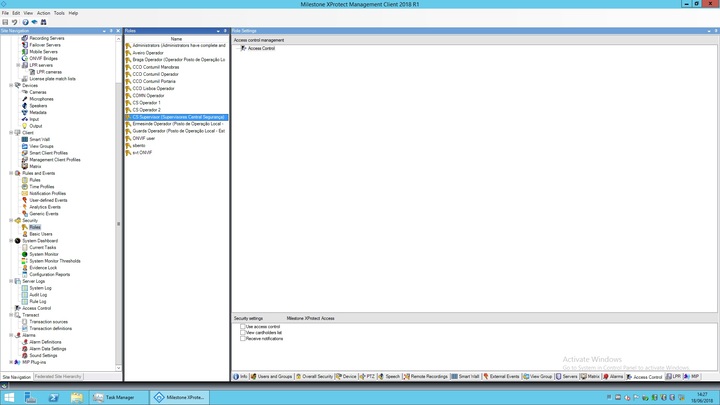
One thing that we noticed is that it seems to not exist on the management client a base connection between the access control plugin and alarms, in what concerns roles and permissions management. As an example, a Milestone user belonging to some role that doesn’t have permission on the access control plugin (attached figure role_config_1.jpg), still receives alarms generated by events of that same access control plugin to which the user’s role doesn’t have permission (attached figure role_config_2.jpg).
role_config_1.jpg
role_config_2.jpg
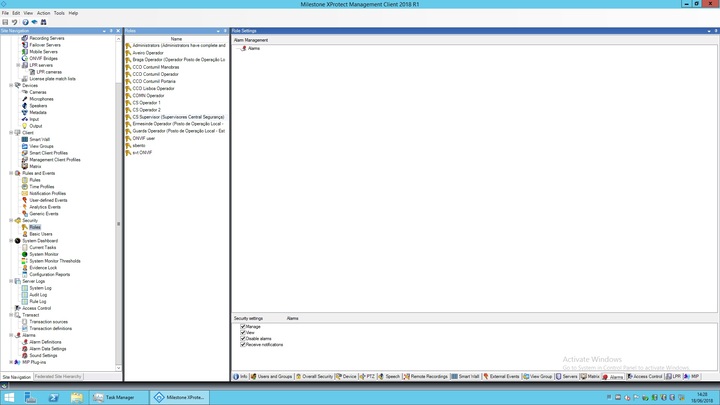
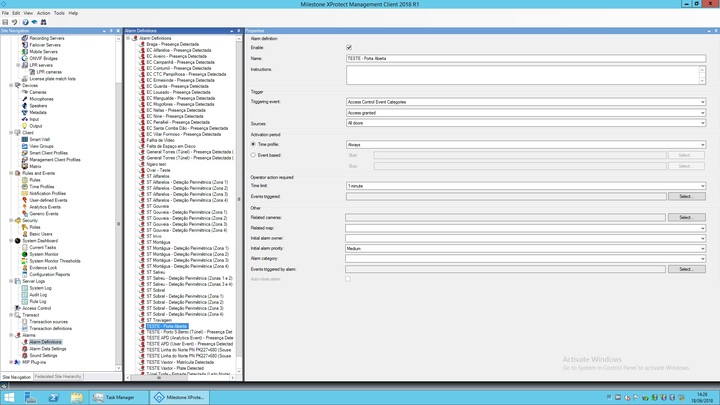
According to the images, we are not giving the role “CS Supervisor” permission to Access Control plugin, but we are giving this role permission to view alarms. We then configured an alarm generated by access control plugin category (attached figure alarm_config.jpg). So, users in this role, in spite of not having permission on the access control plugin, are receiving the alarms generated by it, probably because this role has general permission to view alarms. Is this by design? I mean, even if the role has permission to view alarms, there are all sorts of alarms, so, if it is configured to not have permission on access control plugin, it should view all alarms, except those generated by the plugin events.
alarm_config.jpg
Is it possible to configure the permissions so that a Milestone user on some role configured to not have permission on the access control plugin, doesn’t “see” alarms generated by events received from that access control plugin?
Or is it possible to create this access control plugin / alarms permissions dependency using features of the MIP-AC SDK?
Also, we couldn’t find a way to configure permissions by Milestone user’s role on individual doors imported by the access control plugin on the management client. Is this possible? We know that it is possible to manage the access permission of the user’s roles on the access control plugin globally. But we wanted to do it also by door. For example, RoleA to have permission to “see” events from Door1 and Door2, and RoleB to have permission to “see” events from Door3. Is this something already possible on the Milestone management clients?
Thank you.