Analytic event triggered but not displayed

Hi everyone, I am implementing a new client using REST to trigger event with our software. We previously used the SOAP API.

I had no problem until this monday.

My old SOAP version works just fine.
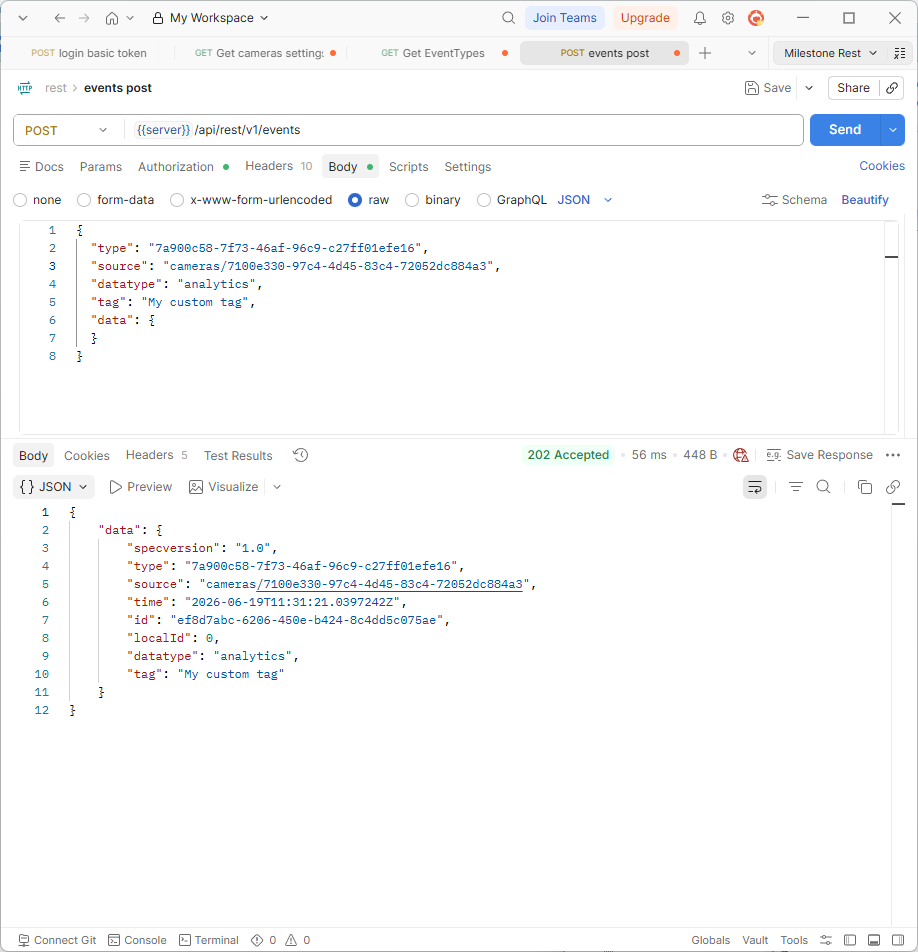
My new REST client, can create analytic events. I can get_analytics events. I then try to trigger one analytic event. The request works fine, I get a 202, a well formed response with an event ID. But my just triggered event is not displayed anywhere in the smart client.
I have the exact same problem with my POSTMAN project, unmodified for a month now.

And the weirdest thing is when I then try a GET events/<returned_event_id>, I get a 404 ….

I’m pretty sure the problem is in my milestone configuration but I can’t get whats wrong, given that I have absolutely no pb with the SOAP client.

Any idea? :confused:

I tested just now and it works for me.

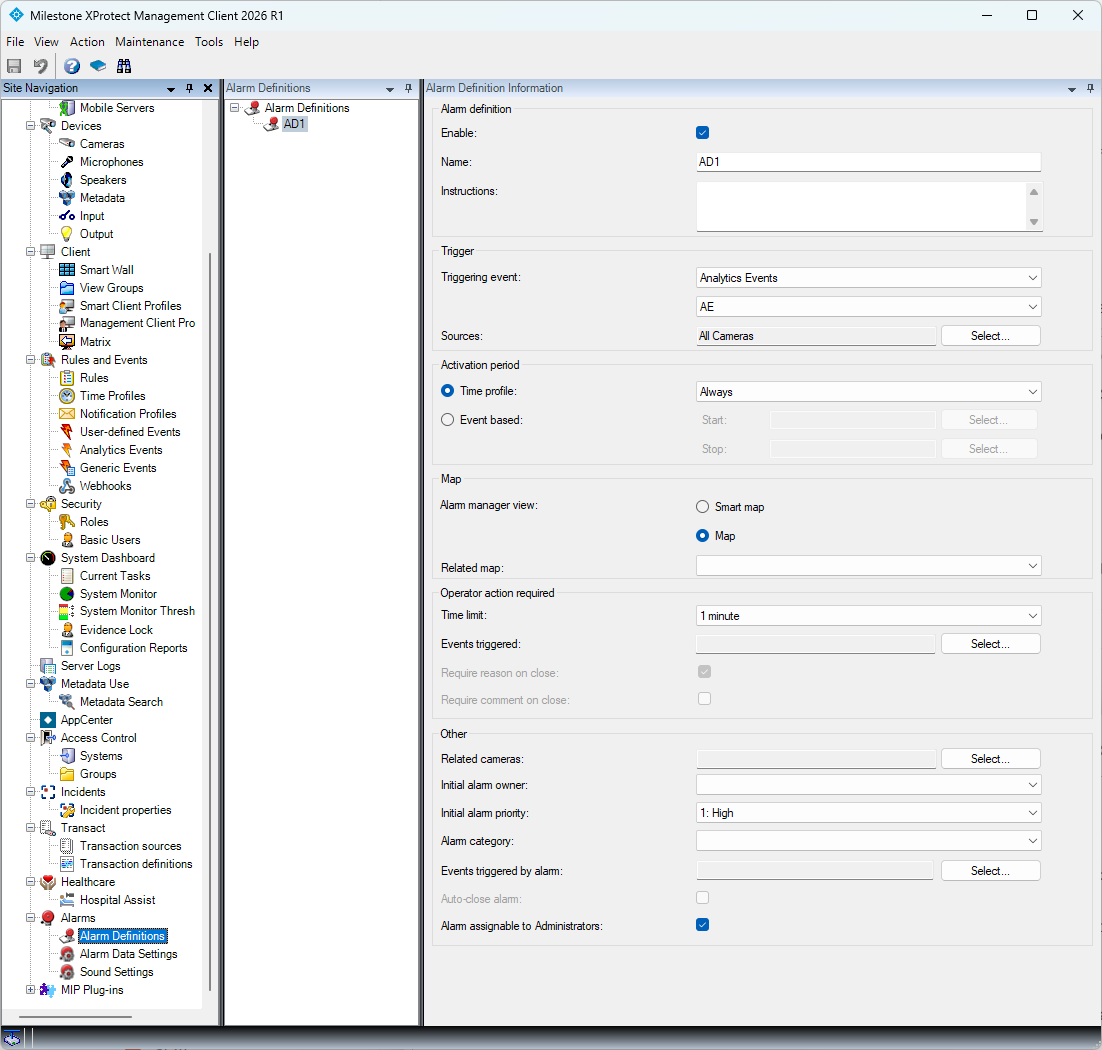
When you describe it my first suspicion is if you are missing a fitting Alarm Definition. Using SOAP you can send an Analytics Event or an Alarm. Using Rest you can only send the event. This means you must have an Alarm Definition that is triggered on the event and turns the event into an alarm that can be seen in the Alarm Manager in the Smart Client.

Alternatively if you go into setup mode in the Smart Client you can configure the Alarm List to list events instead of alarms, but I have a feeling that this is not what you want, you want alarms is my guess.

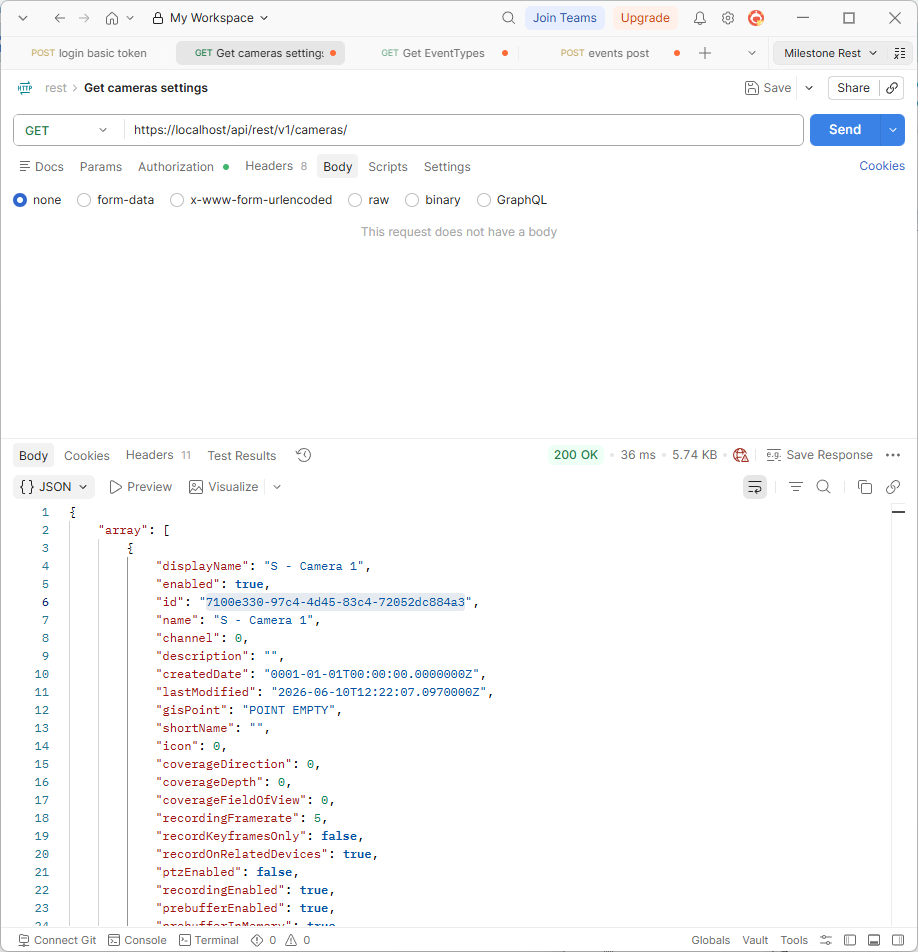
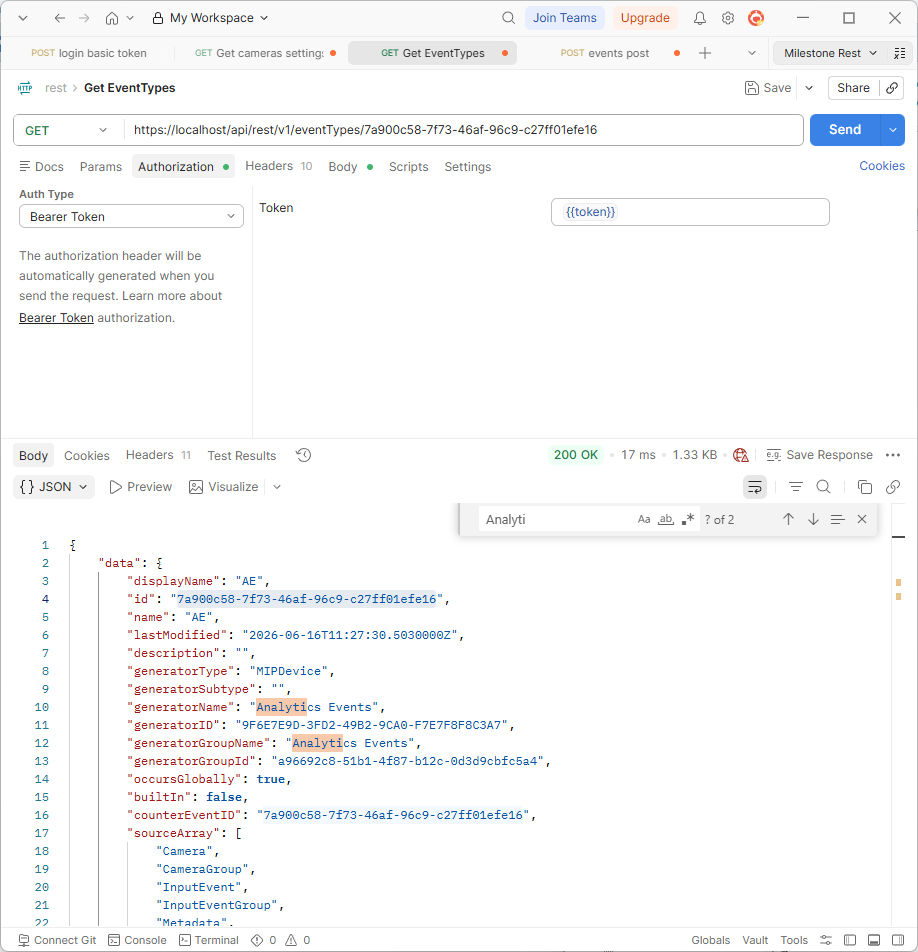
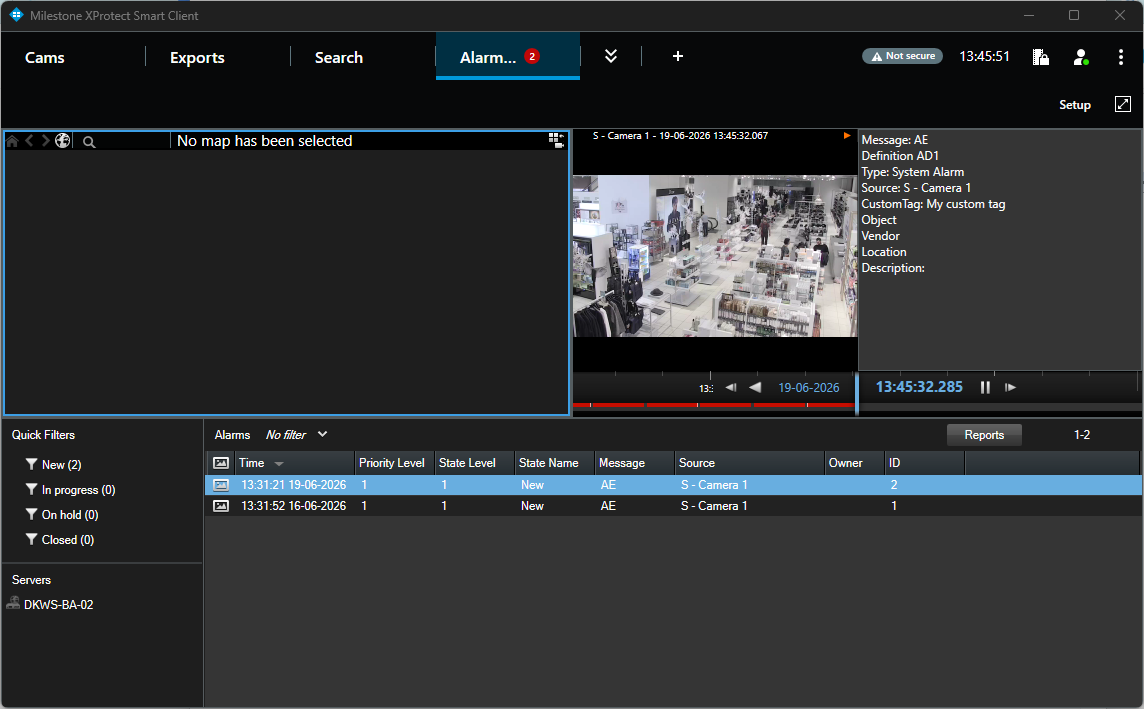
Let me give you some pictures trying to show the elements I used in my testing:

Thanx for your answer

.

Actually I do want an event. Our software only trigger events that client using our software then parse to trigger the alarm they want.

And, as I said, the full process, event creation and trigger already worked before. I have no idea what happened …

I am trying to investigate with xprotect log and database.

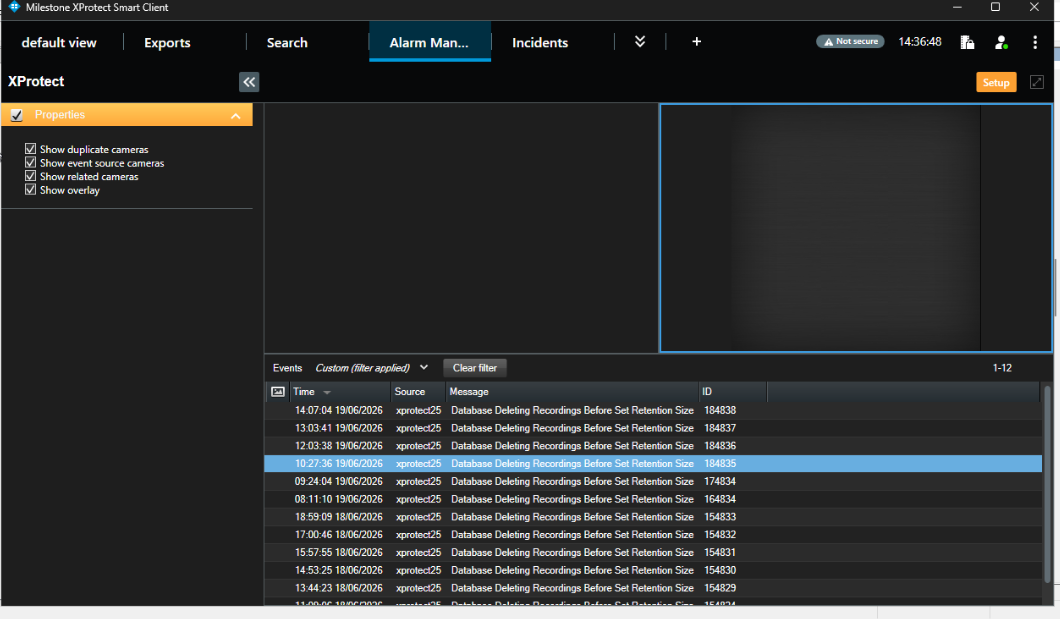
My events (and my soap event) appear in the “Alarm Manager” tile that I configured to display my events, Cf screen shot

Hi,

can you share the (anonymized) URLs and payloads (like SOAP envelopes) that works for you? That could give us a hint on how to utilize the corresponding REST APIs!

Thanks!

Sure, here it is, a working SOAP would be


{

    'EventHeader': {

        'ID': UUID('00000000-0000-0000-0000-000000000000'),

        'Timestamp': datetime.datetime(2026, 6, 18, 5, 52, 32),

        'Class': None,

        'Type': None,

        'Version': None,

        'Priority': 2,

        'PriorityName': None,

        'Name': '5_2_yo_mam',

        'Message': '5_2_yo_mam_end',

        'CustomTag': '1781709636712Alarm9353',

        'Source': {

            'Name': None,

            'Description': None,

            'FQID': {

                'ServerId': {

                    'Type': None,

                    'Hostname': 'xprotect25',

                    'Port': 7563,

                    'Id': UUID('4d50b234-f69c-419e-80ae-f491d62a965b'),

                    'Scheme': None

},

                'ParentId': UUID('4d50b234-f69c-419e-80ae-f491d62a965b'),

                'ObjectId': UUID('405896c6-2193-44ca-be0c-f4f0659ecbf5'),

                'ObjectIdString': None,

                'FolderType': None,

                'Kind': UUID('5135ba21-f1dc-4321-806a-6ce2017343c0')

}

},

        'ExpireTimestamp': None,

        'MessageId': None

}

}

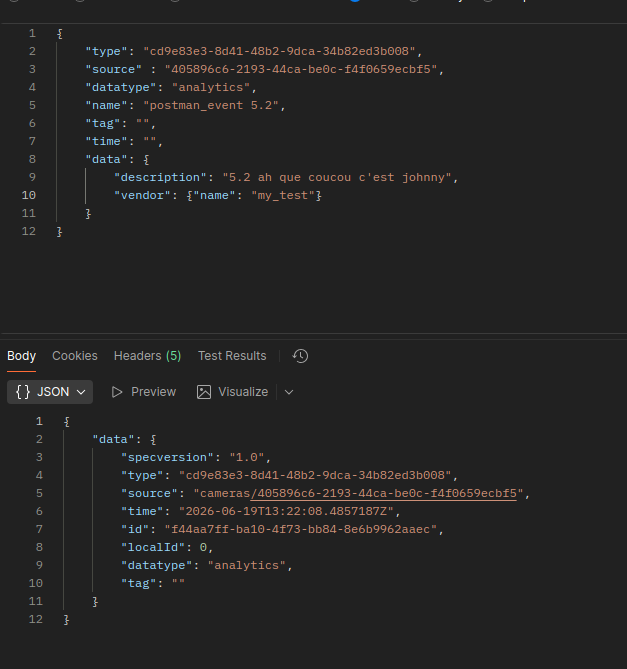
And for a postman request, that works but does not show me anything (and GET on the given ID returns a 404 :

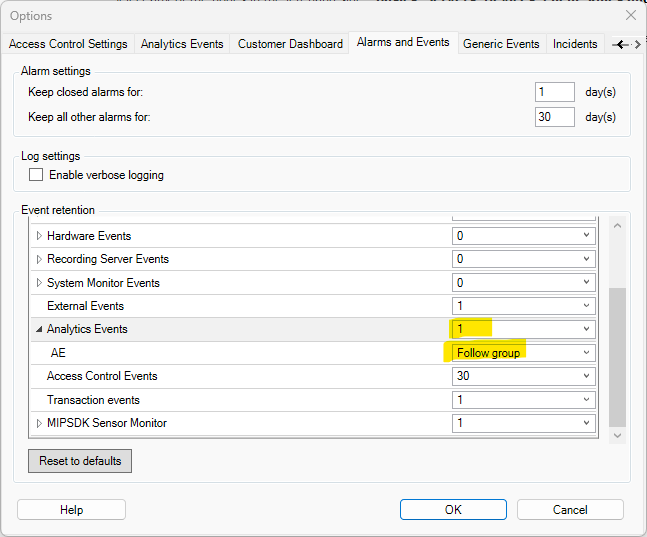
Please do a quick check. In the Management Client, Tools – Options - Alarms and Events tab, are the Analytics Events saved? (Retention > 0)

If they are not stored it will explain why the events are not shown in the Smart Client or returned on a GET.

That was it ….. Thank you so much.

We change the configuration at one point because we were receiving way too many events because of all the tests machines and we wanted to clear the events log…
By the way, from what I read there is no way to just ack the received events so that they are not displayed anymore?

Correct. You could say that Alarms can be handled in the Smart Client, while Events can just be seen..