In the example TriggerAnalyticsEventXml, if I add, for example 2 (for Medium priority) then the alarm created has priority 1 instead of 2.
Please verify if the XML validate button says the XML is OK.
You can check with the XSD (“[C:\Program](file:C:/Program) Files\Milestone\MIPSDK\XSD\AnalyticsEvent.xsd”) if in doubt where to place it in the XML. If you cannot see anything that might be wrong; then please show us the XML that you use.
Hi,
I changed the order of some fields but still doesn´t work
00000000-0000-0000-0000-000000000000
${=new Date().format(“yyyy-MM-dd’T’HH:mm:ss.SSSSSSSXXX”)}
Test
2
TestEvent
TagFromXML
<ObjectId>d299945f-09ce-4f1e-9dc6-2e8e85baa1e1</ObjectId>
Analytics event description.
Event location 1
Test vendor
We tested XML with priority and let me explain what we did.
We created a new Analytics Event named “TestEvent” and a new alarm definition named “Alarm Definition01” which triggered by the TestEvent.
We set initial alarm priority as 2: Medium in the alarm definition.
We started TriggerAnalyticsEventXML sample and triggered some events with following XML.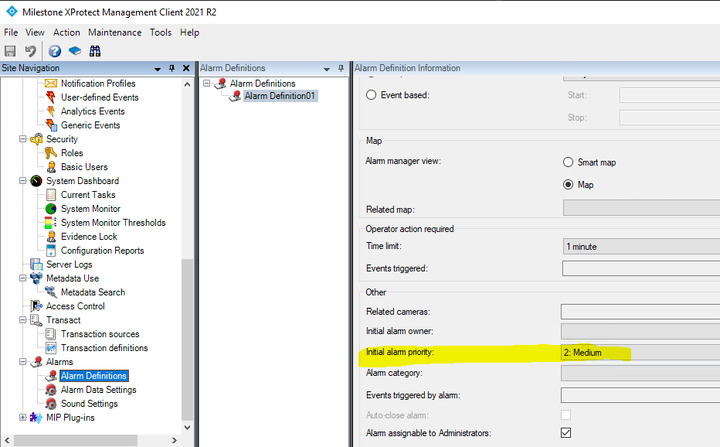
<AnalyticsEvent xmlns:i=“http://www.w3.org/2001/XMLSchema-instance” xmlns=“urn:milestone-systems”>
00000000-0000-0000-0000-000000000000
$timestamp$
MyType
3
TestEvent
TagFromXML
 <!-- Insert camera URI here, if you don't have the GUID. -->

 <!-- (For multichannel devices, URI may contain channel number after ',') -->

 <Name>192.168.0.5</Name>
Analytics event description.
Event location 1
My Smart Video
We set an alarm list on Smart Client,
And we saw Priority 2 which was from the Alarm definition. (But it is reasonable because we set priority 2 in the alarm definition and this list is alarm list.) (You can change the view from Alarm list to Event list but there is no Priority on Event list on SC.)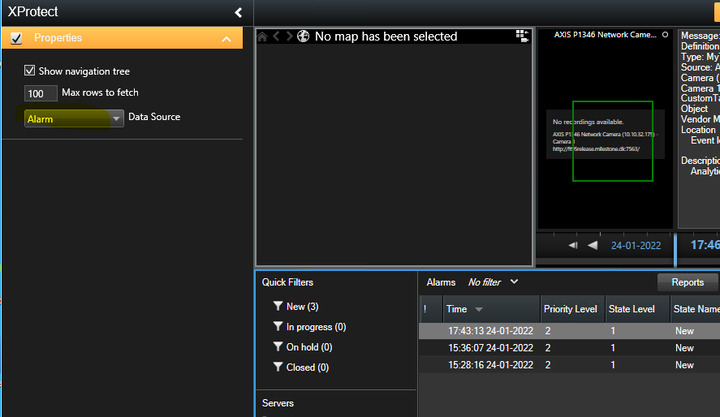
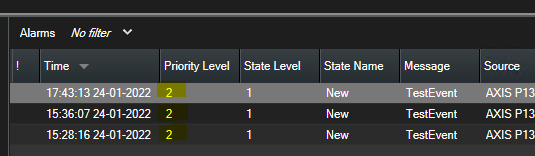
In order to see Event’s priority, we ran a sample called AlarmEventViewer - https://doc.developer.milestonesys.com/html/index.html?base=samples/componentsamples/alarmeventviewer/readme.html&tree=tree_2.html
We put a break point on private void loadClientEvent() , line 204 (around) in MainForm.cs.
Started the sample and selected Events radio button.
You will see Event’s properties are stored in the EventHeader.
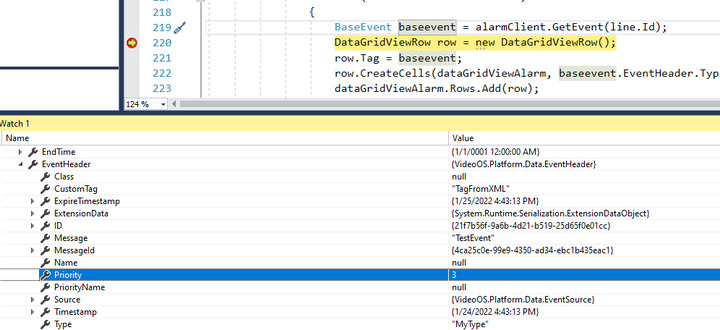
As long as the XML is validated, the event’s priority is stored in the EventHeader.