When our API sends a GET call to /api/rest/v1/alarms to find a alarm triggered by an event, it does not return the alarm newly created. This only happens when the event server is restarted or updated. The temporary fix is to disable then enable the alarm definition that is triggered by that event, or remove the definition entirely and re-enter.
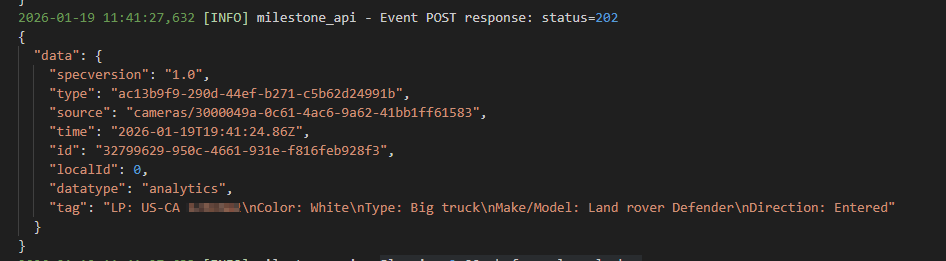
The POST to /api/rest/v1/events returns 202 status and from everything I can tell has successfully sent the event. We did not have this issue with our previous version of XProtect, but only with the new version of 2025 R3.
Any possible fixes for this or is this a known issue?
Could you try to do a quick test and see if you can see the alarm in the Smart Client Alarm Manager? I am speculating whether this is general issue that alarms do not get generated, or more specific that you fail to read them with the API GET call.
I can confirm it does not come through to the alarm manager in smart client. The only correlation I have is that it stops working when the event server is restarted, and the fix is to re-enable the alarm definition. Now we do have other services sending analytic events that trigger alarms that is not affected by this behavior. These are outside services, but in this case, I built this API that receives LPR data and sends into milestone as either a alarm or bookmark. So it could be something I’m very well missing that was only effected with the new milestone version.
My suspicion is that the alarm just isn’t being generated. I’ve adjusted the API call to be more robust in looking for the alarm. I’ve had it wait a bit, re-queried pages and widened the time frame it was estimated to be created. When it’s working, it’s typically always the first alarm in the list. I also have 2 cameras running sending LPR metadata to the same API. Its always just one alarm definition associated with it’s camera that acts up when the event server is restarted. It also isn’t limited to the same camera/alarm definition. I’ve had it happen to both of them, but never at the same time.
I did do some digging around in event/logs and API logs. I only found one thing, the camera associated with the alarm definition that stopped working most recently showed this:
2025-12-03 13:34:07.086-08:00 [ 198] INFO - Log Handle state. StateType=9, State=1, Value = 1, Id=3000049a-0c61-4ac6-9a62-41bb1ff61583, UpdateTime=12/3/2025 9:34:04 PM
2025-12-03 13:34:07.086-08:00 [ 198] INFO - Log Handle state. Failed to lookup source id=3000049a-0c61-4ac6-9a62-41bb1ff61583
This is the GUID of camera associated with the alarm that had the issue last. The time does not match up though. As I had already fixed it well before 13:00 hours. And was creating alarms properly at that time.
I think you are right that the alarm is not generated.
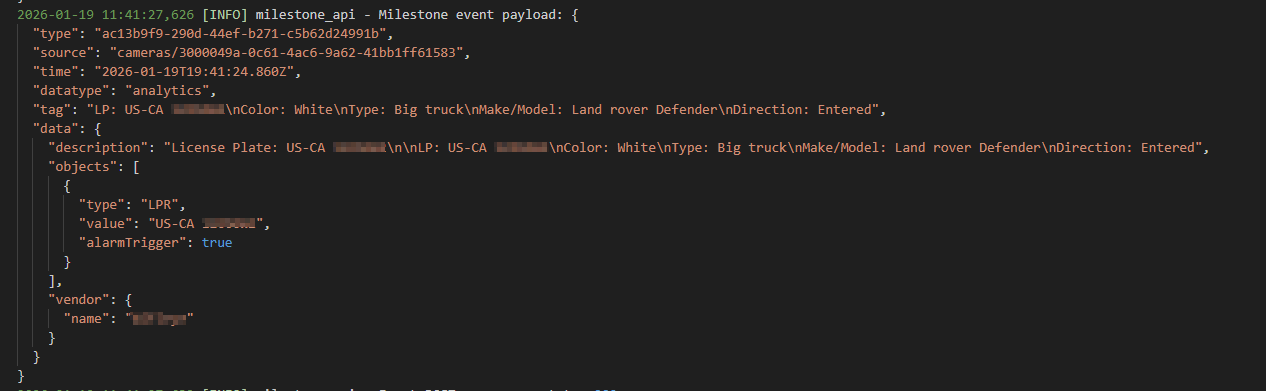
What is the event that you send? The event that normally triggers an alarm.
One thing struck me as suspicious. You say: “API that receives LPR data and sends into milestone as either a alarm or bookmark”. Now a bookmark would not trigger an alarm normally, and an alarm is an alarm, no need to trigger anything. (Maybe just a twist of words.) Back to the question above what is the event exactly? Please share the details.
Is the issue seen at every Event Server restart? Is the workaround re-enable of the alarm definition always necessary, or will start working if waiting?
PS. Good that you posted again, this topic had lost my attention, sorry.
No problem and apologies on the delay… Your correct, I did not word that right. The bookmark is isolated from the event that trigger’s alarm. But I do grab that metadata from the event, to make a bookmark.
I’ve attached 2 images - One shows the event payload being sent to milestone, and another that shows the response from the milestone server. I’ve obfuscated the license plate characters
I originally thought a event server restart caused the issue, but I’ve seen the same thing happen regardless. re-enabling the alarm makes it seem to work again, and by that I mean when the created alarms are retrieved, the intended triggered alarm, exists, usually the most recent, or just below. I don’t believe I’ve seen a situation where it recovers on its own. Usually when it’s not creating the alarms, it stays that way, until something is done about it.
Now, I’m almost certain I’ve solved the issue by creating an analytic event per Alarm definition. (originally I had only created one analytic event to many alarm definitions) With some slight adjustment in the code, I’ve made a mapping between camera GUID and analytic event GUID. So when a payload does come in, it can see the camera GUID, and know which analytic event to fire off.
Since I’ve done that, I have seen no missing alarms. And its been about 2 weeks. This probably won’t scale well, depending how many locations/cameras we have for this.
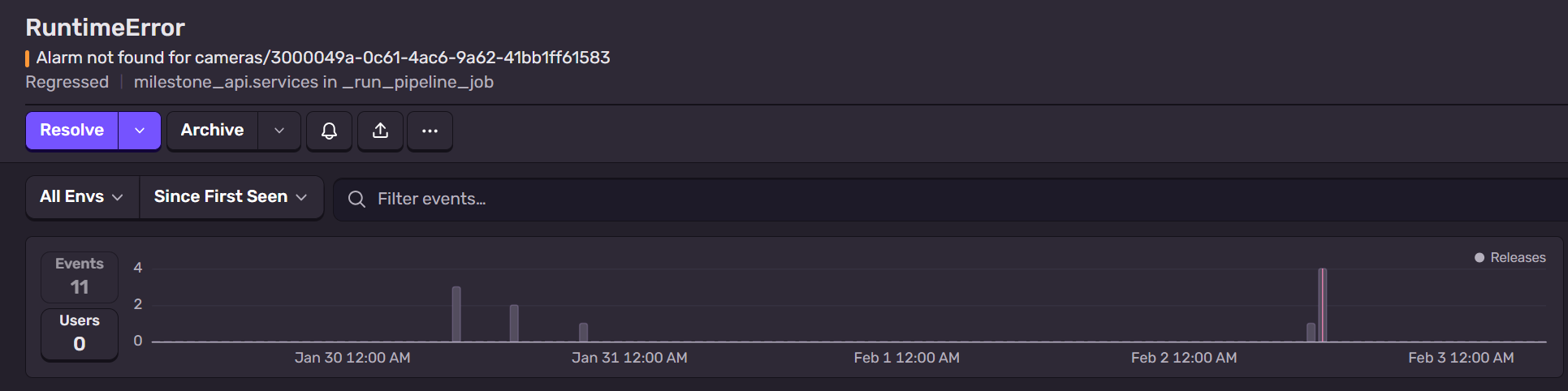
So just a update @Bo_Ellegard_Andersen - Setting up a analytic event for every alarm did not fix it. I just had a handful of missing alarm errors happen. But it does recover and go away on its own. There has been about 11 errors for that since last week. They seem to happen sporadically. I had 4 events happen just yesterday around noon.
Has it been looked into whether there are any errors or suspicious entries in the Event Server logs coinciding with the missing events?
(C:\ProgramData\Milestone\XProtect Event Server\logs or C:\ProgramData\Milestone\XProtect Event Server\logs\MIPLogs)
You are welcome to send a log for me to see but if you do please make sure to tell the time of missing events so that the time can be used while inspecting the logs.
Might the missing events coincide with a configuration change? (Changes to the “source” or the alarm definition.)
To check for configuration changes you can use Management Client -Server Logs -Audit logs.