blank camera rather than removing camera using MIP messaging

Hi So I’m trying to write a simple plugin that adds a icon to each view item allowing you to temporarily remove it.

I’ve come pretty far but I fall down at truely removing the item.

I can use

"EnvironmentManager.Instance.SendMessage(new Message(MessageId.SmartClient.SetSelectedViewItemCommand, new SetCameraInViewCommandData() { Index = index, CameraFQID = null })); "

But all that displays is a black camera rather then actually removing the view item, am I missing something to just remove the current item temporarily and revert it back to the blank slate.

Hi Justin. We tested SCInsertCamera sample and I could see the same situation as you.

SCInsertCamera sample - https://doc.developer.milestonesys.com/html/index.html?base=samples/scinsertcamera.html&tree=tree_search.html?search=scinsertcamera

We will investigate this and let me get back to you later.

Cheers Rie:)

Looking forward to finding out if it’s by design or not, part of me says it makes sense I’m asking for a camera object with a null sid but would be nice to have a clear out option if poss:)
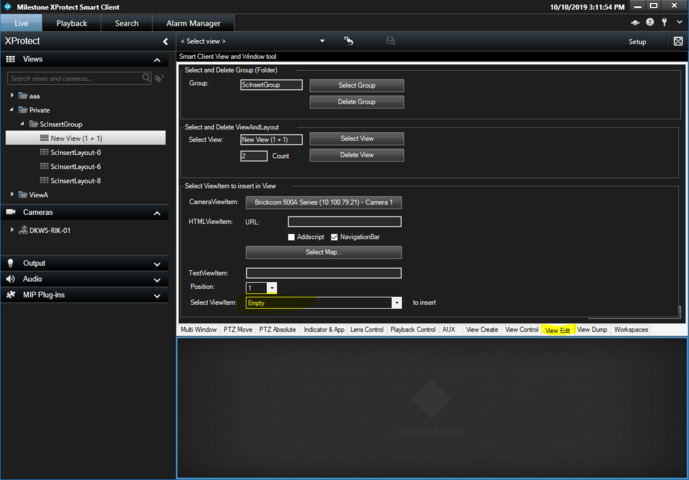
It is by design for SetSelectedViewItemCommand.

I think you should use another method.

Run the Smart Client View and Window Tool plugin sample and the View Edit.

https://doc.developer.milestonesys.com/html/index.html?base=samples/smartclientview_windowtool_sample.html&tree=tree_search.html?search=smart+client+view+and+window+tool

Then you can use

_viewAndLayoutItem.InsertViewItemPlugin(..)

and using this you can insert a blank ViewItem.

Perfect Rie, I’ll give that a go.

Thank you!