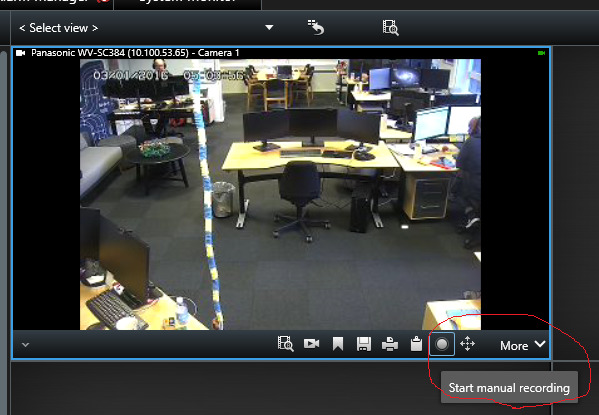
No matter how i send it, how much i play with both the colors and the Cartesian coordinates in here, it just wont draw anything on the camera image itself.
 <!-- Insert camera URI here, if you don't have the GUID. (For multichannel devices, URI may contain channel number after ',') -->

 <Name>192.168.0.199</Name>

 <!--     <FQID> -->

 <!-- Insert camera GUID here, if you have it -->

 <!--<ObjectId>068680AB-5350-4AC7-A47E-652300B16252</ObjectId>-->

 <!--     </FQID> -->
Yes i’ve tried running the basic xml without the overlay design feature-Through the visual studio tool. Still doesn’t show anything though on the camera image. The event itself comes in, and the picture as well, no overlay though.
How are you going about seeing the bounding boxes you submit? Are you using Alarm Manager + Alarm Preview? Bounding boxes from Analytics Events will not show up the regular camera view but will show up on Alarm Preview. The documentation outlines two ways to see it: #1 create an Alarm Definition and you will see an alarm in the Alarm Preview including overlay. #2 change the Alarm Manager Alarm List to show Events instead of Alarms.
We are speculating if you are looking in the right place..
I dont have an option in the menus to open up alarm manager,
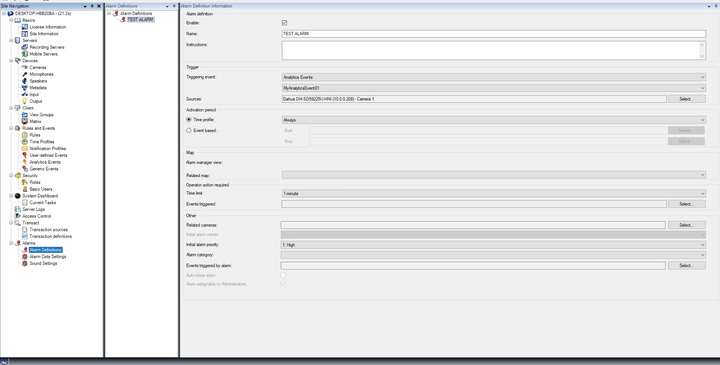
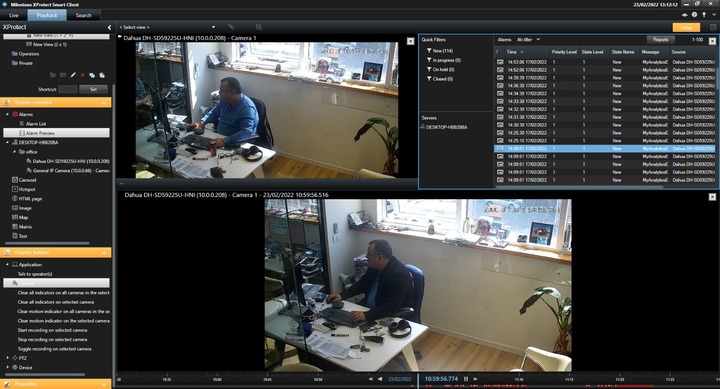
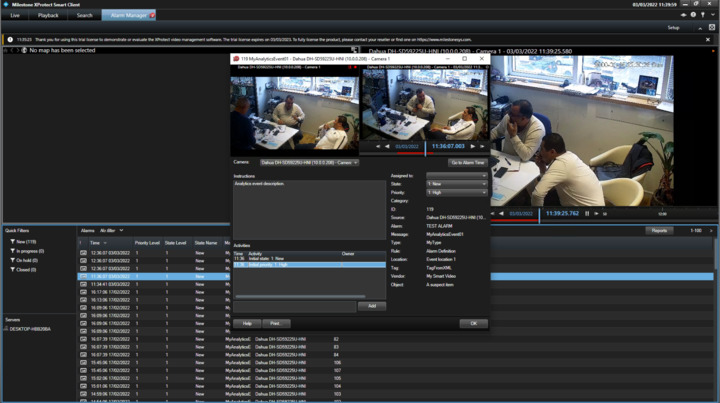
I’ve got an alarm list menu and an alarm preview one as shown in the following images below also i’ve defined an alarm for the event i’m getting in the alarm menu on the client admin.
All of those events in the list were sent with various bounding boxes in different places and colors.
Regarding alarm manager, maybe it is because you are using Essential+ and it doesn’t have the functionality. But you have already use alternative way – use Alarm Preview and Alarm list and it seems working fine.
You might already know how to setup Alarm Preview and Alarm list but let me tell you about it -
Start Smart Client and go to Setup. Select Alarm Preview/Alarm list and drag it to a viewitem.
If you still have the initial issue, please compare these successful bounding box code and yours.
Still having the initial issue and now it’s getting urgent. Analytics events still come in without bounding boxes around them.I’ve compared your successful api’s with mine and they’re the same.
I’ve installed xprotect proffesional + (We’re registered as a company on the parther program for Milestone). Now i do get the Alert manager menu, but bounding boxes are not yet showing on events i send in.
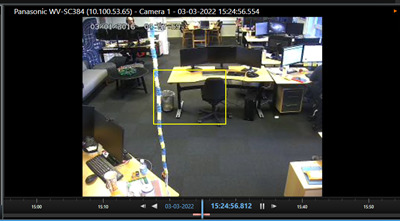
Ok this is working now. Problem was the version (ive installed xprotect essensial +) which doesnt get those bounding boxes for some reason. I went ahead and installed xprotect proffesional + and it started drawing them.
You can send either MAD or Analytics Events, please send analytics events. MAD has not been used since the first prototypes even if it is not discontinued.
We’re as a company set to send live analytic events and not as a investigative perspective. when i send alerts now, if it’s a “live” alert, im getting a message from the recording server telling me “After recordings”, which i think tell me that the event i’ve sent happened after the recording server did his thing.
So the question is this:
How could i set the recording server to record up to more recent timeframe, or is there another solution to that?
Sending an event with one minute delay-as the recording server didn’t get to that time point, as of now this is not something we can work with.
Per default there is a rule to record on motion and record from 3 seconds before the motion.
You can make a rule to record always.
Perhaps the perfect solution is to make a rule to start recording on your analytics event and make sure you start recording in good time before the event.