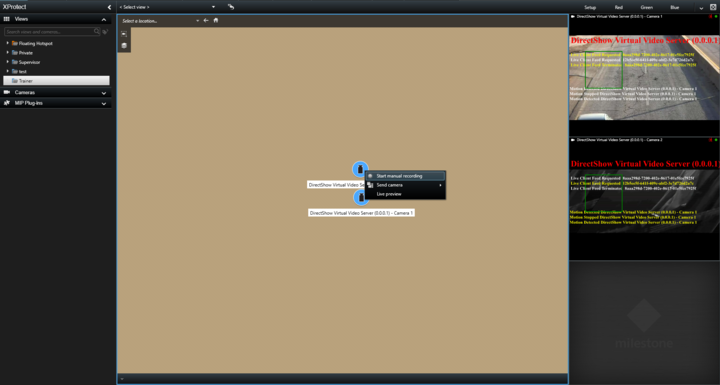
i have a requirement where the client want to select a camera or multiple cameras from the smart map and right click or click a button to open a custom popup window to fill certain info.
Is it possible to add an item to the menu found in the screenshot attached or any other way this could be done from the smart map.
best regards,
You already got my answer on this directly, but to the benefit of others let me just recap:
Unfortunately the camera items on the Smart Map do not offer any extension capabilities. You can add new items to the Smart Map on which you define your own menu items, but you unfortunately cannot modify the build-in ones. See Sensor Monitor sample for example of how to add MIP items.
Opening a dialog is also a problem as the command is not evaluated in the Smart Client, and instead passed on to the Event Server (in fact the plugin does not even have to be present in the Smart Client), which is a service and thus cannot open a dialog.
To actually be able to open a window when a menu item is clicked is fairly difficult. The only thing I can come up with is using MessageCommunication to pass a custom message back to a background plugin running in the Smart Client (so in this case you will need a plugin there), which will then cause it to open the dialog (remember to invoke back on the UI thread). However, in order to avoid opening the dialog on all clients you would have to be able to tell which client the command came from. You might be able to achieve that somehow by using the userSID, which the sample also extracts and then include that in the custom message so that the Smart Clients can check whether the command originated from the same user as is currently logged in on that Smart Client, but I must admit we have never tried doing that.
You can have a look at the Chat sample to see how to utilize message communication.