Hi All,
I have recently added a stand alone AXIS microphone into the system, its runs under a RTSP connection and is configuired in the XProtect Management Client to record. This all seems to work well.
In the XProtect Smart Client , The new microphone displays in the Audio sections under “Microphones to Listen to” As in below image. This all works well and good in both the “Live” viewer and also the “Playback” viewer.
As it works ok in the playback viewer, i would have assumed that if id like to export this from a particulaer time in histiory that i could…
When i setup an export it displays the following,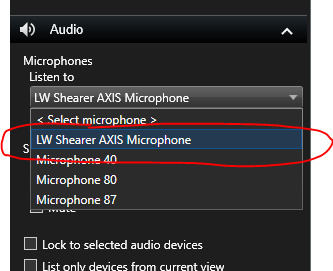
- I select the Microphone in items - Looks OK
- I select the Media Format as Audio Only - Looks OK
- Timeline slider displays data - Looks OK
- Player says no recorings available - Doesnt look OK??
- Estimated Size says 0 Bytes - Doesnt look OK??


My question is why can i playback this audio at that particular time, this proves that it is recoreded. But cannot export this, resulting in a the error that no data is available??
Thanks in advanced,
NP