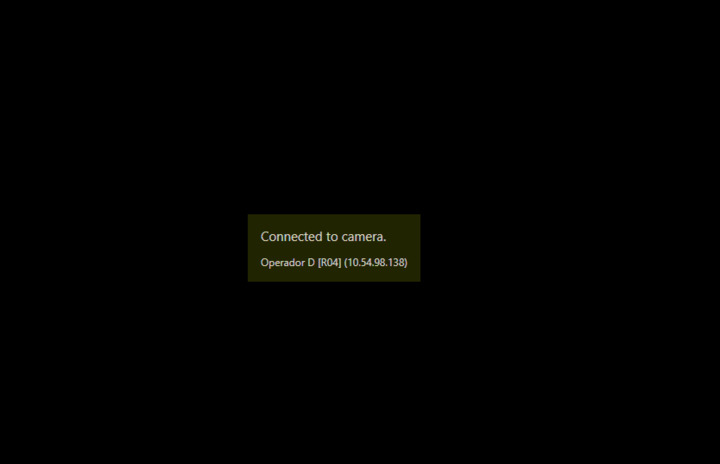
I’m showing a camera feed and it only works once.
When I set another FQID it doesn’t show any video only a message saying it has connected.
This is my code:
 ImageViewerControl imageViewer;
private void GetStreaming(string camera)
 {
		Item Camera = null;
		Camera = Configuration.Instance.GetItem(new Guid(camera), Kind.Camera);
            if (Camera != null)
            {
	        if (imageViewer != null)
                    {
                        imageViewer.Disconnect();
                        imageViewer.Close();
                        imageViewer.Dispose();
                        imageViewer = null;
                    }
					imageViewer = ClientControl.Instance.GenerateImageViewerControl();
                    imageViewer.Dock = DockStyle.Fill;
					streamingPanel.Controls.Clear();
                    streamingPanel.Controls.Add(imageViewer);
                    imageViewer.EnableVisibleHeader = false;
					imageViewer.CameraFQID = Camera.FQID;
                    imageViewer.UsingMulticast = false;
                    imageViewer.Initialize();
                    imageViewer.Connect();
                    imageViewer.Selected = true;
                    imageViewer.EnableDigitalZoom = false;
			}
		}
Thanks in advance!
Do you see the same issue if you use the VideoViewer sample and change camera?
If the sample works try to compare your code to that of the sample.
Thanks Bo for the answer. Yes, my code is exactly the same as the VideoViewer Sample.
The thing is the first time it calls this method the video shows perfectly, the second time after the disposal of imageviewer it doesnt’t show anything.
Just to be sure; does the VideoViewer sample (no modifications) fail the same way?
Does the Smart Client work for you on the same camera? Do you have more than one camera that fails in this way?
Yes, it fails the same way. The Smart Client works OK on the same camera and yes it fails on all the cameras on the second run. The first run works perfectly with all the same cameras that then fail on the second run.
I see another thread that might be the same issue. Please see -
https://developer.milestonesys.com/s/question/0D50O00005m3ZY1SAM/different-imageviewercontrol-in-multiple-windows
Does the error seem the same?
Can you please test with my minimal sample?
Bo, sorry for the late answer. I tested the approach that you suggested in that thread but it keeps failing. When switching between different cameras, the first time the ImageViewerControlForm works fine, but the second time it doesn’t get the feed. It shows a black screen withe live information saying it has connected but it doesn’t show the live video.
I have two indications from developers where they saw an issue while using Visual Studio 2019 in debugging, but no issue using a release build or using an older Visual Studio.
What is the version you have?
I’m using Visual Studio 2017. The strange this about this issue is that in some environments it works fine. Can it be related to hardware acceleration? Because the computer with this issue it says hardware acceleration OFF. The only workaround that is working right now is everytime i want to show a different camera i’m shutting down and restarting the application which results in a poor UX.
Just to hope for the easiest solution. If you have not done this already please try to update the graphics drivers in the PC where your application fails.