ClickOnce deployment DLL issue

I am integrating the Milestone SDK into a Windows Forms app running .NET Framework 4.7.2. The application works as intended inside of Visual Studio. Building the application is also successful. However, when publishing the application with a ClickOnce deployment, I am facing the following error when attempting to load video:

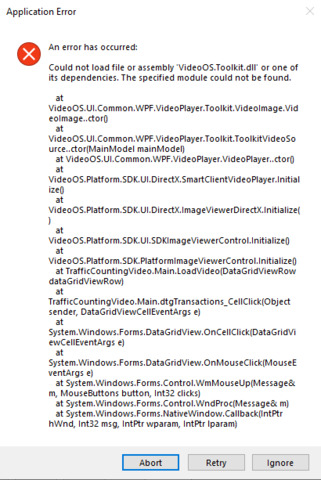
“Could not load file or assembly ‘VideoOS.Toolkit.dll’ or one of its dependencies. The specified module could not be found. At …”

Screenshot of the error attached below.

I have tried building the application targeting the ‘Any CPU’ and ‘x64’ platforms. Both will launch successfully within Visual Studio, and from the exe within the bin/Debug folder. However, it runs into this same error when deployed with ClickOnce. Looking at the install folder from ClickOnce, the VideoOS.Toolkit.dll is found within the same folder as the exe, screenshot attached below:

Any useful information / help would be greatly appreciated, thanks.
Try to see the best answer here.. https://developer.milestonesys.com/s/question/0D53X0000A5QWsDSQW/could-not-load-file-or-assembly-aviexporterclientmwdll-or-one-of-its-dependencies-the-specified-module-could-not-be-found

Hi Bo,

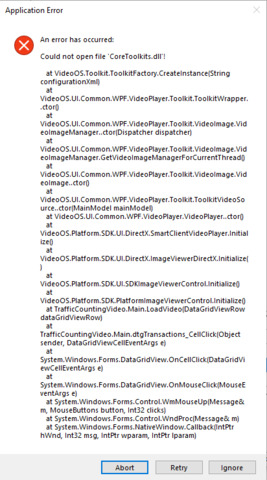
I have added the bin folder as a value to the PATH system variable. After restarting my computer and launching the application installed by ClickOnce, I am now facing a different error. Screenshot attached below:

The application will still successfully build and debug within Visual Studio. Additionally, the application launches when launched from the exe within the bin/Debug folder on the development machine. Only when launching the ClickOnce deployed application does it run into this issue. I have also ran the ClickOnce exe as Administrator, which is found within the AppData/Local/Apps (location of ClickOnce deployments).

Thanks,

Ray

You need to compare the local bin with the folder you publish to and see if the files are all copied. Make sure it is the right folder. I suspect files are missing (CoreToolkits.dll and others).