ClientSetting shortcut

Hi,

using XProtect 2024 R1 and MIPS SDK 2023 R3.

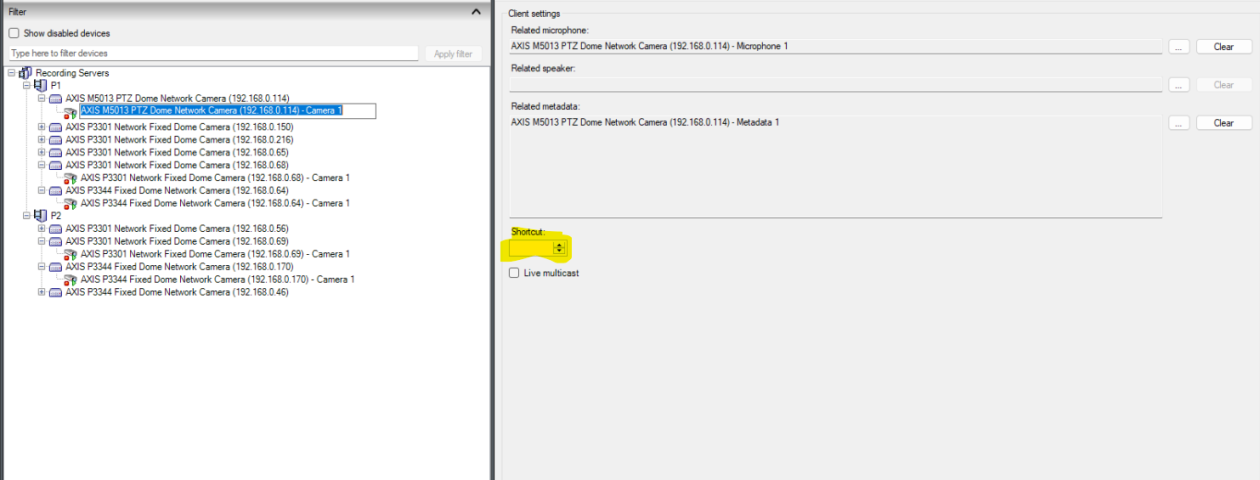
In Management client UI, we have not set any shortcut under clientsetting.

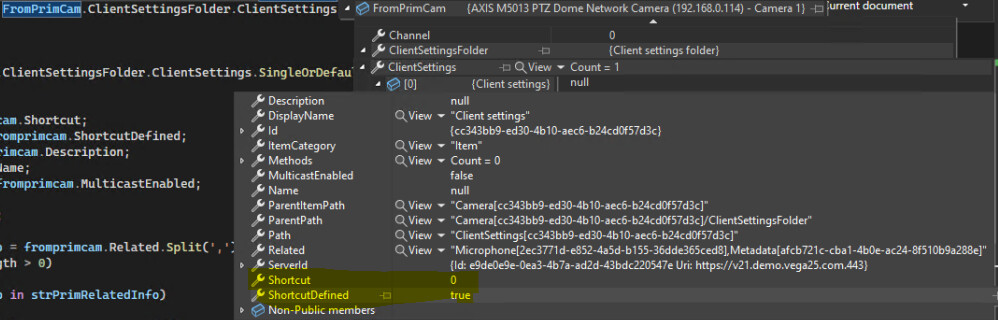
But when accessing from configAPI, we get shortcut = 0 and shortcutdefined = true.

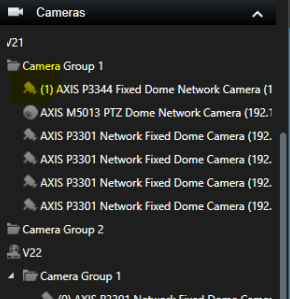
If we set back and save , we get shortcut in the camera group during selection in SC.

Is this a bug that causes us to get a shortcut when it is not set in the management client UI?

Thanks,

Vega

I have reported your observations to Milestone Development for deeper investigation. I will get back when there is feedback.

Thank you for reporting this.

This was an issue in previous versions of the SDK. Please upgrade to one of the newer versions (24 R1 or 24 R2) in which the issue is fixed.

We are using SDK version 24.2.3, and we can confirm that the issue persists.

Could you please share the exact lines of code you are using to “set back and save”?

    foreach (ClientSettings fromprimcam in FromPrimCam.ClientSettingsFolder.ClientSettings)
    {
        try
        {
            ClientSettings seccam = fromseccam.ClientSettingsFolder.ClientSettings.SingleOrDefault(x => x.DisplayName == fromprimcam.DisplayName);
            if (seccam != null)
            {
                seccam.Shortcut = fromprimcam.Shortcut;
                seccam.ShortcutDefined = fromprimcam.ShortcutDefined;
                seccam.Description = fromprimcam.Description;
                seccam.Name = fromprimcam.Name;
                seccam.MulticastEnabled = fromprimcam.MulticastEnabled;
 
                seccam.Save();
            }
        }
        catch (Exception exp)
        {
            
        }
    }
}
catch (Exception exp)
{
}
try
{
    // Saving the camera client settings changes
    fromseccam.Save();
}
catch (Exception exp)
{
    
}

We read the client settings from the primary camera, set them to the secondary, and save. Note that in primary the shortcut is “” (empty string)

I tried to reproduce. I get a consistent behavior: If the ShortcutDefined is true there is a shortcut in Smart Client, Management Client or anywhere I look. if the ShortcutDefined is false there is no shortcut anywhere I look.

I wonder if the error was in the old VMS not the Configuration API / SDK.

My theory is-

In current MIP SDK version the Configuration API returns on Shortcut a default value “0” instead of null or undefined, there is no way the value returned can be “”.

If the older VMS interpreted Shortcut “” as a valid value that should mean that ShortcutDefined should be ignored, then the observations makes sense..

An easy workaround would be that if Shortcut is “” or 0 then ShortcutDefined should be set to false and Shortcut to 0.

I have no XProtect 2024 R1 test setup, but can set it up if necessary. if my theory fits your observations and testing I hope you will go with that.

You tested a newer MIP SDK but still use XProtect 2024 R1, correct?