We have a customer with the following issue. Our software using Protocol Integration is able to login to their centralized Management Server but the requests to the Recording Server which is on the same machine as our software, throw a WebException with the following error message: “an existing connection is forcibly closed by the remote host”. We do not have remote access to the machine, only Zoom sessions with shared screen.
Any recommendations for troubleshooting this are greatly appreciated.
Thank you very much for your assistance.
Best regards,
Ruslan Georgiev
I am guessing that you have the same issue using the Smart Client as you have using your software, and then it could be a general networking / routing issue and then I think the general technical support would have recommendations.
Support cases interface is found following this link. https://support.milestonesys.com/
The customer is stating that they can view cameras via Smart Client from a different machine. I believe the issue is occurring only on the localhost. I have instructed them to open a support case.
Thank you very much for your help.
We are still not able to connect to the recording server. Authentication to the management server works, but when the ‘connect’ method is invoked, the Recording Server connection is reset. Confirmed that TCP port 7563 is open. Wireshark indicates RST, ACK being sent from the Recording Server IP address.
Disabling encryption in the Recording Server configuration resulted in successful clip download. The customer server has a valid certificate.
The XProtect version is 2025 R2.
Milestone tech support said potential issue is the certificate trust. When the connect request is rejected the Recording Server debug information is
The handshake failed due to an unexpected packet format although the request syntax complies with the requirements.
Please find attached the Recording Server log.
WebServer.log (62.1 KB)
This is the request
connect.txt (543 Bytes)
Thank you very much in advance
Do you see this issue with all XProtect VMS installations, or only with one specific installation?
If this is a very old integration, developed before 2019 R1 when encryption support was introduced, this could be a compatibility issue. See the documentation here: Introduction to MIP SDK 2019 R1.
In that case, compare your implementation with the TCP Video Viewer sample, which was updated at that time to support encryption.
Also, please test whether the unmodified TCP Video Viewer sample works on the affected PC.
PS. The fact that Smart Client works on a different machine does not answer whether this is a general connectivity issue on the affected PC. Only by testing from the same machine can you determine whether the problem is between the VMS and that specific PC, or within your integration itself.
Thank you very much for the recommendations Bo.
I downloaded the modified TCP Video Viewer sample and I am comparing it with our implementation.
Hello Bo,
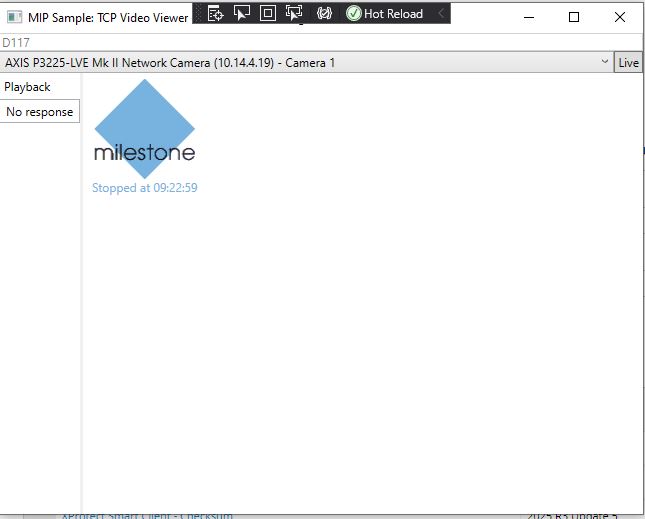
I am able to reproduce the issue locally by turning on the encryption on our test server. I built the TCPVIdeoViewer sample, and It does not work when encryption is enabled both when using basic authentication (that we use in our deployments) and when using Windows authentication. Below is the log from the Recording Server.
When encryption is disabled the sample works with both basic and Windows authentication.
MIP20260805.log (83.3 KB)
A couple of basic questions first. Often it is the first step that breaks.
-
When testing from the same machine against this test system, does the Smart Client connect and display video successfully?
-
Is the Recording Server running on the same machine as the Management Server? If not, could you describe the network topology?
-
Can the client machine resolve and ping the Recording Server hostname?
-
Which version of the ProtocolSamples solution and TCP Video Viewer are you using? Did you use the latest sample from the mipsdk-samples-protocol repository?
-
Did you build ServerCommandWrapper before building TCPVideoViewer?
The “Connection closed” message is often related to connectivity, name resolution, version mismatches, or an issue in the authentication/connection sequence, so the answers to the above will help narrow it down.
@ruslangeorgiev
Could you do a Wireshark trace on port 7563 when encryption is enabled, start TCP video Viewer in your test machine, and check if a valid TLS handshake happen or if it’s not recognize that it’s TLS and therefore RS close the connection?
The Smart Client on the same machine does not connect. Displays message “Connection to server failed”
Recording Server is on the same machine as Management Server.
The client machine can resolve and ping the Recording Server hostname.
TCP Video Viewer is built using the the latest version from https://github.com/milestonesys/mipsdk-samples-protocol/tree/main/src
ServerCommandWrapper is built before building TCPVideoViewer
TCPVideoViewer_test.txt (3.5 MB)
Here is the capture as a text file. It appears that RS returns an internal error and then closes the connection FIN ACK
Bro send a pcap haha
Does the smart client on the client machine installed the root ca / ca that has trust anchor with the cert for the RS?
pcap, and pcapng files are not allowed for upload by the site. The txt file can be opened in WireShark.
The CA for the Recording Server cert is in the Trusted Root CA on the client machine
@ruslangeorgiev
ok look, my assumption was correct, its a handshake error
the server does not replay with an “server hello” so for me that looks like RS cant really work with the cert, did you made the PK exportable?
I think we have here two issues one is the localhost and one is this handshake error.
I would now inspect the logs why this handshake error happen, that is the reason why SC also not work, same handshake issue. So on your labs you have this error.
On customer side you have the local host issue, where we need also may can deep into with a proper trace.
Inspect the logs to see why you get this handshake error, may you find something on RS logs
RS_disconnect.txt (5.9 MB)
This is the WireShark trace from the customer Recording Server that has the disconnect.
It can be opened in WireShark.
This is the log from the Recording Server machine which I submitted earlier.
MIP20260805.log (83.3 KB)
The Management Server for the customer is centralized and the Recording Server is at a different location.
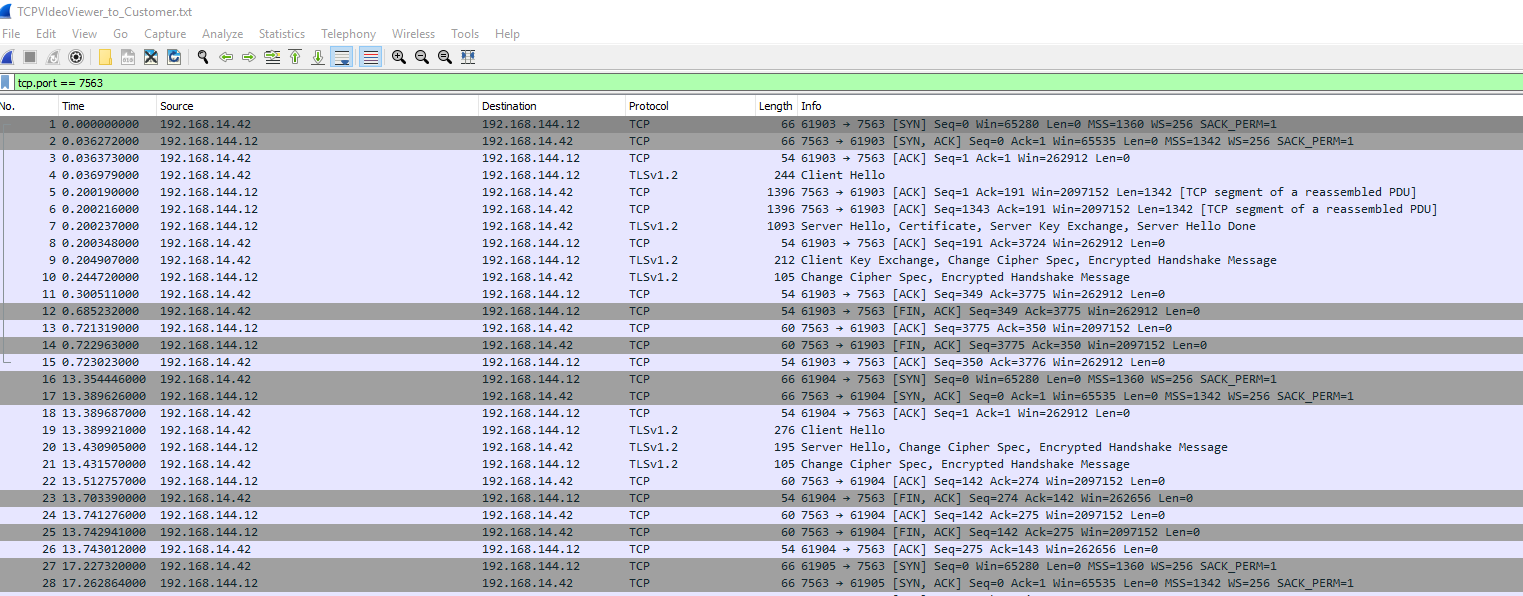
Here is a WireShark trace from TCPVIdeoViewer to the customer Recording Server on port 7563.
I modified the TCPVideoViewer sample to login to the customer Management Server.
TCPVIdeoViewer_to_Customer.txt (23.5 KB)
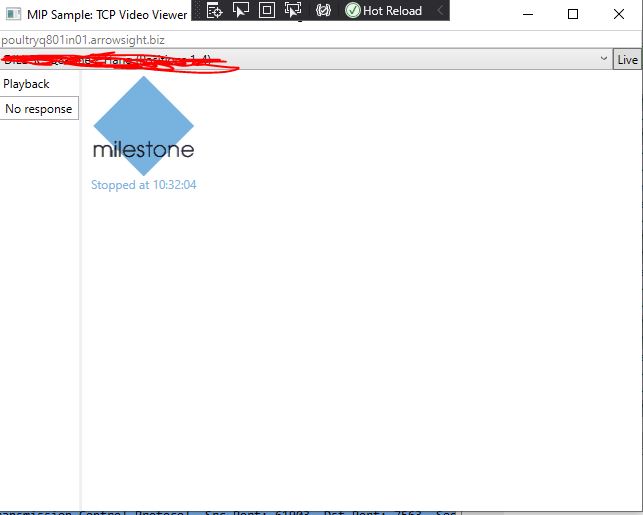
The TCP Video Viewer still cannot get video.
Hope this helps to narrow down the problem.
Thank you very much in advance.
ok on customer RS its look like no TLS connection is made, when you say encryption is on then the connector does not create a TLS connection at all
MIP20260805.log shows that RS cant talk to MS via TLS. the RS I think is also offline when you open the MC or ?
the last one TCPVIdeoViewer_to_Customer.txt does speak TLS to RS so thats strange.
Since this is TLS I cant inspect the stuff that is send there. What does the sample eg view log ? did you add some expection logging there why it fails.
For me confusing is now why RS_disconnect.txt that you sad is from customer shows a non TLS connection but then you write “I modified the TCPVideoViewer sample to login to the customer Management Server.” and this trace show a successfully TLS connection to RS Server.
I am more confused as before. did you mix up something ?
Sorry for the confusion. So the RS_disconnect trace was done using our existing integration which does not use TLS to talk to RS, so RS refuses the connection unless it’s unencrypted.
The TCPVideoViewer_to_Customer that shows the TLS handshake is the modified sample that authenticates to MS, and then passes the token obtained to RS.
I will add more exception handling to see if I can find out where it breaks.
I don’t have access to the customer server Milestone logs so I will have to rely just on my TCPVideoViewer exception handling.
I will try to inquire if the customer will agree to run the TCPVideoViewer modified code on their server and get the logs, but that won’t happen until Monday.
Thank you very much again for your help.
Ok now I have a clear picture, we need to focus on why a none TLS connection is made.
Only proper exception and bunch of logging could help here on your application that run on client env.
Let me know if you have more details.
I debugged through the TCPVideoViewer, and in the method ConnectToImageServer an AuthenticationException was caught with the following message:
SSL error The remote certificate is invalid according to the validation procedure..