Can you send a screenshot of latest VpService run (PowerShell)
Hello,
please are there any news concerning this issue?
Hello, thank you for your reply.
I’ve made the changes you mentioned above.
The projects that I changed are: vps2gstreamer, boundingboxes, passtru, xprotect, jpegtranscoder. onvifmeta, xprotectmeta.
Here are the screenshots of the changes made on the boundingboxes project/passtru:
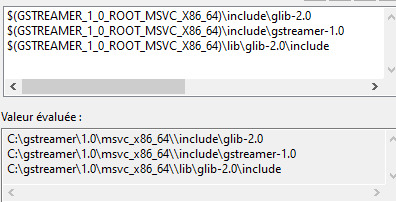
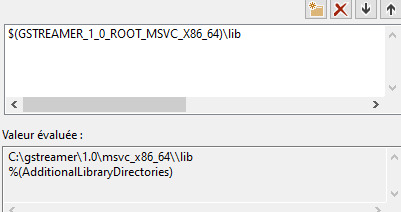
screenshot of the changes made on the vps2gstreamer project:
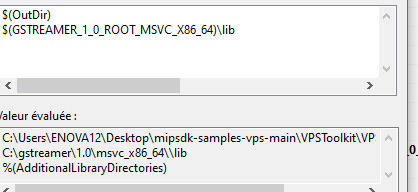
The output is :
Hi, are there any updates concerning this topic?
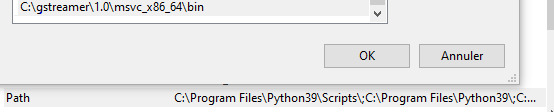
It looks like you are missing a path ‘[C:\gstreamer\1.0\msvc_x86_64\bin’](file:C:/gstreamer/1.0/msvc_x86_64/bin’) in ‘Environment Variables’ → ‘System variables’ → ‘Path’
Hi, try this:
- Go to the folder where you have the VpsService dll’s, in my case it is:
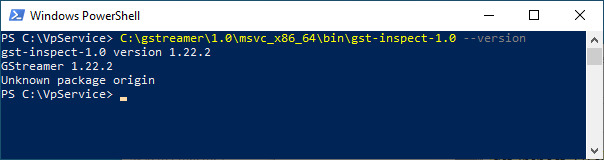
- Start PowerShell
- Type [C:\gstreamer\1.0\msvc_x86_64\bin\gst-inspect-1.0](file:C:/gstreamer/1.0/msvc_x86_64/bin/gst-inspect-1.0) --version
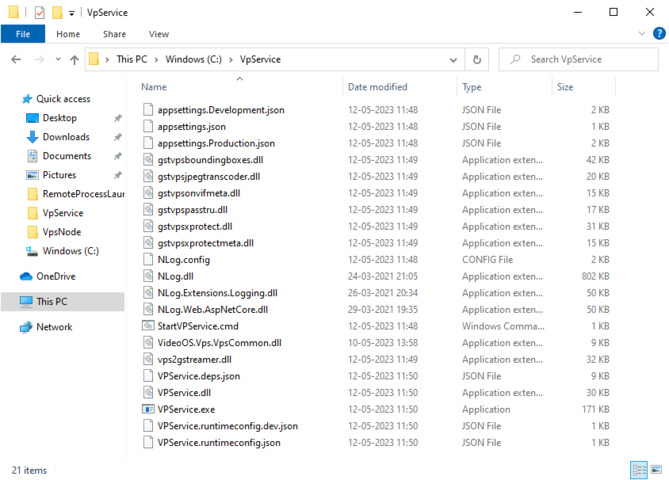
Then you should have this information
You can also try type [C:\gstreamer\1.0\msvc_x86_64\bin\gst-inspect-1.0](file:C:/gstreamer/1.0/msvc_x86_64/bin/gst-inspect-1.0) vpsboundingboxes
Then you should have this information
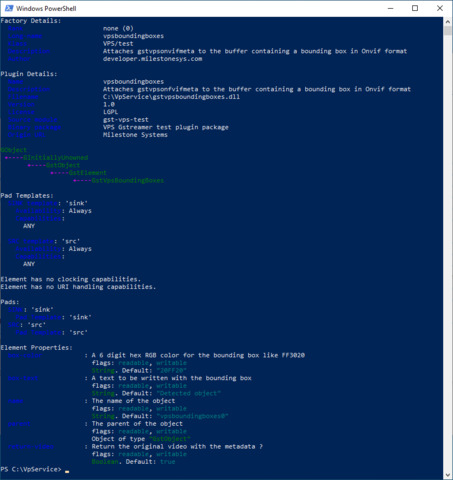
If you are not getting this information then some thing is wrong in ‘Environment Variables’
Hello, thank you for your answer.
Both commands have errors.
The environment variables are shown in the previous comments above.
Try uninstall GStreamer and install it again (gstreamer-1.0-msvc-x86_64-1.22.2.msi), so long the command: gst-inspect-1.0 --version does not work, when you are standing in the Vpservice directory then some configuration is wrong. I have no other ideas