Hello Team,
I am developing ACC Plugin Integration to sync event and alarm with Xprotect.
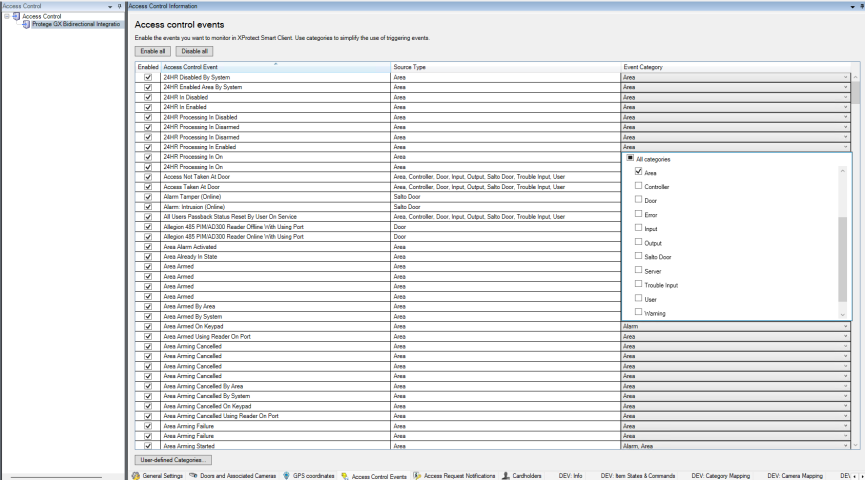
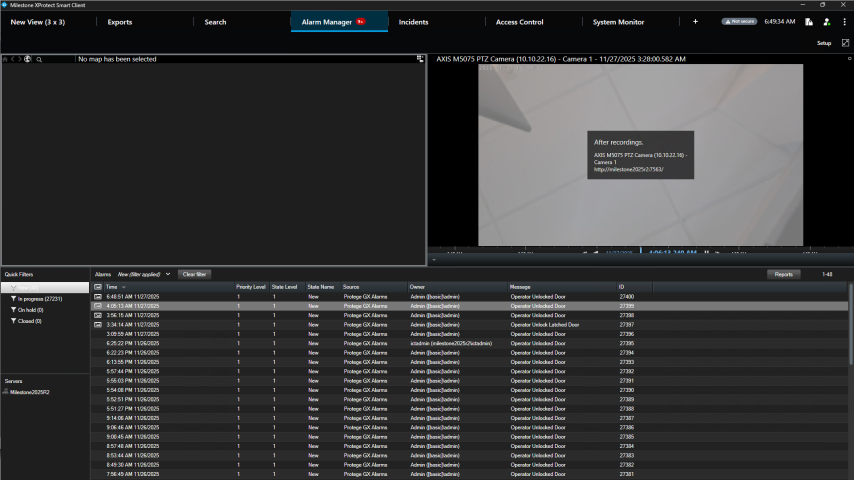
Everything is working fine with “Door” Event source type. But for my custom event with source like “Area”, I saw that Smart Client received event but not Alarm.
Could you please show me: Is it possible to make alarm shown for event with custom source? If possible how can I do that.
Pictures attached for more information relating my events, my configuration, and event I captured before sending to Xprotect. Thank you.
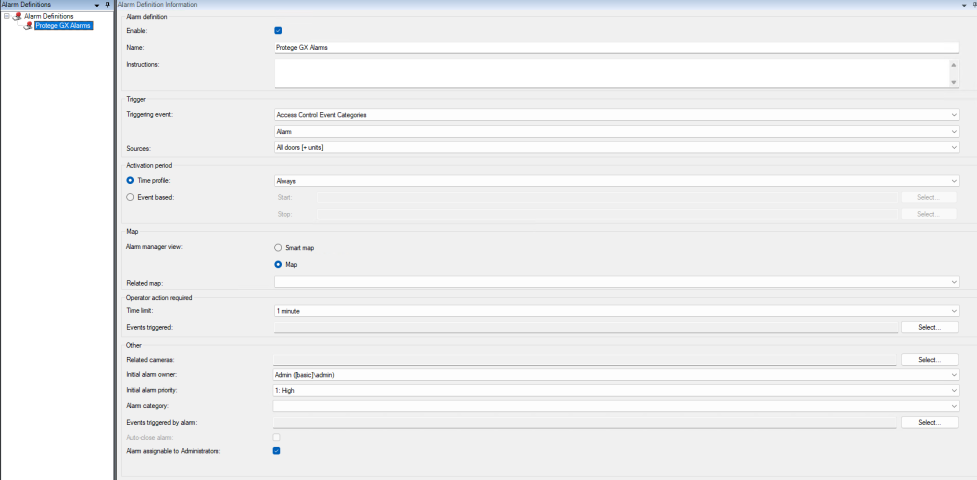
- Alarm Definition setting in Management Client:
Generally you transform an event into an alarm by catching the event in an Alarm Definition.
In the Management Client try to create an Alarm Definition and make sure your triggering event is the event from Access Control.
Defining Alarm Definitions you can get help here.
I am answering this question in general terms, if the answer does not fit the specific scenario please let me know.
Thank you Bo but I have set the alarm definition (my picture above) for all access control event with Alarm and Source is from Door + Unit. But it only have alarm for event coming from Door.
Hi,
Which version of the product you use ?
Also could you please try in the Alarm definition , to select the category type of the event you trigger (Area) instead of Alarm
Hello,
I try for both 2023R2 and 2025R2. I have try with category type of the event you trigger (Area) but it did not work too.
Hello,
Are the areas added as Access Control units and there is an Area Access Control unit type in the configuration of the Access Control System?
If so, then this might need further investigation, as I think it is supposed to work.
Hello,
After re-configure everything alarm now works with 2023R2 but not 2025R2. Any backward compatible problem between 2 versions?