Custom Metadata for Search agent

Hi,

I have a camera that sends metadata, which I can view using the MetadataLiveViewer. While the playbacks are visible in the Search section, the metadata is not displayed in the Detailed Area. Are the metadata included in the properties, and do I need to access them through my Search agent plugin? Is there a way to view the item from the camera playback to see what data was captured?

Please note that there is also a MetadataPlaybackViewer. Both are originally samples..

https://doc.developer.milestonesys.com/html/index.html?base=samples/componentsamples/metadataplaybackviewer/readme.html&tree=tree_2.html

Hi @Bo Ellegård Andersen (Milestone Systems)​ ,

I noticed that the playback metadata is sourced from the built-in MotionAlarm rather than the ONVIF event that I would prefer to use from the camera. What steps should I take to obtain the playback for these specific events? When I access the hardware in the Management Client and click on “Events,” I see the data event topic that I want to create a search agent for. However, it does not generate playback entries in the "Search."Screenshot 2025-06-23 151721

Hi @Bo Ellegård Andersen (Milestone Systems)​ ,

During my testing with the MetadataPlaybackViewer, I confirmed that the desired metadata is being recorded; however, it does not appear in my Smart Client recordings.

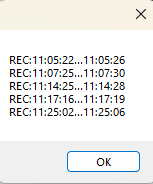
Am I missing something?

It is possible to add your custom properties to the details area.

You can find example code showing how it can be done in the “Associating custom properties with results” section of

https://doc.developer.milestonesys.com/html/index.html?base=gettingstarted/intro_searchagent.html

You need to extend SearchResultData and return these as results. Here you override GetPropertiesAsync and return a collection of ResultProperty.

Is it possible to get the MetadataPlaybackData for a selected camera instead of using Configuration.Instance.GetItemsByKind(Kind.Metadata)?

When you have the camera item, then you find related devices like this…

var relatedItems = _selectItem.GetRelated();

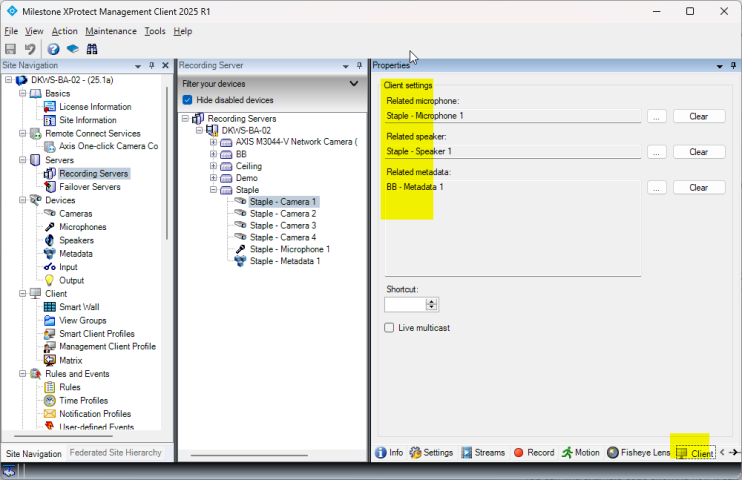
Which items are related is governed by the setup seen here.

I think it is the same you use in the context of search agents…