Hello,
I am using MIP SDK Mobile for Android with the example “LiveVideoSample”. I wanted to add two-way audio through “SimpleExoPlayer” where the audio that I receive from the camera arrives with 3 or 4 seconds of delay.
EDIT: Version Exoplayer ‘com.google.android.exoplayer:exoplayer:2.8.4’
Maybe someone has a solution in exoplayer with a higher version?
Any suggestions for the implemented code?
Thank you, Dario!
Hello Dario,
Can you please provide us with more detailed code snippets of audio implementation methods as well as with their invocations ?
Thank you in advance!
Krasmir, thanks for your help.
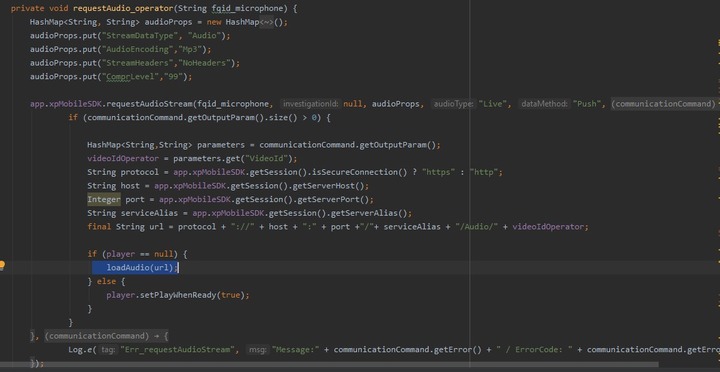
This is all the code I have for the audio implementation with exoplayer.
I use the audio properties that I saw in https://developer.milestonesys.com/s/question/0D53X00006INmfrSAD/are-there-any-live-audio-streaming-examples-for-the-mobile-sdk-now-that-support-for-this-has-been-added-in-the-2019-r3
I get fqid from the camera and with the SdkMilestone request AudioStream method I get the url that will generate the audio
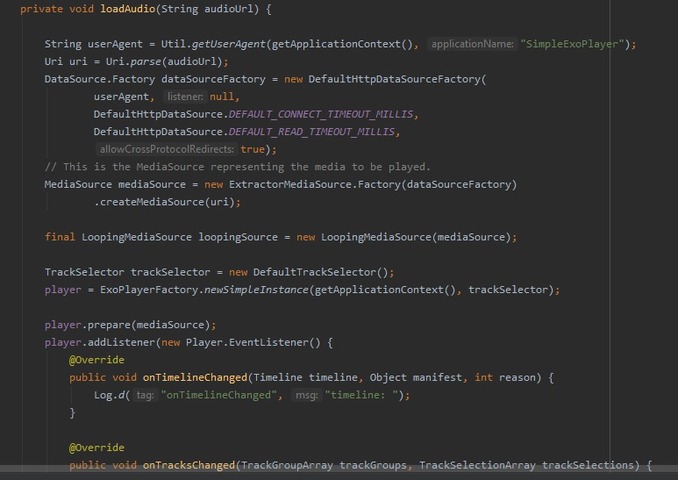
Finally I use exoplayer code to generate the audio:
player = ExoPlayerFactory.newSimpleInstance(getApplicationContext(), trackSelector);
player.prepare(mediaSource);
player.addListener(new Player.EventListener() {
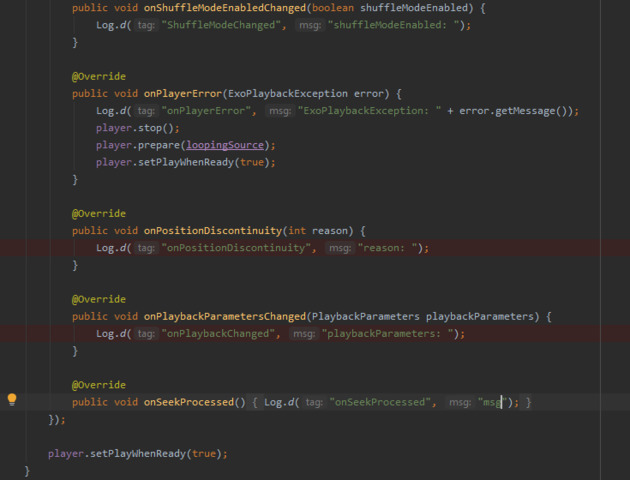
...
...
}
Thank you!
Hi Dario,
My suggestion is to use buffering strategy to lower down the delay for audio. You can pass a LoadControl parameter which holds custom buffer durations when ExoPlayer instance is being created.
For example:
   private fun initPlayer() {
        val builder = DefaultLoadControl.Builder()

        /*Configure the DefaultLoadControl to use our setting for how many
        Milliseconds of media data to buffer. */
        builder.setBufferDurationsMs(10, 200, 10, 10)

        /* Build the actual DefaultLoadControl instance */
        builder.setAllocator(DefaultAllocator(true, 1))
        loadControl = builder.createDefaultLoadControl()

        val trackSelector = DefaultTrackSelector(AdaptiveTrackSelection.Factory(DefaultBandwidthMeter()))

        player = ExoPlayerFactory.newSimpleInstance(
            this@AudioActivity,
            trackSelector,
            loadControl
        )
    }
Note: This is tested with 2.10.1 version of ExoPlayer.
Another important thing for the delay is related to the stream size. When requesting a compressed stream, the audio comes a way faster. Therefore, the delay may be caused by an internal time needed by the ExoPlayer library to process the stream.
Thank you very much for your answer, changing the values of the setBufferDurationsMs (32*1024, 64*1024, 1024, 1024) now it works correctly.
Regards,
Dario
Thank you for your feedback!
I am glad it helped.
Kind regards,
Krasimir