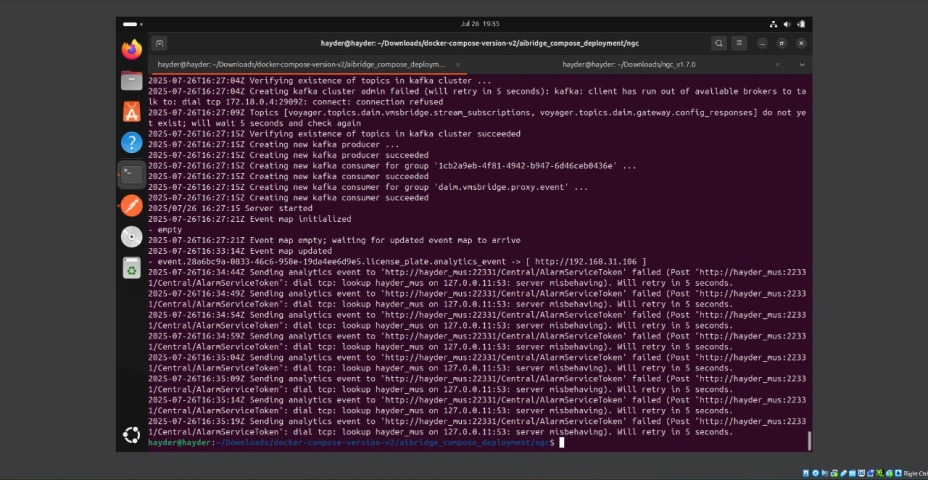
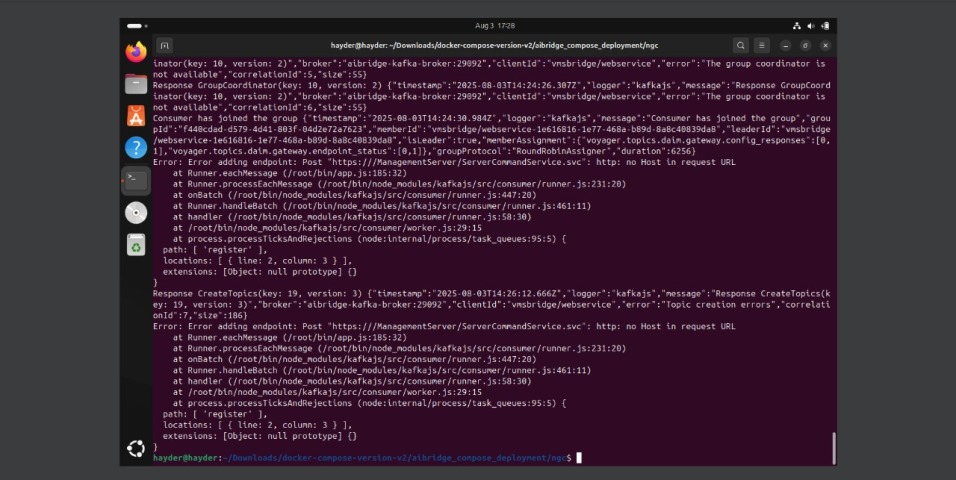
AI Bridge uses the registered services to connect to the Event Server and send analytic events back to XProtect, thus, it will try to use the same URL is registered on the VMS.
To check its value you can navigate to Management Client/Tools/Registered Services… and on that list you will find the registered Event Server URL, that is the one to be used by AI Bridge - most likely that URL is not set with the IP but the hostname and that is why you see it connecting to hayder_mus instead of 192.168.31.106.
What I can suggest is to provide this hostname:ip to the docker compose files, to do so, you will need to:
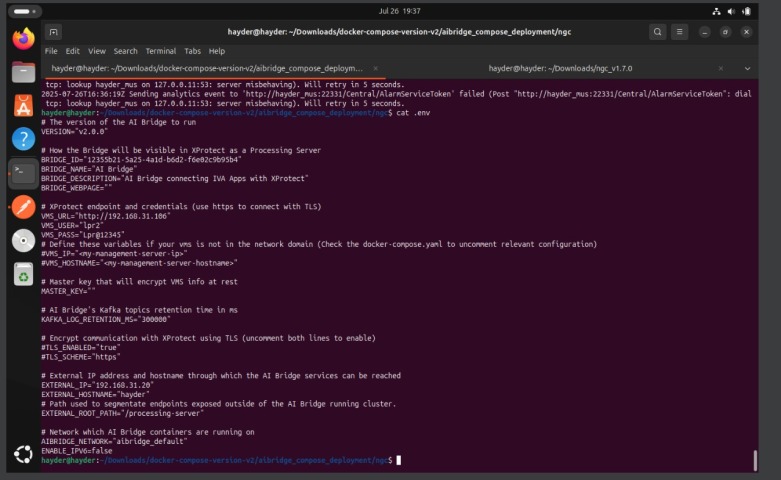
On the .env file, uncomment and set the values for:
VMS_IP=“192.168.31.106”
VMS_HOSTNAME="hayder_mus "
On the docker compose file, uncomment the lines defining the extra_hosts values, in:
aibridge-connector
aibridge-streaming
aibridge-proxy
You will find these lines as, in the .env file:
# Define these variables if your vms is not in the network domain (Check the docker-compose.yaml to uncomment relevant configuration)
#VMS_IP="<my-management-server-ip>"
#VMS_HOSTNAME="<my-management-server-hostname>"
and in the docker compose files:
    # extra_hosts: #Uncomment these section if your vms is not in the network domain
    #  - "${VMS_HOSTNAME}:${VMS_IP}"
That is another approach, unfortunatelly you replaced the hostname for the IP in the wrong place. To do it correctly, please - undo your previous change and - use the Server Configurator under the Management Server tray icon, right-click it and you will get the option.
This action will change the entire VMS url, AI Bridge will reach different endpoints from the VMS and changing just the Event Server may not just be enough.
After changing it on the Server Configurator, all services will be restarted and URLs will be updated.
Apart from this approach, I’d still recommend you to use the VMS_IP and VMS_HOSTNAME variables and uncomment the usage of them on the extra_hosts values, in these services definitions: