We have a plugin where it has a drag-and-drop feature for cameras and views in the live view tab.
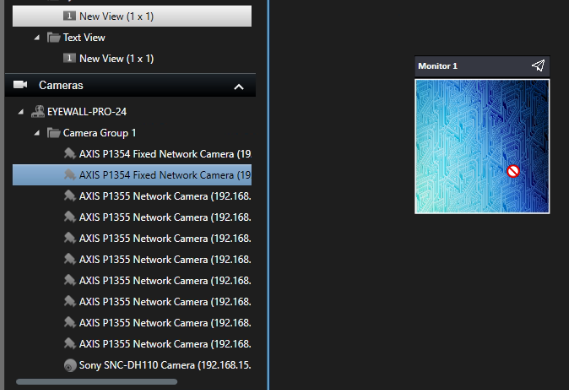
This feature works on all the latest versions of the smart client except for the latest version which is the 2024 R1, the issue is that the drop is blocked(display of red circle) where it didn’t happen in another version of the smart client.
Is there a new property that needs to be enabled to allow the drag and drop for this version of the smart client or is there a new method?
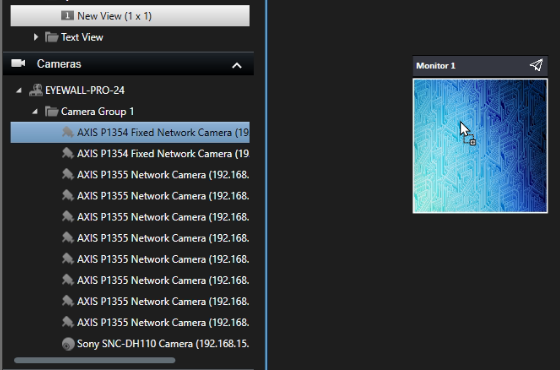
The one where there is a red circle is the 2024 R1 smart client, as you can see when I try to drag and drop a camera from the left It doesn’t allow me, on the other hand, the screenshot where there is an arrow with a plus sign in it is taken from the smart client 2023R2 where It allows me to drop it,
From a code point of view, the 2023R2 triggers the drop event handler, but the one with the red circle doesn’t.
Yes, the data that is used have been changed. As this drag drop is not a supported and documented feature the change has been made without notification. I am sorry that for the same reason I don’t have information what the new data type is.