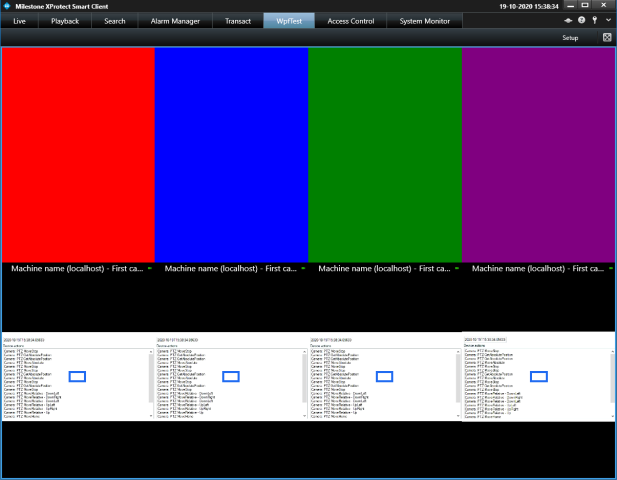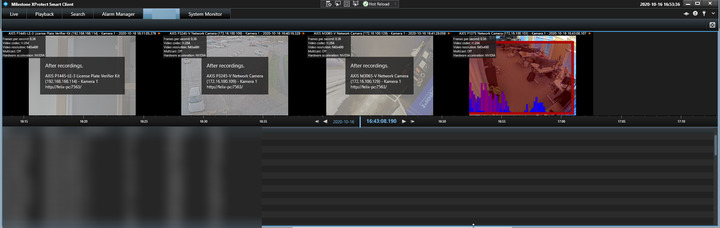
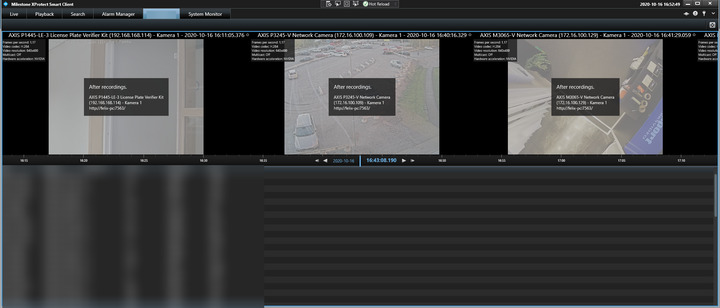
This doesn’t work because when I resize the window vertically the grid acts like a stackpanel and the 4th camera ends up outside the grid.
What’s the best practise for this?
This doesn’t work because when I resize the window vertically the grid acts like a stackpanel and the 4th camera ends up outside the grid.
What’s the best practise for this?
            foreach (var camera in cameras)
            {
                var column = new ColumnDefinition()
                {
                    Width = GridLength.Auto
                };
                camerasGrid.ColumnDefinitions.Add(column);

                var cameraView = new CameraViewUserControl(camera.FQID, playbackControllerFqid);
                cameraView.Init();

                Grid.SetColumn(cameraView, cameras.IndexOf(camera));

                camerasGrid.Children.Add(cameraView);
            }
Since it is your own workspace and you are dynamically populating it, I assume you are not using the view layout defined for the workspace, but instead just have a 1x1 view layout with your own control (containing the image viewers) inside it? In that case it is more of a standard WPF question, than XProtect related and I am unfortunately not that accustomed to the different WPF containers that I can give an answer. But as far as I know columns in a Grid will always be added horizontally so you will need to use one of the other containers instead of the grid (maybe WrapPanel?) to acchieve the automatic ‘wrapping’.
Yeah, that’s what I’m doing but I’ve tried it using different (native)controls within the grid and they behaive as expected. The ImageViewerWpfUserControl is very different and will expand outside the grid if the height is big enough. Try it yourself:
    <Grid>
        <Grid.RowDefinitions>
            <RowDefinition Height="*"/>
            <RowDefinition Height="*"/>
        </Grid.RowDefinitions>
        <Grid Grid.Row="0">
            <Grid.ColumnDefinitions>
                <ColumnDefinition Width="*"/>
                <ColumnDefinition Width="*"/>
                <ColumnDefinition Width="*"/>
                <ColumnDefinition Width="*"/>
            </Grid.ColumnDefinitions>
            <Grid Background="Red" Grid.Column="0"/>
            <Grid Background="Blue" Grid.Column="1"/>
            <Grid Background="Green" Grid.Column="2"/>
            <Grid Background="Purple" Grid.Column="3"/>
        </Grid>
        <Grid Grid.Row="1">
            <Grid.ColumnDefinitions>
                <ColumnDefinition Width="*"/>
                <ColumnDefinition Width="*"/>
                <ColumnDefinition Width="*"/>
                <ColumnDefinition Width="*"/>
            </Grid.ColumnDefinitions>
            <client:ImageViewerWpfControl Grid.Column="0"/>
            <client:ImageViewerWpfControl Grid.Column="1"/>
            <client:ImageViewerWpfControl Grid.Column="2"/>
            <client:ImageViewerWpfControl Grid.Column="3"/>
        </Grid>
    </Grid>
Apparently the code I just sent you works as expected in it’s own application but in the WorkspacePlugin it doesn’t. Is the grid not being notified about the resize events by the ViewItemWpfUserControl?
Hi Felix.
I think there is something I don’t get. I just tried creating a new plugin using the template and added your XAML from above to the WPF usercontrol and stripped down the workspace to online contain this and I get the following which scales up and down without problems, so I guess I am misunderstanding something?
I don’t really understand what’s going wrong for me. Can I send you the whole project so you can see for yourself?
I inspected the host grid and it seems like the rendered width isn’t changing when I resize the window.
Hi Felix. Are you okay with uploading here or do you rather want me to provide another channel?
I’d prefer a private channel, if that’s okay.
Hi again,
After inspecting your code I think I have found out what’s wrong. If I change this code:
           var column = new ColumnDefinition()

           {

               Width = GridLength.Auto

           };
to this:
           var column = new ColumnDefinition()

           {

               Width = new GridLength(1, GridUnitType.Star) // GridLength.Auto

           };
It seems to be working correctly.
Btw just a side note. I would recommend using the following for getting the available cameras:
 var cameras = GetAll(Configuration.Instance.GetItemsByKind(Kind.Camera, ItemHierarchy.SystemDefined)).Where(c => c.Enabled == true).ToList();

   List<Item> GetAll(List<Item> items)

   {

       List<Item> result = new List<Item>();

       foreach (var item in items)

       {

           if (item.FQID.FolderType == [FolderType.No](https://FolderType.No))

               result.Add(item);

           else

               result.AddRange(GetAll(item.GetChildren()));

       }

       return result;

   }
As it will avoid going through all devices in the system, plus your code would actually discard cameras with presets (that one took me a little while to figure out  ).
).
Well that explains it, thank you!
Hehe, yeah the GetChildren method I made wasn’t so refined, it’s just used during development. I’ll use the improved one you sent from now on!