Hi,
is it possibile to make a button in the Smart Client that enables or disables a rule and how?
Thanks
Hi,
is it possibile to make a button in the Smart Client that enables or disables a rule and how?
Thanks
It is doable. You could develop a plugin button and in the plugin, using RestAPI or Configuration API, read rules and enable or disable a rule.
https://doc.developer.milestonesys.com/html/index.html?base=gettingstarted/intro_configurationapi.html&tree=tree_4.html (look for Rules Configuration)
Samples:
I didn’t find anything about rules, can you give me a more specific example? thanks
Run the sample
https://github.com/milestonesys
Change the URI string to
https://[ServerAddress]/api/rest/v1/rules
and push Send Request.
Other than that you will have to rely on the documentation, there is no sample that does exactly what you ask.
I tried with Postman with bearer token and I get this:
{
"error": {

    "httpCode": 400,

    "details": \[

        {

            "errorText": "Bad request: parameters missing"

        }

    \]

},

"params": {

    "name": "",

    "description": ""

}
}
what is this URL for?
Perhaps you will have to look into what the sample does, or perhaps better yet..
You will have to consult the getting started documentation
https://doc.developer.milestonesys.com/mipvmsapi/content/quickstart/
or Getting started here
if using Windows AD see
I was able to run the first API request in the the getting started documentation:
https://doc.developer.milestonesys.com/mipvmsapi/content/quickstart/
Where can I find the API URLs for the rules?
I only found the “ConfigurationItems related to rules” but I don’t know how to test it:
https://doc.developer.milestonesys.com/html/gettingstarted/intro_configurationapi.html
I guess it is possible to send a post request to update the status of existing rules to enable or disable it, right?
Update:
I edited this sample and I was able to get the rule properties, now how can I enable or disable it?
https://doc.developer.milestonesys.com/html/samples/ComponentSamples/ConfigAPIBatch/README.html
The first link was the way to “patch” and thereby set the enabled. https://doc.developer.milestonesys.com/mipvmsapi/api/config-rest/v1/#tag/Rule/operation/patchrulesById
I fear I have caused confusion, you seem to have been trying RestAPI and Configuration API, the two should not mix.
Using Configuration API I think you should use SetItem() - https://doc.developer.milestonesys.com/html/index.html?base=gettingstarted/intro_configurationapi.html&tree=tree_4.html
Ok I was able to enable and disable the rule with the Configuration API, is it possible to integrate it into a button in the Smart Client?
Back in MIP SDK 2021R1 there was a Smart Client plugin sample that uses the Configuration API. It has to be this version because in the next version the sample was updated to use strongly typed classes instead (VideoOS.Platform.ConfigurationItems Namespace), and rules are not supported there.
If you download the old sample you can built it with the newest NuGet. The sample will show how to add a basic user, but I think what you need now is only a starter on how to use the Configuration API in the Smart Client plugin context.
Link to the old documentation and the old version plugin sample..
https://doc.developer.milestonesys.com/html-2021r1/
https://github.com/milestonesys/mipsdk-samples-plugin/tree/1c77799a021d7d2bec4c13f9414f98b3e0ef802e
In the end I need to enable and disable alarms instead of rules, are alarms supported in the latest version?
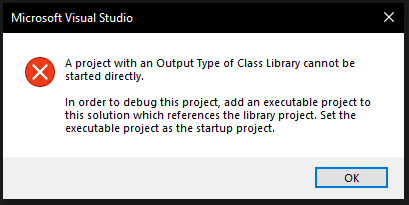
Anyway I installed the NuGet components in VS but if I try to build the sample I get this error:
How can I solve it?After that I just have to copy the program folder in [C:\Program](file:C:/Program) Files\Milestone\MIPPlugins right?
Thanks
That is not an error on building it but on running it. If you run a plugin you do so by deploying the dll and starting the environment it should work in. Copying the dll and the file Plugin.def to the folder you mention is that deployment. You will find a thorough and good explanation and guidance here
https://developer.milestonesys.com/s/article/debugging-techniques-for-Smart-Client-plugins
I’m trying again with the http api as I know better web languages to integrate in the smart client, is it possible to set the validity of the token forever and if yes how?
No, that is not possible and would be considered a security risk. You should be able to read it from LoginSettings.
Ok I tried to integrate the cURL request to get the access_token
with this url:
https://x.x.x.x/idp/connect/token
and this body:
{
    "grant_type": "password",
    "username": "********",
    "password": "********",
    "client_id": "GrantValidatorClient"
}
but I get:
{
    "error": "invalid_client"
}
thanks
Did you test with a basic user in the administrators role?
I believe it is different if using a Windows AD user, if so this might include info:
Yes I’m testing with a basic user in the administrators role, using curl via cmd it works but with postman I get that error
Sorry, for not getting back. I must suspect that a value is different in Postman compared to the curl, it should be the same thing.