I have an ImageViewerControl issue. I recently switch to SDK 2020R3. I send EnvironmentManager.Instance.SendMessage(MessageId.Control.PTZRectangleCommand, camera_FQID) and it worked fine in SDK 2018R3 but now the request seems to be duplicated on the VMS resulting in PTZ moving to an incorrect place ( the more unprecise the further the RectCommandData is located from the center). Can You confirm the isssue?
For further investigation, can you please provide your source code for us to try to reproduce the issue?
Thanks Rie for Your response. I’ll try to prepare sample code to reproduce the issue.
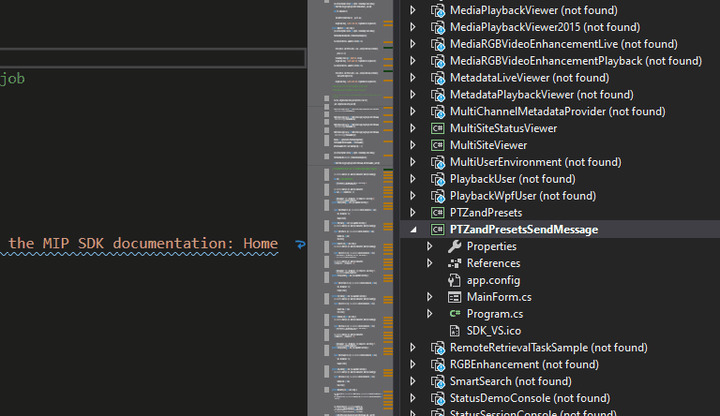
I reproduced my issue (see the attached 20210326_Duplicated PTZCenterCommand sent reproduced in Milestone SDK sample.gif) in one of the SDK samples (see the attached PTZandPresetsSendMessage.zip). The issue can be simply overcome in both SDK 2018 and 2020 by either:
- registering to RightClickEvent instead of ClickEvent (_imageViewerControl.RightClickEvent += this.OnClick;)
- setting EnableMouseControlledPtz to false (_imageViewerControl.EnableMouseControlledPtz = true;)
Unfortunately setting EnableMouseControlledPtz to false does not help in my product. Still, it worked fine when SDK 2018 was used.
In my product:
- PTZCenter/Rect command is triggered with right mouse click,
- EnableMouseControlledPtz i false by default (in both SDK 2018 and 2020, I tried to set both flags to false, no difference though)
- when I comment out SendMessage call, mouse clicking on the ImageViewerControl does nothing, what may indicate the message is being duplicated in SDK internally not by additional ImageViewerControl mouse catch
- ImageViewerControl is docked on a System.Windows.Forms.Panel control
In Wireshark I get the following when using the SDK sample:
POST /recordercommandservice/recordercommandservice.asmx HTTP/1.1
User-Agent: Mozilla/4.0 (compatible; MSIE 6.0; MS Web Services Client Protocol 4.0.30319.42000)
Content-Type: text/xml; charset=utf-8
SOAPAction: "http://videoos.net/2/XProtectCSRecorderCommand/PTZCenter"
Host: ilps-milestone-2018:7563
Content-Length: 596
Expect: 100-continue
Connection: Keep-Alive

<?xml version="1.0" encoding="utf-8"?><soap:Envelope xmlns:soap="http://schemas.xmlsoap.org/soap/envelope/" xmlns:xsi="http://www.w3.org/2001/XMLSchema-instance" xmlns:xsd="http://www.w3.org/2001/XMLSchema">
<soap:Body><PTZCenter xmlns="http://videoos.net/2/XProtectCSRecorderCommand"><token>TOKEN#6be3aaa8-ec05-4310-9160-4da7fe3bebae#ilps-milestone-2018//ServerConnector#</token>
<deviceId>334d4ebc-9ec7-41d5-b07e-79c621564485</deviceId>
<refWidth>32767</refWidth>
<refHeight>32767</refHeight>
<centerX>15590</centerX>
<centerY>5766</centerY>
<zoom>-0.001</zoom>
</PTZCenter></soap:Body>
</soap:Envelope>
In Wireshark I get the following when using my product:
POST /recordercommandservice/recordercommandservice.asmx HTTP/1.1
User-Agent: Mozilla/4.0 (compatible; MSIE 6.0; MS Web Services Client Protocol 4.0.30319.42000)
Content-Type: text/xml; charset=utf-8
SOAPAction: "http://videoos.net/2/XProtectCSRecorderCommand/PTZCenter"
Host: ilps-milestone-2018:7563
Content-Length: 584
Expect: 100-continue

<?xml version="1.0" encoding="utf-8"?><soap:Envelope xmlns:soap="http://schemas.xmlsoap.org/soap/envelope/" xmlns:xsi="http://www.w3.org/2001/XMLSchema-instance" xmlns:xsd="http://www.w3.org/2001/XMLSchema">
<soap:Body><PTZCenter xmlns="http://videoos.net/2/XProtectCSRecorderCommand"><token>TOKEN#af984fa8-b5b7-4dce-b3b3-e56ee05ba3d8#ilps-milestone-2018//ServerConnector#</token>
<deviceId>334d4ebc-9ec7-41d5-b07e-79c621564485</deviceId>
<refWidth>422</refWidth>
<refHeight>318</refHeight>
<centerX>202</centerX>
<centerY>59</centerY>
<zoom>-1</zoom>
</PTZCenter>
</soap:Body>
</soap:Envelope>
posted a file.
May I ask you one more question? Which product and version of the XProtect VMS are you using?
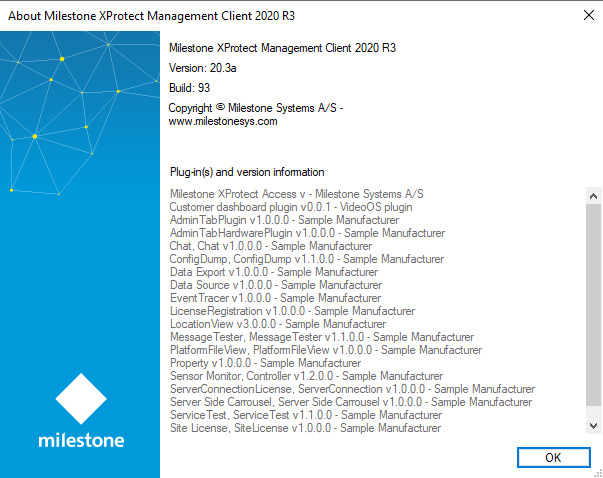
SDK version: 2020.3.77.1
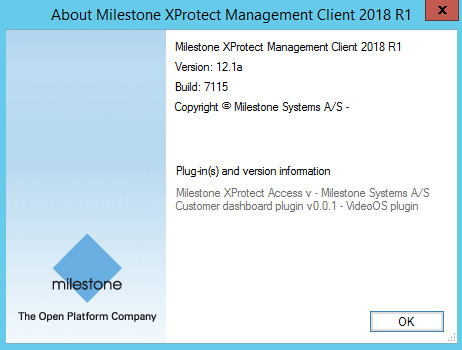
We reproduce the issue on both 2018 R1 and 2020 R3 XProtect Corporate systems
We will try to reproduce the issue. But I am sorry, many developers are out of office due to Easter vacation. We will get back to you as soon as possible. Sorry for the inconvenience.
Understood. In addition, my product:
- is a WPF-based Windows application,
- embeds a WinForm Panel control with docked ImageViewerControl into a WPF control from a 3rd party provider called Telerik
Hi Rie, any progress? Do You have any clue by now why 2020R3 SDK behaves in the correct way in the SDK sample but duplicates the PTZ request in my WPF-based solution?
In addition, my product:
- not only logs into Milestone VMS, also logs into Milestone API with an empty X509CertificateValidationMode.None certificate. I tried not to create the API channel, no difference, though
this.channel = new ChannelFactory<IConfigurationService>(binding, endpointAddress)
this.channel.Credentials ...
this.channel.CreateChannel()
Hi Chris,
I am sorry delayed reply. Let me focus on one thing at a time. ImageViewerControl has click event so if you add ClickEvent once more, then the behavior is expected, it has duplicate movement. I tested PTZandPresets tool that you had sent and EnableMouseControlledPtz = false works fine, can you explain why it doesn’t help?
This is the problem I cannot overcome. EnableMouseControlledPtz is false by default (in both SDK 2018 and 2020). I tried to set the flag to false explicitly, no difference though. It may not be the EnableMouseControlledPtz flag all in all but the PTZ sendmessage behaves in my product as if the mentioned flag was set to true. My code logic worked with SDK 2018 but stopped when upgraded to SDK 2020. The only code difference I made was sending an empty X509CertificateValidationMode.None certificate when creating the API channel. I cannot explain the difference between my logic and the SDK sample since my code worked with SDK 2018. Do You have any crazy idea why the request might keep duplicating?
One suspicion would be, is there any code to overwrite EnableMouseControlledPtz to true or set it as true? Because, as I mentioned, I tested PTZandPresets tool that you had sent and EnableMouseControlledPtz = false works fine. Can you please check if there is no place to do it?
Good point, Rie. that was one of the very first things I searched for. I am pretty sure I do not override it anywhere since the same code worked with SDK 2018 and the flag behaves exactly the same in SDK 2018 and 2020 samples. Feel alert if another customer reports a similar issue and update me, please - awareop@motorolasolutions.com
@Rie Kiuchi (Milestone Systems)
We discovered the source of the problem a while ago. Our code used to initialize VideoOS.Platform.SDK.Environment twice by mistake. We did not see it at first because we initialized it in two different classes. It had not led to any issue in SDK 2018 because only one instance had been initialized. In SDK 2020 it seems more than one instance can be initialized. Is it by desing? If not, You may consider it a flaw. Solution might be to ignore any later Initialize call or throw an exception when 2nd or later attempt made.
The following code leads to PTZ SendMessage requests being duplicated using SDK 2020 (it does not using SDK 2018):
VideoOS.Platform.SDK.Environment.Initialize() // duplicated by mistake
...
VideoOS.Platform.SDK.Environment.Initialize()
...
VideoOS.Platform.SDK.Environment.AddServer(...)
VideoOS.Platform.SDK.Environment.Login(...)
Thank you for your investigation, Milestone Development will start an investigation.