Hi.
We’re developing a Windows application using MIP SDK ExportSample which has a feature of exporting video data.
However it cannot export videos from a particular type of camera(Panasonic WV-S4150).
It succeeded to export the data when using SmartClient and our application can export videos from other camera(AXIS P5534).
Could you tell us why this problem occurs and how to solve it?
Details below:
- using XProtect Professional+ 2018R3
- using devicepack10.0a
- when using ExportSample with Panasonic WV-S4150:
- With MKV, the value of VideoOS.Platform.Data.IExporter.LastError is 1.
- With AVI, the value of VideoOS.Platform.Data.IExporter.LastError is 3.
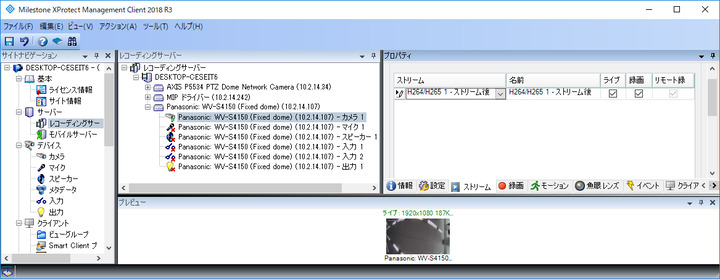
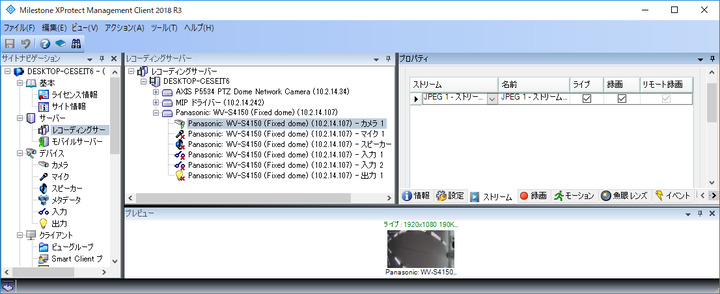
- Both of RTSP(H254) and HTTP(Jpeg) have an error when the camera connecting to the XProtect recording server.
I know I also mentioned in another thread( https://developer.milestonesys.com/s/question/0D50O000058FlosSAC/error-occured-when-using-exportsample ) before, but it would be extremely helpful if I could get the answer.
Thank you in advance.
Hi. Could you please explain what you mean by “Both of RTSP(H254) and HTTP(Jpeg) have an error when the camera connecting to the XProtect recording server.” ? Does the Panasonic camera connects to Recording server at all?
Could you please also make a small-sized DB export (XProtect export) in Smart Client with the Panasonic camera and send it to us in zip-archive? Then we can analyze what happened with this camera.
Hi Andriy,
> Hi. Could you please explain what you mean by “Both of RTSP(H254) and HTTP(Jpeg) have an error when the camera connecting to the XProtect recording server.” ? Does the Panasonic camera connects to Recording server at all?
Yes, the Panasonic camera does connect to Recording server.
I’ve tried exporting with H264/265 and JPEG recording settings on Mangement Client, but both of them didn’t work.
> Could you please also make a small-sized DB export (XProtect export) in Smart Client with the Panasonic camera and send it to us in zip-archive? Then we can analyze what happened with this camera.
I attached the exported data file, so please kindly confirm.
Hi. Thank you for your export. We have reproduced the issue here, when exporting Avi. Mkv export works for us with your database export. We will investigate the solution for this issue.
Hi. We have investigated the issue here and the thing is, that the colons are not allowed characters in the paths. Please try renaming the camera to not have colon, and see if it fixes the issue. It did fix the issue here for us.
We will also see if we can fix the sample later, so it handle this automatically.
Hi Andriy,
We tried removing colon from the camera name and it worked!
Thanks a million for your investigation.