Hello!
We’re trying to play a live video feed in a html video-tag, but we’re not getting very good results.
The stream is buffering for 60+ seconds and when it’s done buffering it’s only showing a frozen image. What settings do we need to send in to the Milestone API to be able to get a stable and livestream into our
Is there any documentation on how to get a stable stream working in html / javascript?
Edit:
We’re using the Milestone XProtect Mobile Server API and this is the settings we’ve tried so far:
<Communication xmlns:xsd="http://www.w3.org/2001/XMLSchema" xmlns:xsi="http://www.w3.org/2001/XMLSchema-instance"><ConnectionId>{connection_id}</ConnectionId><Command SequenceId="{sequence_id}"><Type>Request</Type><Name>RequestStream</Name><InputParams><Param Name="ItemId" Value="{item_id}"/><Param Name="SignalType" Value="Live"/><Param Name="MethodType" Value="Push"/><Param Name="StreamHeaders" Value="AllPresent"/><Param Name="StreamType" Value="Transcoded"/><Param Name="Fps" Value="10"/><Param Name="ExportJpeg" Value="Yes"/><Param Name="StreamType" Value="Transcoded"/><Param Name="DestHeight" Value="360"/><Param Name="DestWidth" Value="480"/><Param Name="ComprLevel" Value="70"/><!--
            <Param Name="KeyFramesOnly" Value="Yes"/><Param Name="Time" Value="0"/><Param Name="ExportAvi" Value="Yes"/><Param Name="ExportDatabase" Value="Yes"/>
            --></InputParams><OutputParams/></Command>
</Communication>
aswell as this:
<?xml version="1.0" encoding="utf-8"?>
<Communication xmlns:xsd="http://www.w3.org/2001/XMLSchema" xmlns:xsi="http://www.w3.org/2001/XMLSchema-instance"><ConnectionId>{connection_id}</ConnectionId><Command SequenceId="{sequence_id}"><Type>Request</Type><Name>RequestStream</Name><InputParams><Param Name="Fps" Value="5"/><Param Name="DestHeight" Value="360"/><Param Name="StreamType" Value="Transcoded"/><Param Name="KeyFramesOnly" Value="No"/><Param Name="DestWidth" Value="480"/><Param Name="MethodType" Value="Push"/><Param Name="StreamHeaders" Value="NoHeaders"/><Param Name="StreamType" Value="FragmentedMP4"/><Param Name="ItemId" Value="{item_id}"/><Param Name="SignalType" Value="Live"/><Param Name="ComprLevel" Value="70"/><Param Name="Time" Value="0"/><Param Name="ExportAvi" Value="Yes"/><Param Name="ExportDatabase" Value="Yes"/><Param Name="ExportJpeg" Value="Yes"/></InputParams><OutputParams/></Command>
</Communication>"
@Philip Larsson
what version of Mobile Server + VMS do you use?
Can you share your javascript code also, if possible? Do you expect video to start on page load?
Hello @Daniel Lavrushin !
We installed it on Windows via “Milestone XProtect VMS Products 2024 R1 System Installer”.
This is basically the code:
HTML:
<video class="liveCam" controls preload="auto">
</video>
Javascript / JQuery:
$(".liveCam").html('<source id="liveCamSource" src="' + streamUrl + '" type="video/mp4"></source>');
$(".liveCam")[0].load();
$(".liveCam")[0].play();
We have a view with tabs. One for a map and one for the live cam.
When the live cam tab is selected, we fetch the streamUrl and run the jQuery code above.
Hello @Daniel Lavrushin
I tried muting the
It buffers for around 60s, then it shows a image / frame and that image / frame gets updated once to the next frame and then nothing else happens.
Also, to clarify, we’re not using XPMobileSDK.js
I also tried this in Firefox.
The buffering goes away, but it is still only showing a single image / frame
Hi Philip,
You can try including the following settings:
Hello! I just tried the settings above, but there’s no difference unfortunately.
It shows for a second and then it starts buffering.
Do you guys have any examples on how to show the video feed from Xprotect without using the JS SDK?
We have a few samples here: https://github.com/milestonesys/mipsdkmobile-web/tree/main/Samples
Video and MultiCameraPlayback would be the closest to what you are looking for.
Hello @Constantina Ioannou,
Thanks for your response!
We’ve made it so that our backend fetches the camera feed URL, so we already have that.
We just want to be able to play the video using the camera feed URL in html / javascript, without any external libraries. But when we try playing it with the code I previously sent, we only get a 1 second video and then it stops playing.
What would the next step be to be able to get a fully functioning livestream that actually plays the video?
Thanks in advance 
Hej @Philip Larsson
First of all, thank you for your patience and for providing us with detailed information about your setup. After carefully reviewing your use case, we’ve prepared a solution that aligns with your requirements.
Understanding Your Use Case
From what we understood:
- You have a frontend application calling a backend streaming URL.
- Your backend fetches a video stream from the `Milestone Mobile server (24R1)`.
- You have implemented your own backend streaming endpoint and prefer not to use the `Javascript MobileSDK`
If this understanding is correct, we’ve created a sample implementation that demonstrates two potential backend endpoints:
- /mpeg/{cameraid} : Returns a transcoded MJPEG stream, where each frame is rendered in the `
![]() ` element.
` element.
- /mp4/{cameraid} : Returns a fragmented MP4 stream, suitable for use with the
You will need to use `MilestoneSystems.VideoOS.Mobile.SDK` on your backend though.
<ItemGroup>

  <PackageReference Include="MilestoneSystems.VideoOS.Mobile.SDK" Version="24.2.2" />

 </ItemGroup>
Summary
- The mpeg endpoint streams MJPEG to an
![]() element.
element.
- The mp4 endpoint streams fragmented MP4 for
- Includes proactive buffer management, keyframe validation, and playback recovery.
- Let us know if this solution meets your requirements or if further clarification is needed.
I made a project example, please find it attached.
Best regards,
Daniel
Hello Daniel,
Thank you for the detailed response!
So the code on our backend uses XProtectMobile API:
By making requests to our server:
“http://milestone.gavle:8081/XProtectMobile/Communication”
And that is what we use to get the URL for the live stream.
If possible we would like not use any SDK at all, not on the frontend nor the backend.
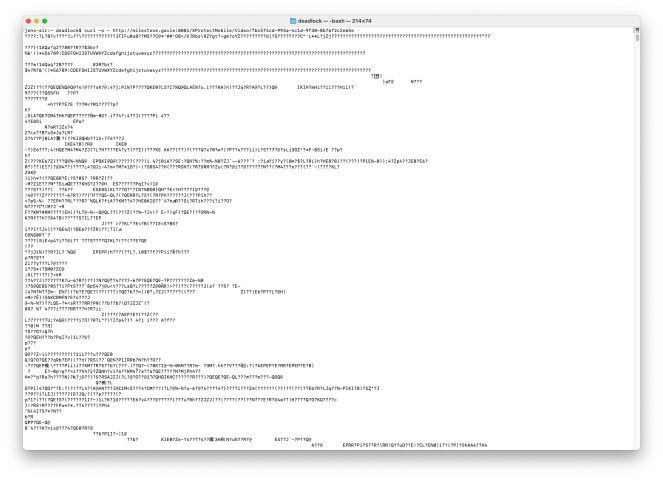
We’ve also tried using MJPEG, but for some reason we’re not receiving any headers for that.
Is there a way to get the headers with the stream?
See this picture:
@Philip Larsson
We usually recommend using the built-in SDKs for seamless integration with Milestone XProtect, as it ensures compatibility and simplifies implementation. However, I understand you’re looking for a solution without relying on the SDKs, which might make achieving your desired functionality more challenging.
Have you considered set up WebSocket communication after calling RequestStream?
wss://mobileserver:port/XProtectMobile/Video/{videoId}
You might also try to check web api gateway, specificly webRTC (of course it should be available for the app in this case):
https://doc.developer.milestonesys.com/mipvmsapi/api/config-rest/v1/#tag/WebRTC
Hello @Daniel Lavrushin !
I just took some inspiration from the javascript in the example you sent and now I get a moving video, completely independent from the SDK like we wanted.
Thank you very much for your help!