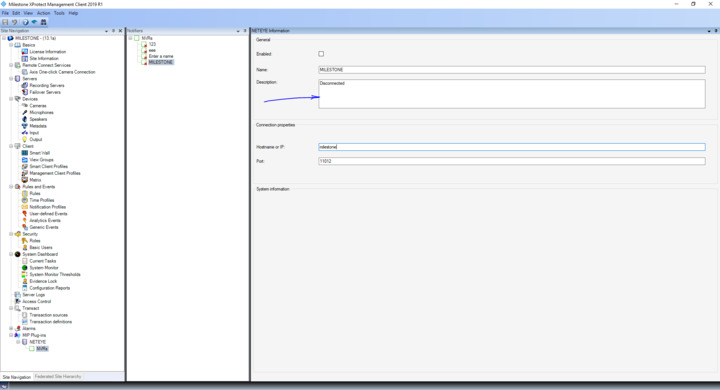
You mentioned a textbox, can you please explain what it is? For example, a textbox in Management Client that you implemented or a built-in textbox in Management Client? We would like to know about the detail.
Textbox is implemented by me as a part of plugin that runs in event server and can be configured via management client. Basically, plugin communicates with remote servers using Socket in Background plugin. I am receiving status of remote servers in Background plugin and want to update, lets say Description field(textbox)…please take a look at screenshot. As I already stated, part of code I showed saves value but doesn’t update UI.
If the background plugin is running in Management Client you can of course tell your control to update directly, but I guess you already know that so I assume the background plugin is running in Event Server?
In that case there is no build-in support as such because the Management Client only loads data at startup (or when the user press F5), but you could use the MessageCommunication to send a message from your background plugin to any running Management Client plugins telling about the update including the updated values and in that way update the information.