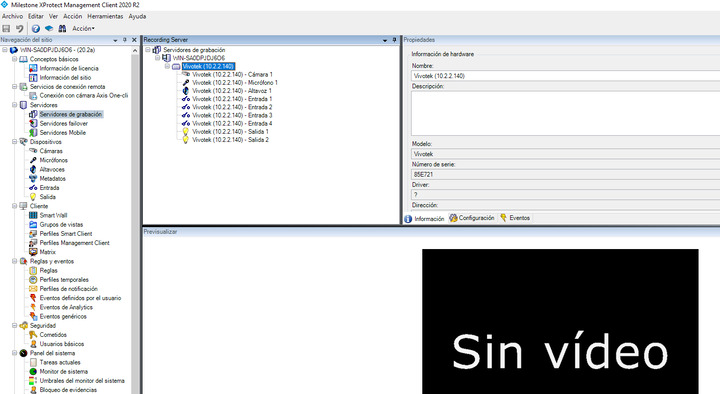
You are not even getting the status in the Management Client, usually there would be a yellow triangle exclamation warning on the camera. This leads me to think there might be something wrong with this Recording Server.
If you restart it will you be able to get the indications in the Management Client?
If you try with a camera that works correctly do you observe the same?
Please check also licensing while troubleshooting..
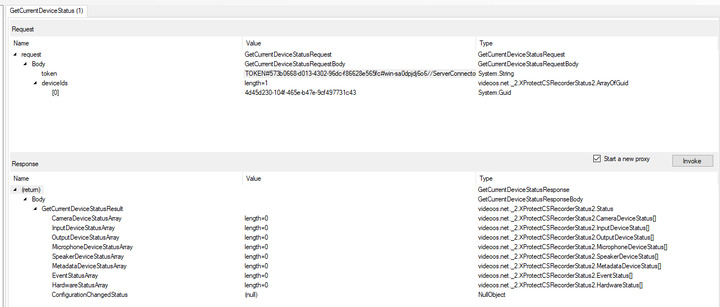
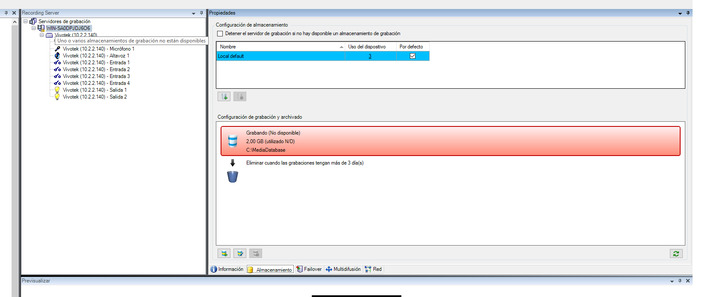
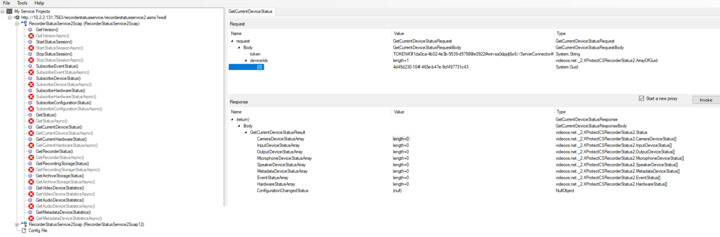
Hi Andersen, thanks so much for your response, look at the following image 1 on the yellow icon appears the error message (in spanish) in english should be something like “one or more storages of the recording aren’t available”. Maybe for that when i invoke the getCurrentDeviceStatus function on the web services then it doesn’t return nothing (see image 2). How could I fix this error about the storages?? (the services are running, you can see the image 3). Also in the log, I can see something about the driver for the hardware you can see the image 4 (the driver for the configured hardware cannot be found).

In Addition, i have removed the hardware (camera) and now the system cannot add hardware, you can see the following images. can you please help me ???
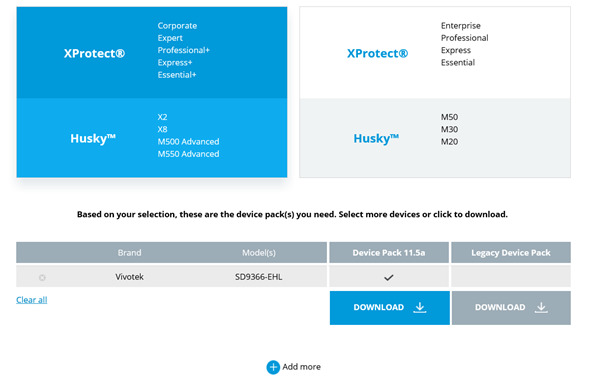
- the image 00: the Milestone supports the VIVOTEK camera.
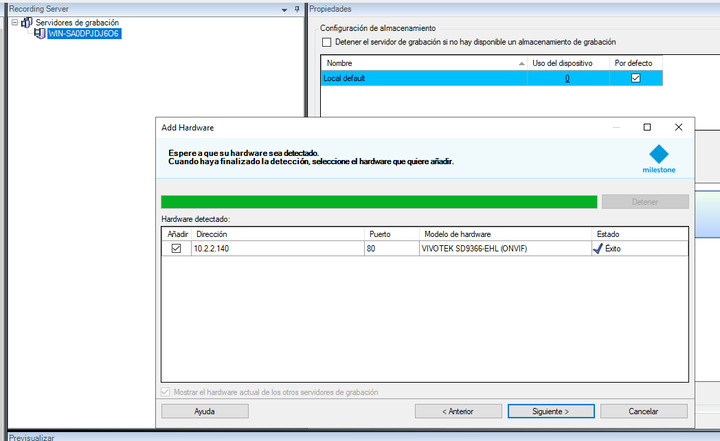
- The image 01: the Milestone system found the camera.
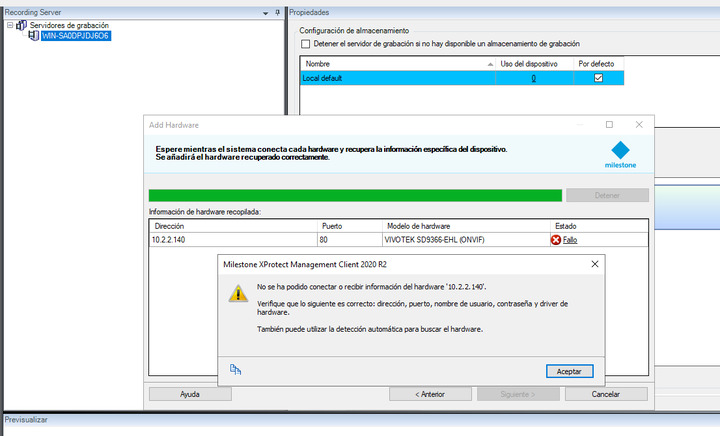
- The image 02: the next step, there is a fail, all the information (IP, port, user and password) is correctly.
Hi Francisco
Also, quite important is the Firmware version, in particular for the most recent versions of the ONVIF drivers (Device Pack version). For this model, the tested/supported Firmware version is 2.2002.22.01.