This is the event
and here is one example of the XML string with the timestamp highlighted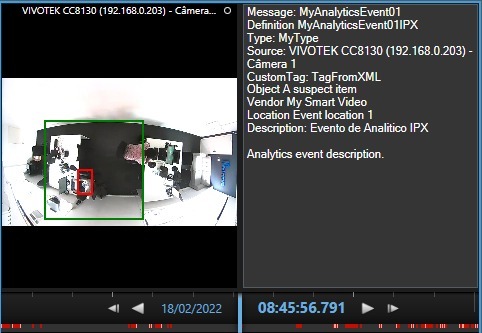

Hi Everton,
I’m not sure but I think Milestone use UTC so you must pass your timezone in timestamp or you can try to send you timestamp with UTC time.
Is your timezone is UTC-4? This can explain your 4 hours gap.
I hope it’s help.
Regards,
I will try to use UTC-4, my timezone is UTC-3
If you explore the TriggerAnalyticsEventXML sample you notice:
analyticsXml = analyticsXml.Replace("$timestamp$", DateTime.Now.ToString("yyyy-MM-ddTHH:mm:sszzz"));
Notice the three z, this will include the timezone information.
Milestone has a known issue where the culture of the PC could cause the date time format to be misinterpreted by the server.
Please replace the line with:
analyticsXml = analyticsXml.Replace("$timestamp$", DateTime.Now.ToString("yyyy-MM-ddTHH:mm:sszzz", CultureInfo.InvariantCulture));
Alternative solution is to convert the time to UTC time and then submit it to the server without the timezone information:
analyticsXml = analyticsXml.Replace("$timestamp$", DateTime.Now.ToUniversalTime().ToString("yyyy-MM-ddTHH:mm:ss", CultureInfo.InvariantCulture));
-
Most important, before changing code please check that the involved PCs and servers are in the correct time zone, and if they are correctly set with “Adjust for daylight saving time automatically”.
-