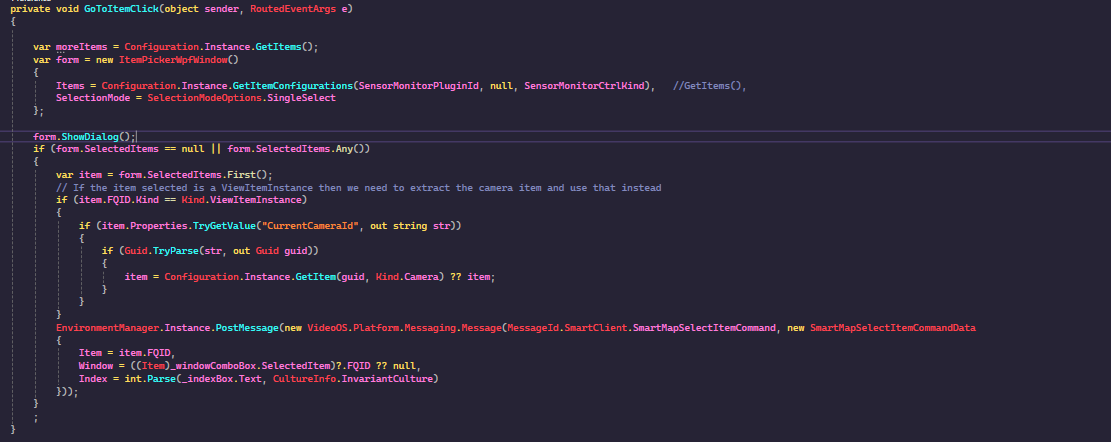
I’m trying to navigate to an Item similar to the command SmartMapSelectItemCommand, but since SmartMapSelectItemCommand is only for Cameras, is there an alternative command?
Currently, I’m using SmartMapGoToPositionCommand using the Item’s coordinates, but this does not navigate to the Item’s floor.
SmartMapSelectItemCommand isn’t only for cameras, It works also for MIP Items, I convinced myself of this by doing a small test using the SmartMapController plugin sample, and modifying the code.
Here you see the small change:
internal static Guid SensorMonitorPluginId = new Guid("2a13d169-8803-4ab2-b45b-5c1f1c453c93");
internal static Guid SensorMonitorCtrlKind = new Guid("57d0ed4b-3baf-4fc0-aa1b-d333a82f2f12");
private void GoToItemClick(object sender, RoutedEventArgs e)
{
	var form = new ItemPickerWpfWindow()
	{
		Items = Configuration.Instance.GetItemConfigurations(SensorMonitorPluginId, null, SensorMonitorCtrlKind),   //GetItems(),
		SelectionMode = SelectionModeOptions.SingleSelect
	};
// rest of method unchanged
The code makes the Item Picker use Controller item defined by the Sensor Monitor sample.
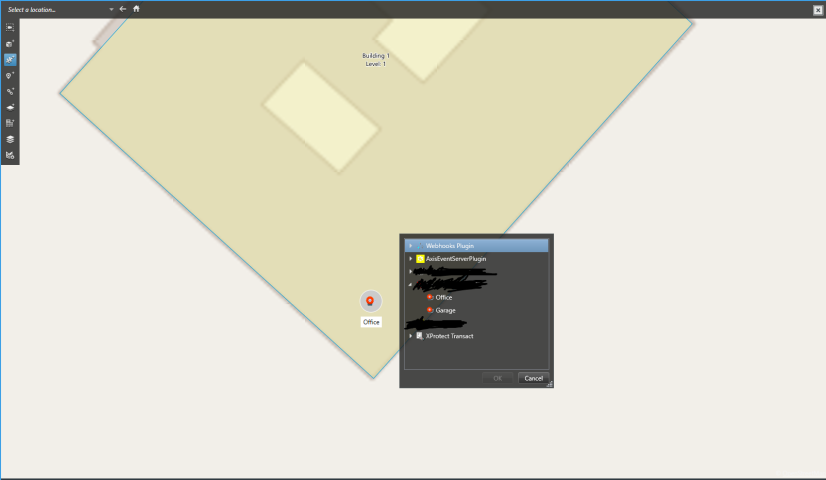
However, my test also discovered one hinderance. I cannot place the MIP Item on a floor, the capability is missing. When I cannot place the MIP Item on the floor then navigating to it on a floor makes no sense. See later post..
My last observation made me think that I might have misunderstood the scenario, what you are doing or which kind of items you are working with. Please let me know if the issue, as you see it, is a different one.
I would like to take this opportunity to better understand `MIP.Items`. The way I have been creating items using the SDK involves defining my own Kind for these items. When creating items, I utilize the default Item class and then save the item within the ItemManager.
/// <summary>
   /// Validate the user entry, and return true for OK.<br/>
   /// External configuration should be saved during this call.<br/>
   /// Any errors should be displayed to the user, and the field in
   /// error should get focus.
   /// </summary>
   /// <returns>Indicates error in user entry.  True is a valid entry</returns>
   public override bool ValidateAndSaveUserControl()
   {
       if (CurrentItem != null)
       {
           if (_userControl != null)
           {
               _userControl.UpdateItem(CurrentItem);
           }

           Configuration.Instance.SaveItemConfiguration(
               PluginId,
               CurrentItem
           );
       }
       return true;
   }
When I mention MIP Items, I do refer to the kind of item you have created.
I will have Milestone Development make a correction to the documentation, I was so convinced it would work that I tested without consulting the documentation, and I can see now a correction is needed.
The conclusion I have drawn is:
You can use SmartMapSelectItemCommand to navigate to you item (MIP Item).
You cannot use SmartMapGoToPositionCommand or SmartMapGoToAreaCommand to go to a floor in a building.
You cannot place your item on a floor in a building. See later post.
I do not know if you tried to put your item on the Smart Map manually, but if you do, you cannot place the item on a floor. If you can there is something wrong in my testing, so please let me know if you can do this.
But perhaps I’m doing something wrong because SmartMapSelectItemCommand does not navigate to a Controller Item similar to what you’ve tested. All I changed was changing the Items inside the ItemPickerWpfWindow, which should work as you’ve explained.
I can also place an item in a building, but it is visible no matter which floor I choose. Please try to change floor and tell me if you observe the same behavior as for cameras.
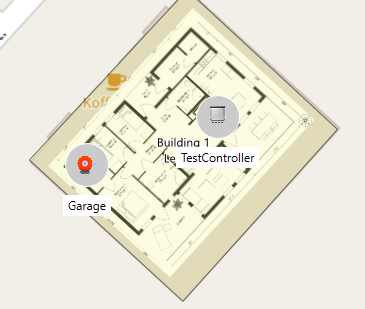
If you look at the first gif, you can see that the testController is present on the 2nd floor. I’m not sure what the issue might be that differs between your SensorMonitor plugin and mine, as I did not change anything except the GetItemConfigurations.
Thank you for posting the video. After seeing your video I was able to remove a controller off the map, re-add it, and as you show drag it into a building floor. Now for manual navigation the controller displays correctly as belonging to the building, and shows or hides as it is supposed to as I pick floors.
What I now observe is that SmartMapSelectItemCommand still works in the way that it does navigate to the right area of the map, but if does not display the controller until I have picked the right building floor.
I am using XProtect VMS 2025R2, Smart Client 2025R2 and MIP SDK 2025R2, do you have the same?
I have XProtect VMS 2024R2, Smart Client 2024R2, and MIP SDK 2025R2. However, the behaviour you described seems more similar to that of the SmartMapGoToPositionCommand rather than the SmartMapSelectItemCommand. Could you please confirm if you conducted the same test with a camera to verify if it indeed changes the floor as demonstrated in the video I sent?
In the meantime, I will conduct the same test using XProtect VMS 2025R2, Smart Client 2025R2, and MIP SDK 2025R2 to see if the results differ on my end.
@Bo Ellegård Andersen (Milestone Systems) Can you confirm if you tested the SmartMapSelectItemCommand to see if it actually navigated to the Controller? I tested the same SensorMonitor plugin, and when I used the code you provided, it did not navigate to the Controller item. However, when I selected a Camera, it successfully navigated to the camera.
In my testing I find that SmartMapSelectItemCommand works for MIP items. When using it to navigate to items in a building floor I have observed a difference in behavior: For cameras the map finds the correct area and makes sure the correct floor is picked. For MIP items the map finds the correct area but doesn’t pick a floor.
My initial assessment is that this is a bug, and will report it as such to Milestone Development. A bug like this might not be judged to be very severe and might not be solved fast. I will make an update here when I have feedback from Development.
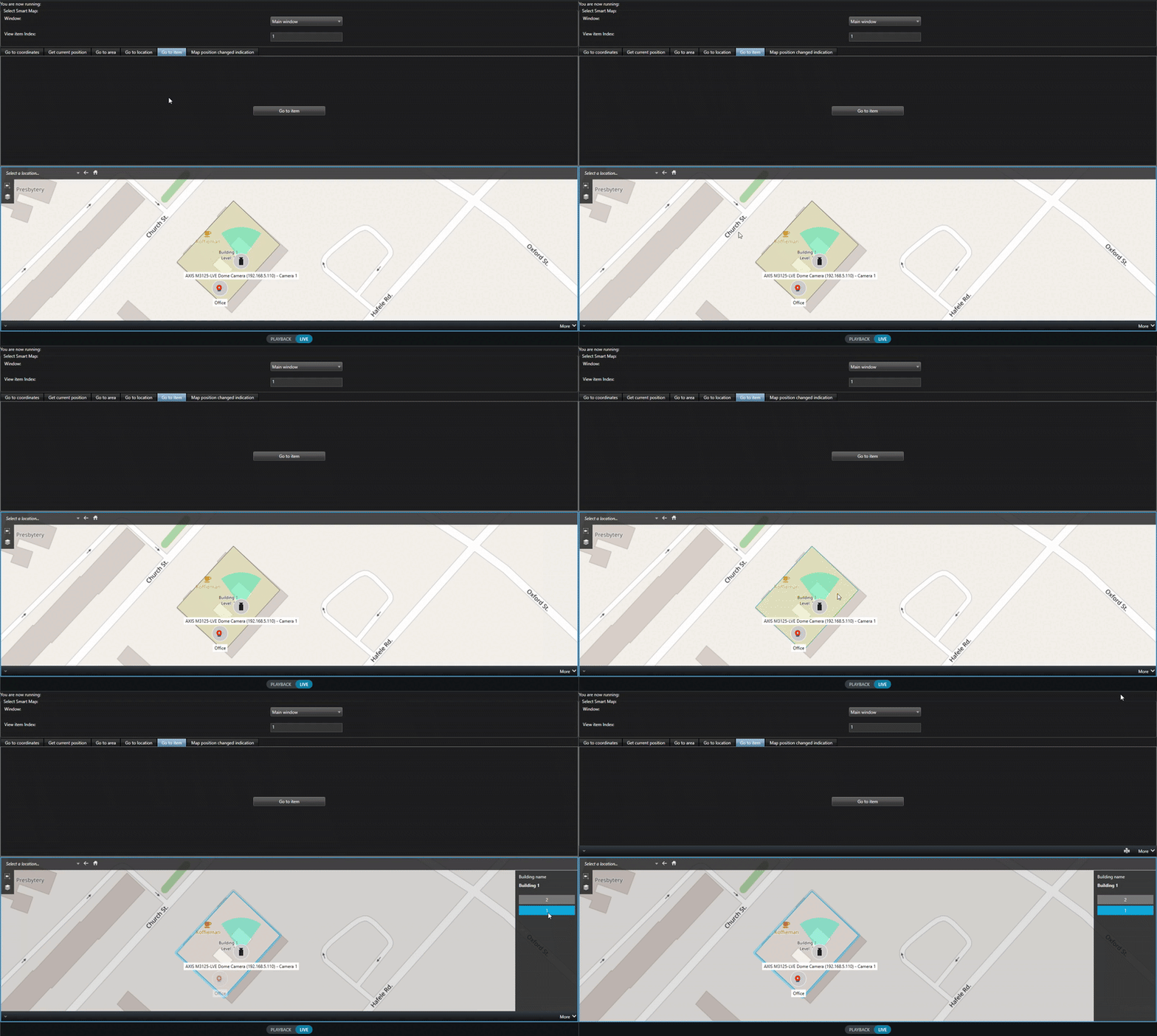 GIF
GIF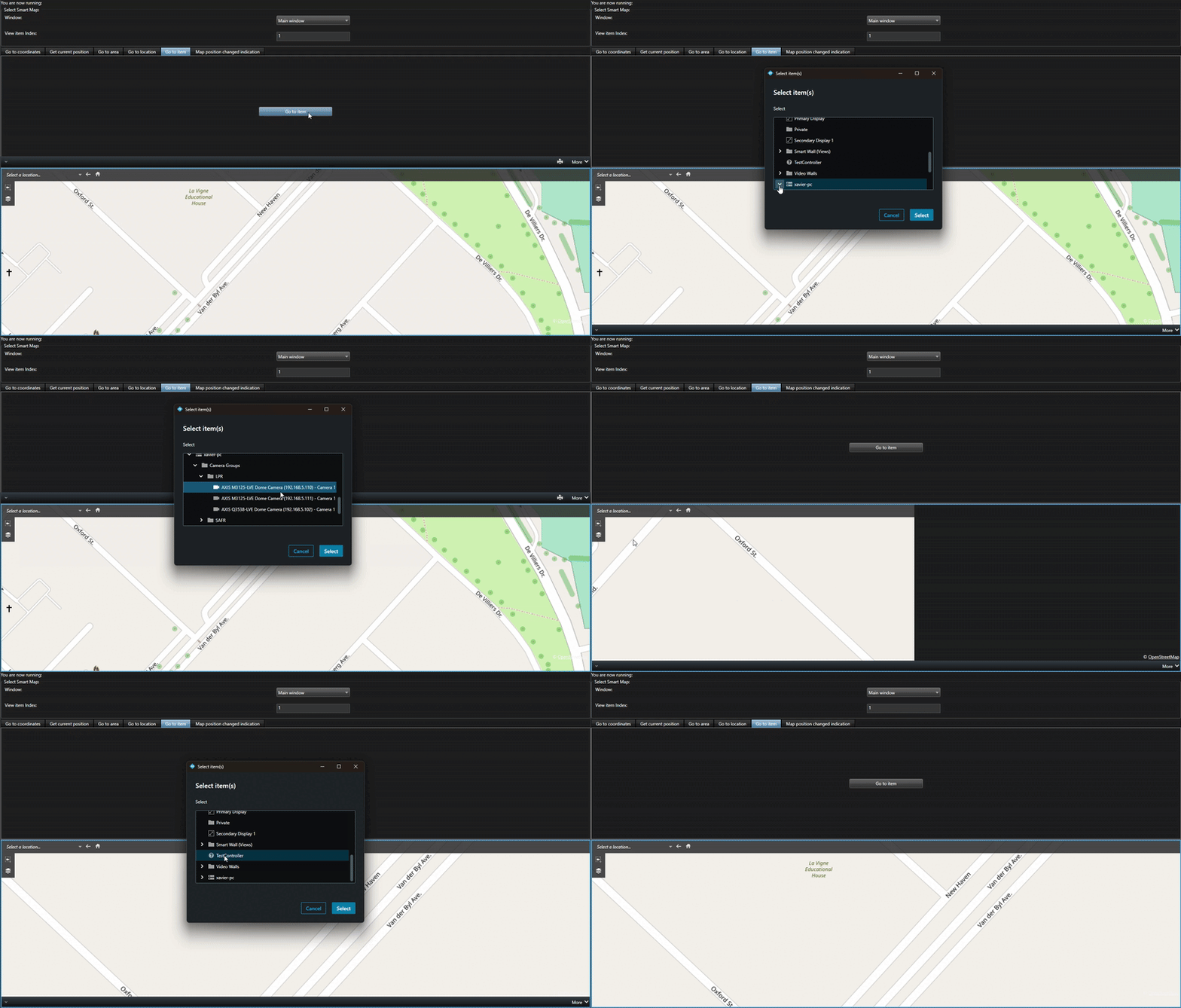 GIF
GIF