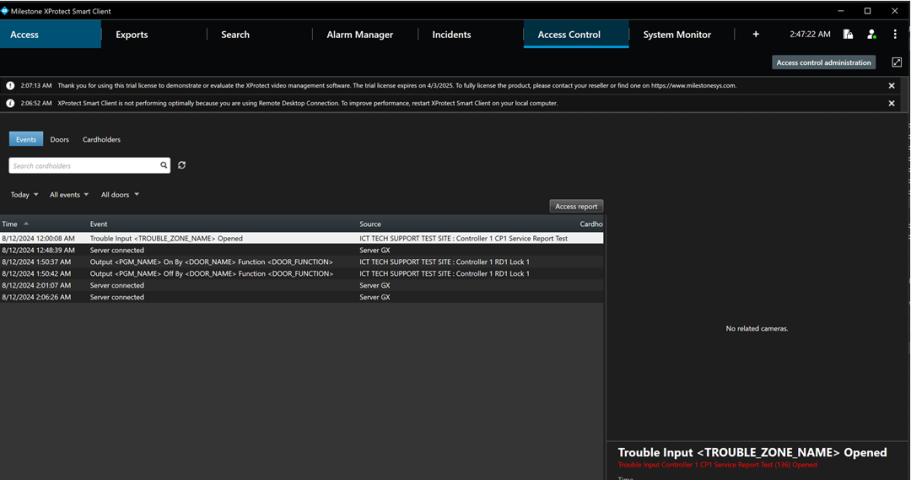
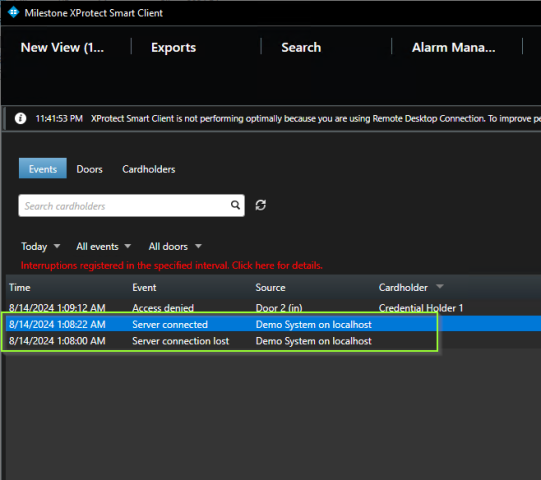
At the moment we are passing information in the Message and Reason properties of the ACEvent, as shown in the samples. But the information doesn’t seem to be honored in the Smart Client as can be seen in the image below. How can we programmatically set this and are there examples of this in the samples for the plugin repo?
Currently we are trying to achieve it passing dce.Desc to both message and reason parameters for ACEvent.
Hello Filip, I am going to look into this for you.
Are you trying to display the dce.Desc string into the “Event” column of the table? If that is the case, that won’t work. This column only displays the event name.
I understand that won’t work as that is the behavior we are seeing. I’m asking how we can set the even name and if there are programmatic examples in your samples showing how we can use the ACEvent to set the event name or an alternative approach.
Hello Filip, Everything related to access control in the Smart Client is located in the DemoAccessControlPlugin sample project.
The string that appears in the Event column of the events table is actually the Name property of the ACEventType class. This can be observed in DemoAccessControlPlugin.Constants.Types.cs file in the EventTypes class:
It appears exactly like the string defined in the type:
Unfortunately there is no other way at the moment to input a custom string in the
Events column of the table.
As for the Reason string you mentioned previously it appears in the details pane on the left side of the events table and is written in red just below the event type name:
I hope that I managed to help you. If you still have any questions, please don’t hesitate to ask.
Thank you for your response. Okay that makes sense. I can see that there are 2 other parameters that are being passed into ACEvent: relatedElementIds and properties. Properties appears to be a collection ACProperties, which in turn is an object containing a Key, Value pair.
Is there anyway for us to outline the template of the Event Name as we have done, for our example ‘Trouble Input <TROUBLE_ZONE_NAME> Opened’ and substitute the values coming from the collection of ACProperties?
For example:
If the Event Name remains as can be seen in our example: ‘Trouble Input <TROUBLE_ZONE_NAME> Opened’
Can we use the properties of the ACEvent to pass in Key: "TROUBLE_ZONE_NAME "and value: “Controller 1 CP1 Service Report Test (136)” and then have that resolve in the Event Name to Trouble Input Controller 1 CP1 Service Report Test (136) opened in the Event Name?
Hi Filip, Unfortunately this will not be possible. The EventTypes are synchronized with the rest of the data either when you connect the Access Control system to XProtect or periodically by pressing the “Refresh Configuration” button to check for any changes and synchronize them. Afterwards, when an event is raised we compare the EventTypeId field of the ACEvent and cross-reference it with the IDs of the EverntTypes of this Access Control system integration internally. What you are looking for sounds like a feature that we will have to look into implementing in the future. For now however, your best bet is to use the Reason field in order to have a custom string visible in the UI of the Smart Client. I hope that I managed to at least partially help you with your development.
I will pass our discussion to the rest of the team so we can see what we can do in the future to make events in the UI a bit more flexible. Thank you.
Hi Lubomir, having a way to customize the event name, via the ACEvent, but still link it to an existing event type (for filtering purposes) that has been synchronized as part of the “Refresh Configuration” would be useful I think, however I understand that it isn’t possible right now. Thanks for your help.