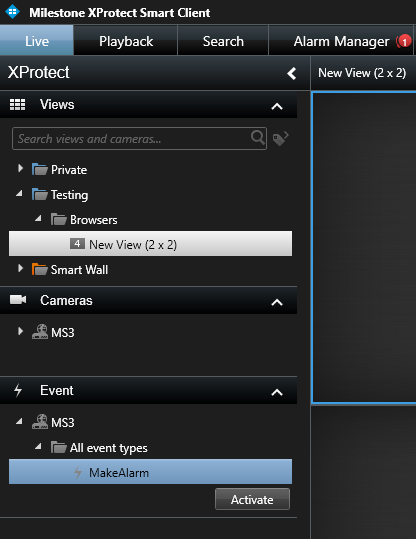
The easiest way is to activate it in Smart Client. Here’s a screenshot showing a user-defined event named “MakeAlarm” which can be activated within Smart Client and you can see it created an alarm (see the Alarm Manager tab)
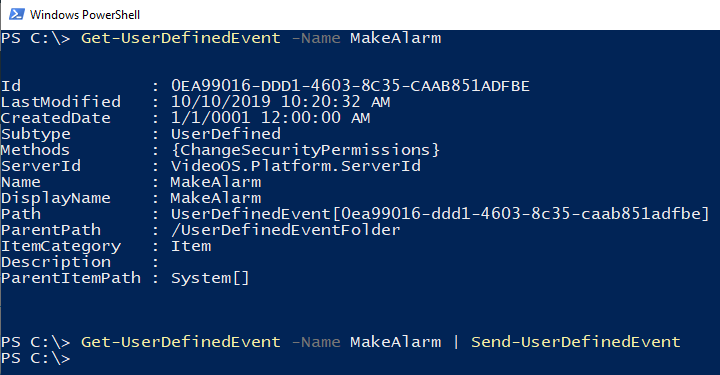
Another option if you want to test without the Smart Client UI is to use MilestonePSTools
Install-Module MilestonePSTools
Connect-ManagementServer
Get-UserDefinedEvent -Name MakeAlarm | Send-UserDefinedEvent
Finally, if you’re looking for information about how to trigger a user-defined event using MIP SDK through a component or plugin integration, you can do it like this:
var eventId = Guid.NewGuid();
var ude = Configuration.Instance.GetItem(eventId, Kind.TriggerEvent);
var optionalFQIDsOfRelatedCameras = new List<FQID>();
var message = new Message(MessageId.Control.TriggerCommand, optionalFQIDsOfRelatedCameras);
EnvironmentManager.Instance.PostMessage(message, ude.FQID);