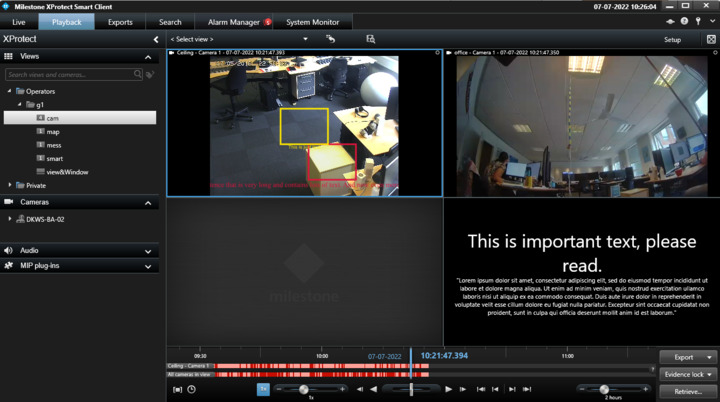
How do we add custom message on Multiwindow?

I can display custom message on Main window by using SmartClientMessageCommand.

string text = “Entrance Cameras”

SmartClientMessageData smartClientMessageData = new SmartClientMessageData();

    smartClientMessageData.MessageId = new object();

    smartClientMessageData.Message = text;

    smartClientMessageData.IsClosable = false;

    smartClientMessageData.MessageType = SmartClientMessageDataType.None;

    Message message1 = new Message(MessageId.SmartClient.SmartClientMessageCommand, smartClientMessageData);

    ClientControl.Instance.CallOnUiThread(() => EnvironmentManager.Instance.SendMessage(message1));

Output:

image

This message is displaying only on Main window.

Is it possble to display this message on other windows (Eg: primary window and floating window)?

Thanks in Advance,

Regards,

Priyanka

Smart Client Message area only exists for the main windows, this is by design.

To me it seems that what you want could be achieved by giving the view a meaningful name instead, I might be mistaken but hope the mention of this idea might be a help.

Hi Bo Ellegård Andersen,

Thank you for the response.

I created some constant view names through PlugIn. I am passing cameras to views from external source as a input. I need to display some Message on view based on cameras on multiwindow.

I can display that message only on Main window by using Smart Client Message area.

Is there any other way to display message on view on Multiwindow?

or Is there any possibility to add text for layout name or camera names?

Regards,

Priyanka

You could put a text in one of the view-items,

I am very sorry, I have posted a comment on this by mistaken. Let me delete the previous my post and re-post on the correct thread. I am sorry.