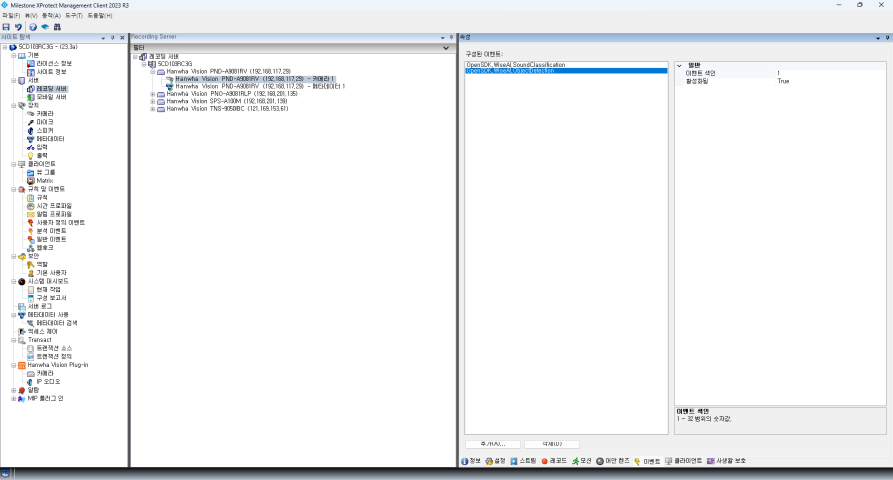
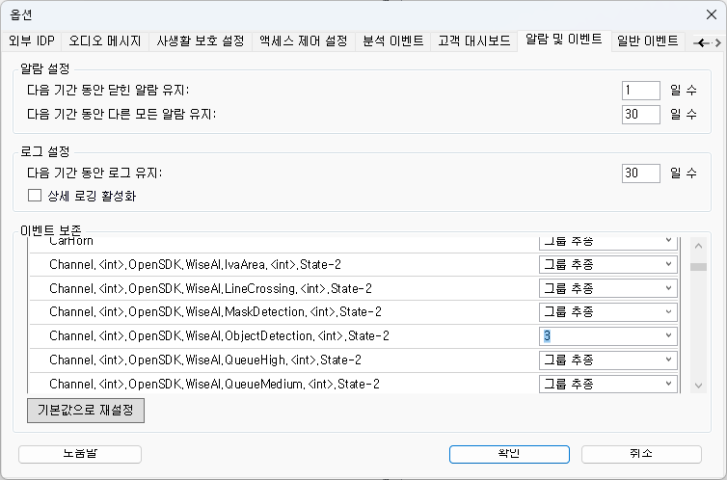
I have modified several options in the Management client to display object detection event or sound classification event from a Hanwha AI camera. Here is what I have changed:
- Activated metadata
- Configured events under Camera
- In Tools > Options > Alarm / Event > Event Persistence > Device event, changed the duration
The events didn’t display immediately. They only started displaying after several restarts of the event server. However, they continued to display even after I removed the metadata and event configuration.
I don’t understand the conditions required to display the events I add in the event configuration tab.
Could you advise on this?
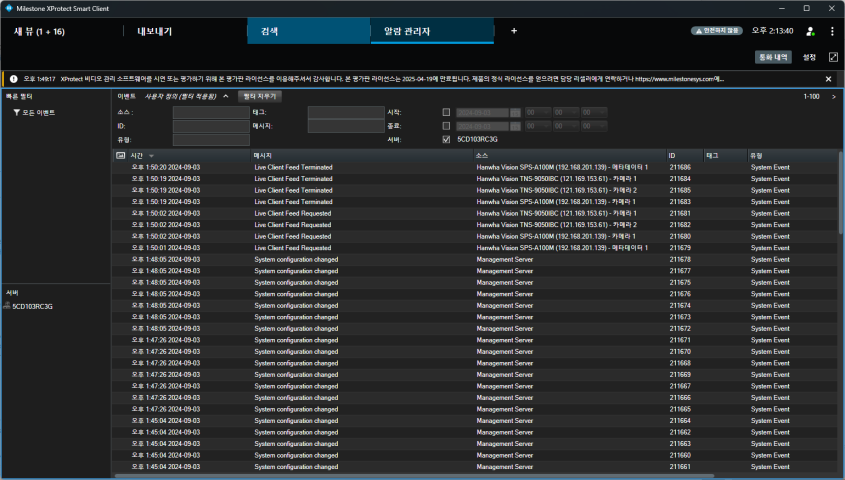
You have configured the Smart Client Alarm Manager to show events instead of alarms.
An alternative approach would be to create an Alarm Definition so that when the event you are interested in is triggered it is turned into an alarm and is shown in the Alarm Manager when it is displaying alarms.
I find it hard to explain what you have observed.
When you set up events on the camera device, I guess the change should take effect immediately on the device. The event server will on some configuration changes not pick them up immediately but will sync up later, however if the event server is restarted the configuration change should be picked up. There should be no advantage in multiple restarts.
Note that the AlarmEventViewer sample can pick up the new events even if they are not persisted. (Uses NewEventsIndication.) Perhaps you can modify the sample to pick up exactly the events that are of interest. Depending on what your end-goal is, what you want to develop, this might be of interest. You are welcome to describe what you want to develop further and I can suggest ways.
https://doc.developer.milestonesys.com/html/index.html?base=samples/componentsamples/alarmeventviewer/readme.html&tree=tree_2.html
https://github.com/milestonesys
https://doc.developer.milestonesys.com/html/index.html?base=miphelp/class_video_o_s_1_1_platform_1_1_messaging_1_1_communication_id_filter.html&tree=tree_search.html?search=neweventsindication
Thank you, Bo. I will look into them.
By the way, I would like to locate the raw metadata from the events displayed in the alarm manager. To detect an event within our plugin system, we need the correct event time generated by the device. However, the events retrieved from Milestone seem to have a different event time than the device. I understand that it is natural for VMS events to have different event times than camera events, but is it possible to find the metadata that occurred on the camera (and might be saved within your system) using the events from your system?
I don’t think camera events hold any additional information, so I am confused what metadata from the events might be.
If the time of event is different compared to what you see in the camera, I wonder if it is the small time that sending the event might take or it is bigger differences?
One thing that comes to mind is that it is recommended to sync the servers in a XProtect VMS using some kind of time server, and ideally also sync the time on the camera devices. Might this solve the issue?
I have a nagging feeling that I might not have understood the scenario here, if my answers are not a perfect fit please elaborate on the scenario.
Thank you, I just wanted to clarify if it was possible to locate raw event data that arose from a device using the event received from XProtect. Now I understand, and syncing the devices with XProtect could be the solution.