Hi,
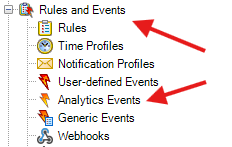
I’m unsure if the title is descriptive enough, but how can you add your custom events node to the Rules and Events tree within your MC for plugin integration?
Hi,
I’m unsure if the title is descriptive enough, but how can you add your custom events node to the Rules and Events tree within your MC for plugin integration?
This can be controlled in the plugin definition using PlacementHint enum. See an example here how this enum can be used for defining the location of your plugin.
Hi @Paulina Bien ,
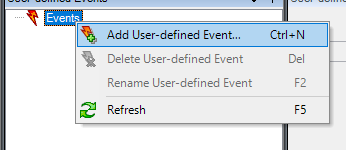
Thank you very much. Do you have any example on how to create your own custom events (and their actions) and prevent the user from adding events to the tree?
Example: Disable the functionality to add/remove/rename
Unfortunately there is no sample, you should be able to place your plugin in the Events section of the Management Client tree.
On disabling the functionality I am guessing
virtual bool VideoOS.Platform.Admin.ItemManager.IsContextMenuValid
should be able to help, this is a guess as I have answered without testing it, please let me know if you get it to work.
Hello @Bo Ellegård Andersen (Milestone Systems),
Thank you very. I will test and provide feedback.
Should I place all the custom events for a specific plugin into a separate ItemNode (in the definition), distinct from the plugin itself, and use a `PlacementHint` to position it under the Rules Events section?
Do you have any advice for creating my own events? Since they will be treated as nodes, should I create an item for each individual event? Additionally, when my backend picks up the event, how do I transmit the “Alarm” example to the alarm manager of Milestone, along with the necessary data?
Hi @Bo Ellegård Andersen (Milestone Systems) ,
I tested VideoOS.Platform.Admin.ItemManager.IsContextMenuValid and works perfectly, thank you.