Since it’s not using the same system that Professional uses ([C:\ProgramData\Milestone\Milestone](file:C:/ProgramData/Milestone/Milestone) Surveillance), where can I find the ViewGroups and backup them?
The ConfigDump tool sample can be used to see the ViewGroups, works in both Professional and Expert, only in Expert there is more flexibility and thus more groups with user-configured names etc.
Using these methods you could read the configuration, and you could save it, but backup would only make sense if you can restore it. I am guessing you could rebuild most of it using the methods to build views etc. This does not sound like a simple task, I am guessing it could be done but I can give you a recipe on how to do it, there is no sample covering it. The combination of ConfigDump and Smart Client View and Windows Tool samples get you some of the way.
I was thinking if there was a way without developing a tool, but I guess I might be in the wrong forum for that. I was thinking if there was a guide like this
but for Expert and above.
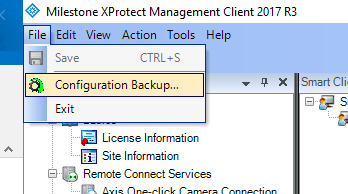
Yeah I know it includes the database and such but I just wanted to confirm that this actually does inlcude the ViewGroups aswell, since I couldn’t find any documentation confirming this.