Hi every member of this forum,
I am trying send an event to my VMS by following this guide (https://doc.developer.milestonesys.com/html/samples/analyticseventXML.html)
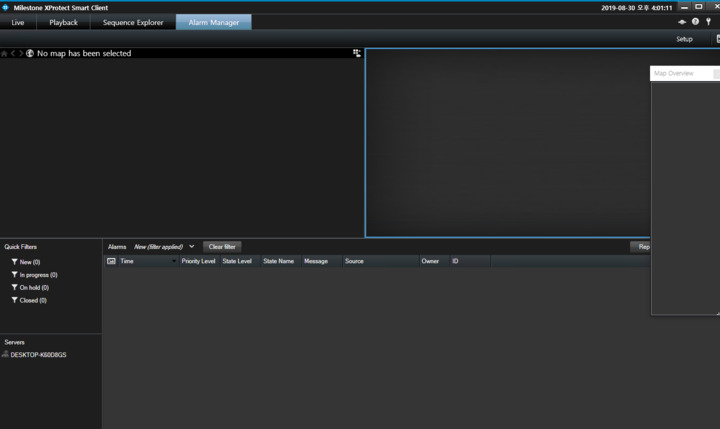
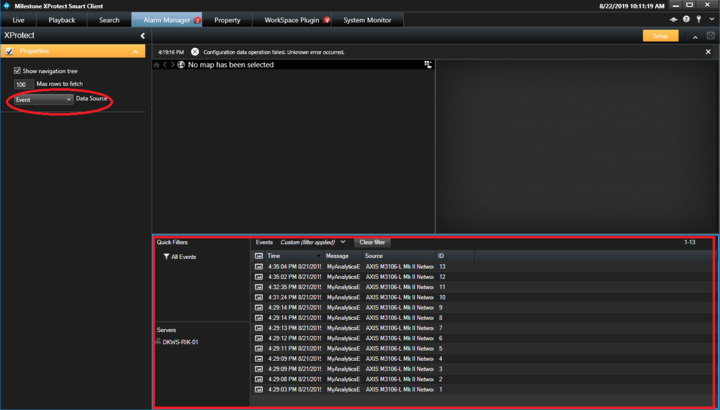
However, i did not see any alarm at Smart Client Application as attached picture.
Please help me,
Thanks.
Rik
(Rie Kiuchi (Milestone Systems))
2
Hi.
Please check the event view. See following instruction;
- Start Smart Client, go to Alarm Manager tab. Select Alarm List(bottom view).
- Click Setup button.
- Selelect Event data sourse.
- Escape setup mode.
Verify that you have enabled Analytics Event in Management Client → Tools → Options → Analytics Events
Hi Bo and Rie,
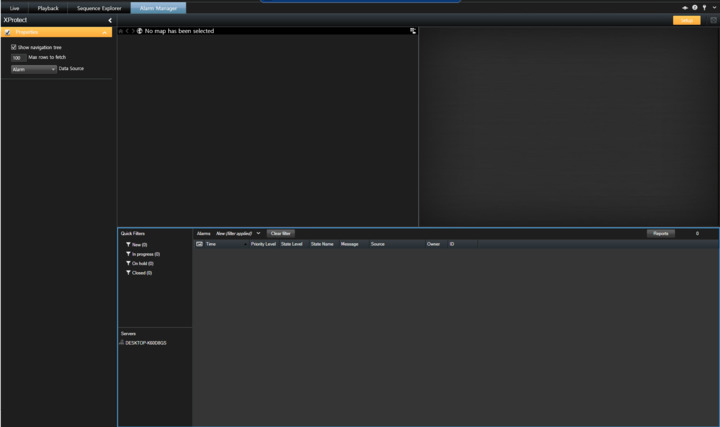
I already enable Alalytics Event as Bo mentioned. The attached image show there are no event was received. Even i exit “Setup mode”
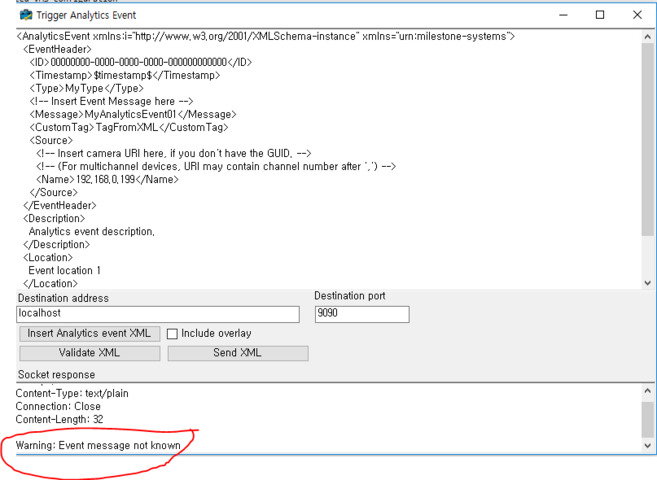
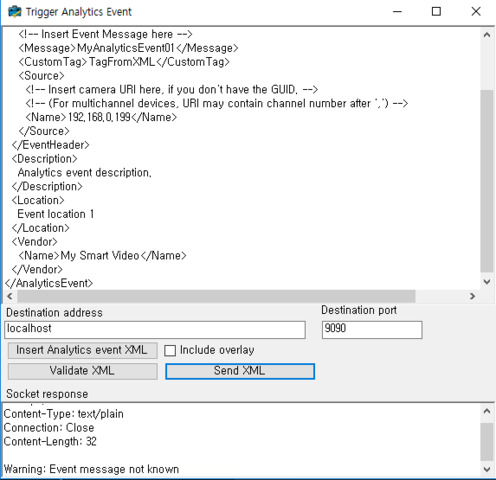
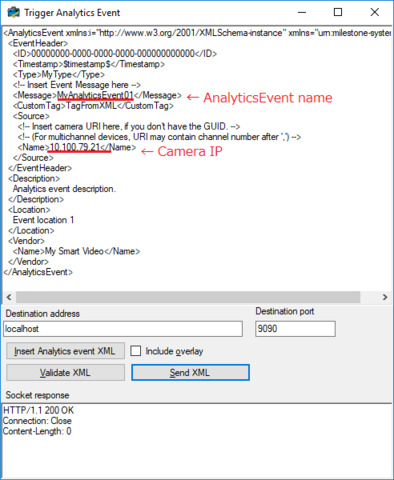
In the Trigger Event Program , it has warning showed “Event Message not know”. Is it the reason of this problem? Please see the attached image.
Thanks
Rik
(Rie Kiuchi (Milestone Systems))
5
Hi Dien,
Please try below instructions.
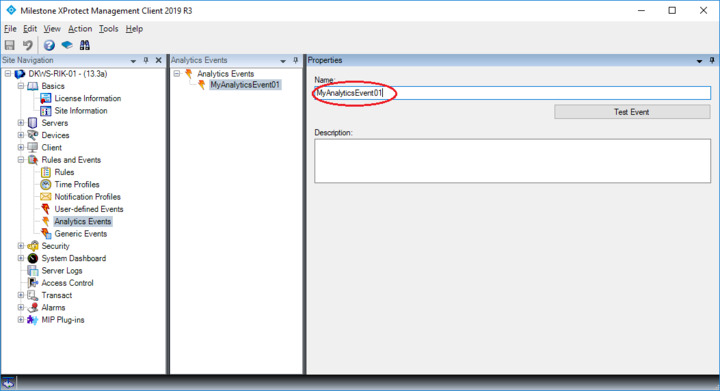
1. Make Analytics Event in management client.
2. Change setting in TriggerAnalyticsEventXML.
3. See Smart Client and change Event to Alarm.
4. Escape Setup mode.
5. Try the plugin.
Hi Rie,
Thank for your instruction.
The problem was solved following that.
Thanks,
Have a good time.