HI,
Is it possible to control the Playback when creating an “OpenFloatingWindow” using MultiWindowCommandData?
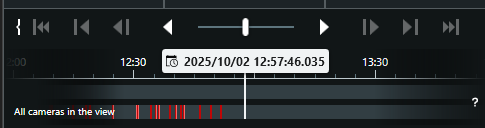
When I switch from Live to Playback, I want the time to be at a specific point.
HI,
Is it possible to control the Playback when creating an “OpenFloatingWindow” using MultiWindowCommandData?
When I switch from Live to Playback, I want the time to be at a specific point.
I think you can explore the options by using the Smart Client View and Windows Tool pluign sample.
https://developer.milestonesys.com/s/article/Exploring-the-MIP-SDK-Tool-View-and-Window-Tool
https://github.com/milestonesys
I suspect you should first do a OpenFloatingWindow, then next step switch to playback, then navigate to the time.
Hi @Bo Ellegård Andersen (Milestone Systems) ,
Yes, so currently I successfully open the OpenFloatingWindow. However, when I switch to playback, I would like it to start at the triggered time instead of the current time. Is this possible? Currently, the playback begins at the current time when I switch.
You may want to send a message of type SmartClient.PlaybackCommand with Command set to PlaybackData.Goto and with destination being the FQID of the Playback Controller of the floating window. You can get that by calling ClientControl.Instance.GetPlaybackController with the WindowInformation of the floating window.
Hi @Rie Kiuchi (Milestone Systems) ,
Thank you very much. I’ll test it out.