Hello,
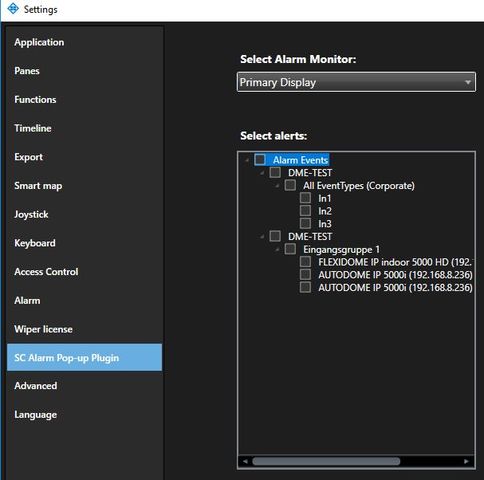
I need a list / treeview of the user defined trigger and camera input trigger in the SettingsPanel area of SC. I try as in the ConfigDump example, but there I only get the camera input, not the custom trigger.
I’m using the wpf control so the treeview is different too.
The Milestons system is Xprotect corporate 2017 R3
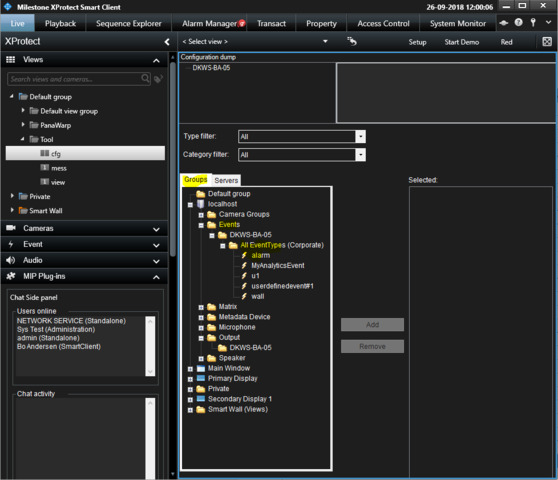
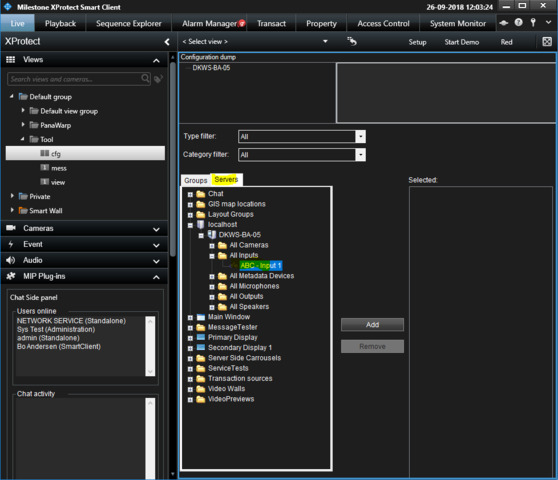
Working with the ConfigDump tool sample I observe. -
When using the Groups tab I can see user-defined and analytics events.
When using the Servers tab I can see Inputs.
Note that in the Management Client I have not created a group of inputs and but my inputs in that group.
The difference between the two tabs is that the first one works with
Configuration.Instance.GetItems(ItemHierarchy.UserDefined);
the other with
Configuration.Instance.GetItems(ItemHierarchy.SystemDefined);
This means that when you pick items for your list or treeview you might need to point to the other “ItemHierarchy”.
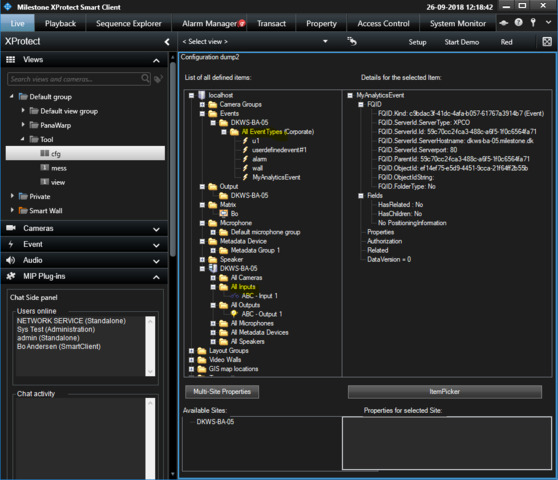
Note that if using the ConfigDump2 user control you are actually seeing the third option:
Configuration.Instance.GetItems(ItemHierarchy.Both);
When you develop your list or treeview you will have to take care to use the right option when you use GetItems and find the items you need.
While explaining this I do not find the logic of which is which very good, I will raise this with the Milestone SDK team that there might be improvements for future versions of the MIP SDK and samples within.
References in documentation:
http://doc.developer.milestonesys.com/html/index.html?base=miphelp/class_video_o_s_1_1_platform_1_1_u_i_1_1_item_picker_user_control.html&tree=tree_search.html?search=itempickerusercontrol
http://doc.developer.milestonesys.com/html/index.html?base=miphelp/namespace_video_o_s_1_1_platform.html#ab082dd6fb46525f9eefbb09474fc6975&tree=tree_search.html?search=itemhierarchy
http://doc.developer.milestonesys.com/html/index.html?base=miphelp/class_video_o_s_1_1_platform_1_1_configuration.html&tree=tree_search.html?search=itemhierarchy
I use “Configuration.Instance.GetItemsByKind(Kind.TriggerEvent)” and “Configuration.Instance.GetItemsByKind(Kind.InputEvent)” for that now.
This works good.
I think using GetItemsByKind is the best solution. I wish that had been part of my recommendation.