Choose the product versionthat fits you (e.g., Professional+, Expert, etc.) and click on Learn More
Fill out the form with your contact and company details.
Submit the request — a Milestone representative or partner will contact you with:
A trial license file
A download link for the installer
Install the software using the provided installer and license file. Follow the installation wizard to finish the setup and start using your trial system.
I have a further question about the restrictions for using a trial license: After the 30-day trial expires, can we reapply for and use another trial on the same development environment (e.g., Same Server or PC)?
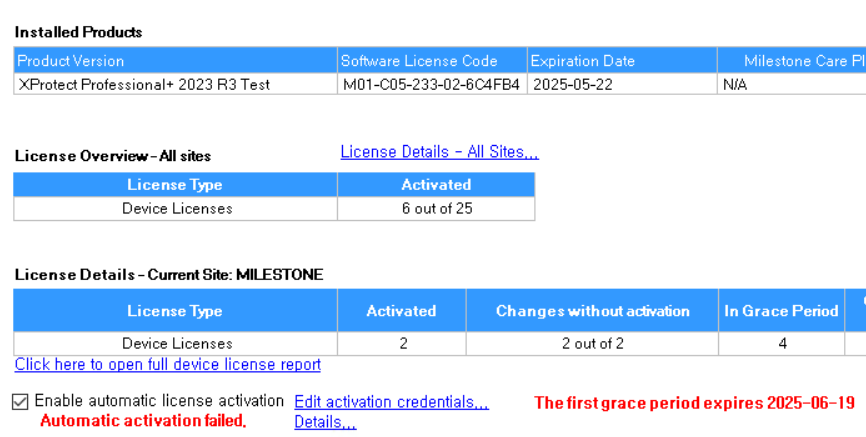
As suggested, we are using a trial license for our development environment. After 30 days, we requested and applied a new trial license but the Grace Period of our test device expired and we can’t reach it anymore.
Is there a way to activate Device Licenses when using the trial License?