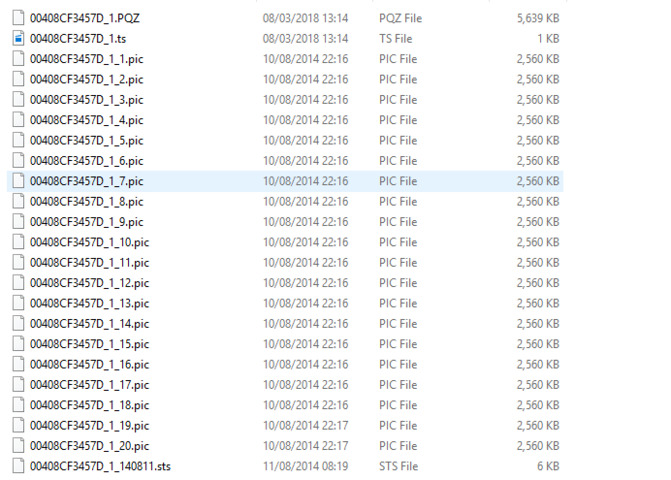
I’ve been taking a look at ways to quickly read the timestamp information that seems to be contained in the PQZ and PIC files. I’d like to do this in code if possible as it should be faster.
It seems that the timestamp data is stored in a big table in the PQZ files, but I dont understand how its encoded. Is there documentation on this?
The inner workings of the “database” is not documented. You should always use the Milestone library methods when reading the data. The Media Playback viewer sample shows how to read the data as JPEGs.
I’ve tried using the Media Playback viewer sample. I’m getting back the camera but the JPEGVideoSource.GetBegin() is returning null and I can’t seem to get any jpeg data back at all, even when I manually add the time via JPEGVideoSource.GetAtOrBefore(). I’ve used PQZ files from two different sources and neither work.
From your wording I suspect you do not have the right set of files.
A PQZ file give you nothing, but a copy of all the files in the same folder as the PQZ file, that should be usable. An XProtect “database” is many files in a given structure.
I suggest you try it like this; stop the recording servers service (or all services), copy a folder with all content and try to open it using the sample pointing to the PQZ file.
(Note; e-code servers have PQZ files, c-code servers are different.)
I think I have the right files, it’s a folder full of pic files and the PQZ file. I’ve several different folders and have managed to get one folder returning frames.The pic files in that folder seem to be h264. The ones that aren’t returning any frames seem to be mjpeg. Could this be the issue?
are u solve this problem?
i have the same problem
I must suspect some kind of corruption or similar. Did you stop the recording server service before copying the files? If you copy or use the files directly while the recording server service uses them they can become corrupt.