How to switch Live mode to Playback mode programmatically using MIP SDK - 2023 R1

Hi,

I’m using XProtect smart client 2023 R1 with SDK version 23.1.1

I want using the SDK to switch from Live to Playback

When the client is loaded on Playback and I do this line:

ClientControl.Instance.GetWorkSpaceItems()

I don’t get the Live workspace, and when the client loaded on Live and I do this line:

ClientControl.Instance.GetWorkSpaceItems()

I don’t get the Playback workspace

so the result is that I can’t switch workspaces.

how do I do it?
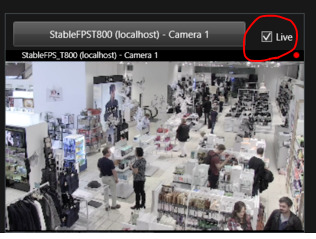
In Smart Client Workspace sample, there is “Live” checkbox. When you check-on it, you can see live (and when you check-off you will see recording). The sample might be helpful, so please explore it.

https://doc.developer.milestonesys.com/html/index.html?base=samples/pluginsamples/scworkspace/readme.html&tree=tree_1.html

https://developer.milestonesys.com/s/article/Exploring-the-MIP-SDK-Tool-View-and-Window-Tool