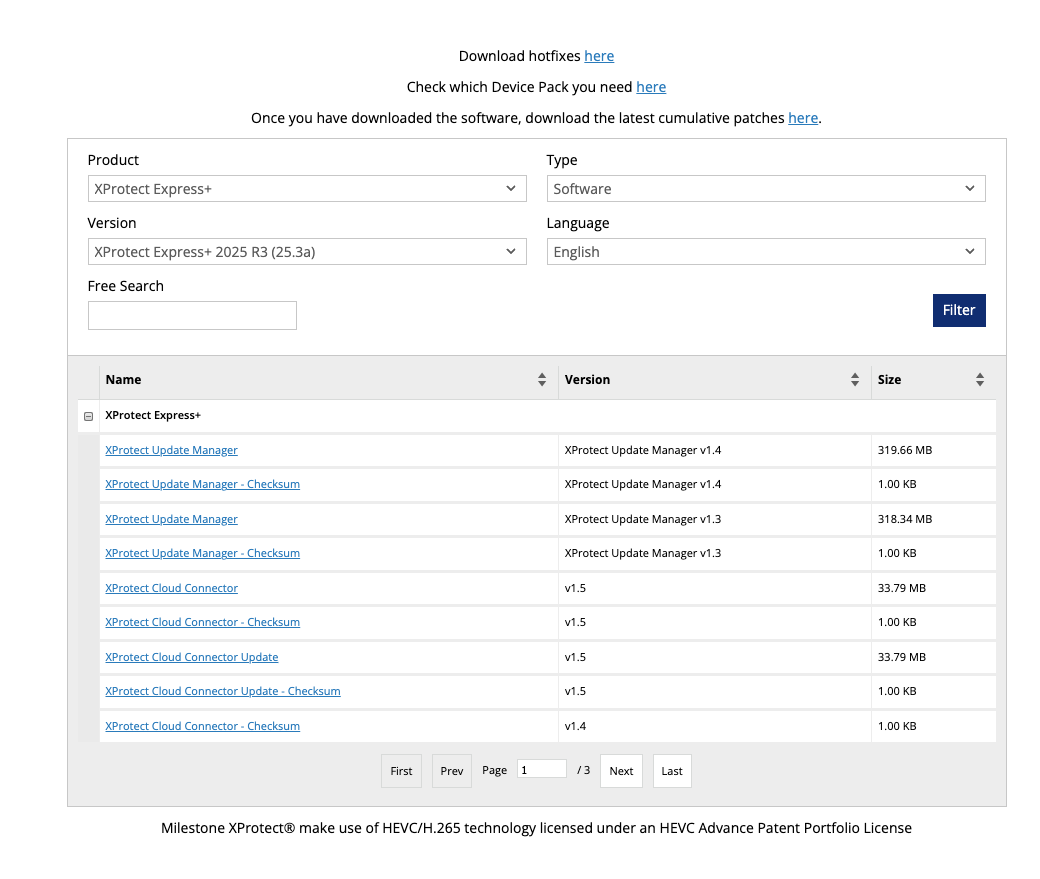
Hello, next month our platform will be integrated with a Milestone deployment by sharing our alarms with Milestone system in the first version.
I found the alarm trigger api & a quickstart guide, however when attempting to request a license and download the software I am a bit lost with the options in the download page.
Can you please advise on which version to install to have the ability to check the alarm api? (and provide installation steps if this is a more complex process?)
Thank you
1 Like
Developers who need a trial license for development purposes can contact the Milestone Technology Partner team at:
developer@milestonesys.com
When sending the email, please include:
The team will assist you from there.
1 Like
@Bo_Ellegard_Andersen, thank you for your response. We received a trial license and managed to install the Milestone XProtect Management Client 2025 R3
We explored both the windows & web application and created a basic user.
Following the alarms quickstart documentation I managed to receive an Authorisation token. When trying to trigger an alarm, I hit a wall - we haven’t got any configuration in the windows/web application that we can assign a mock alarm to.
Could you please assist with the following:
-
Can we set up a call with a technical resource who has context about the facility we will be integrating with?
-
Confirm my assumption: Is using the Alarms API the correct approach here? (There’s also the Events API + extensive documentation which could fit this use-case)
-
Share/help setup a minimal test/mock environment that closely resembles the facility which we will be integrating with where we can verify our alarm sharing logic?
curl --insecure --request POST "https://<url-where-we-host-app>/api/rest/v1/alarms" \
  --header "Authorization: Bearer <token-for-basic-user>" \
  --header "Content-Type: application/json" \
  --data '{
    "name": "Test Alarm",
    "message": "Alarm triggered via API",
    "priority": 1,
    "state": "Active",
    "source": null
  }'
{"":["Required property 'source' expects a value but got null. Path '', line 7, position 3."],"state":["Error converting value \"Active\" to type 'System.Nullable`1[System.Guid]'. Path 'state', line 5, position 21."],"priority":["Error converting value 1 to type 'System.Nullable`1[System.Guid]'. Path 'priority', line 4, position 17."]}%
Thank you,
Igor
Whether you send an event (that can then trigger an alarm) or send an alarm directly should be a conscious design choice.
Send events if you want the administrator to actively configure events and alarms. The administrator manages alarms by defining alarm definitions, which filter incoming events and trigger alarms accordingly. This also allows the same event to be reused for other purposes (rules, integrations, etc.), and enables alarms that can be controlled by schedules.
Send alarms if you want a solution where alarms work out of the box without any configuration required in the system.
-
Speaking of quick start:
Samples source code repositories.
PS. If you are a Milestone partner try to contact the partner team if a call can be arranged
Thank you, I contacted the milestone partner email as well.