We are currently using the protocol integration. And we want to call goto and next function from image server to get a series of stream data. (We set to no and omit the one as indicated by https://developer.milestonesys.com/s/question/0D53X00008OHJHXSA5/is-it-possible-to-get-a-sequence-of-video-as-mp4-or-even-an-rtsp-stream).
send_buffer = “<?xml version=\\"1.0\\" encoding=\\"utf-8\\"?>0” \
"<methodname>connect</methodname><username>USERNAME</username><password>PASSWORD</password>" \\
"<cameraid>{0}</cameraid><alwaysstdjpeg>no</alwaysstdjpeg>" \\
"<connectparam>id={1}&connectiontoken={2}" \\
"</connectparam>" \\
"<clientcapabilities>" \\
"<privacymask>no</privacymask>" \\
"<privacymaskversion>0</privacymaskversion>" \\
"<multipartdata>no</multipartdata>" \\
"</clientcapabilities>" \\
"<transcode>" \\
"</transcode></methodcall>\\r\\n\\r\\n".format(guid, guid, token)
send_buffer = (
f'<?xml version="1.0" encoding="utf-8"?>'

f'<methodcall>'

f'<requestid>{count}</requestid>'

f'<methodname>goto</methodname>'

f'<time>{\_playbackTime}</time>'

f'<keyframesonly>no</keyframesonly>'

f'</methodcall>\\r\\n\\r\\n'
)
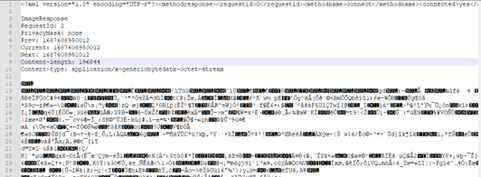
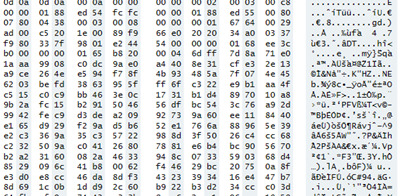
Here is the raw data we get from goto function(which should be a data of one frame?). Can you please help us how do we manipulate the Binary text to get the video file?
We open it in a free hex editor.
I have taken a look at The GenericByteData format documentation. And I didn’t find similar field value that indicates me it’s from H.264 or some other video types. So I am confused about what kind of data this raw data is. So if you can help us how do we read the data as a video file would be plenty.
When we converted the Binary data to JPEG we just removed the header part. Is there any easy way to transform this binary data that we have received to a video file? (May be by removing the header or the genericbytedata header and renaming the file to any video format like avi or mp4).
I had gone through the Milestone Generic Byte data documentation. I understood the formats of data but I would like to know if you can help me with any guidance to convert the GOP data to video. https://doc.developer.milestonesys.com/html/index.html?base=mipgenericbytedata/main.html&tree=tree_3.html
The MIP SDK does not really have functionality for handling raw video data gops except of course for retrieving it.
The GenericByteData format is documenting how to remove the header so that you have the raw data. Nowhere is there documentation or samples on how to handle that raw data. There might be followers in this forum that can help. But you might get better help if you find fora on video handling or transformation outside this forum.
Hi Bo,
Not sure if I wasn’t able to communicate my question to you clearly. Our end goal is to retrieve the video feed using a code and not the any front end UI that this export sample is doing.
GitHub - milestonesys/mipsdk-samples-component: Samples showcasing how you can integrate stand-alone applications utilizing the Milestone Integration Platform (MIP) SDK.
Please let me know if you can give me some guidance on doing that. (We were able to get the jpeg frames and we can stich it into a video, but we are more interested in getting the video snippets as a mp4 or avi or any video format files). If you can provide any help that would be plenty.
When exporting you can use three different formats:
Milestone db format, handy because you can use the Smart Client as player.
AVI format, the footage will be decoded and encoded using a AVI codec in you machine.
MKV format, the footage will be exported unmodified, so if the camera was streaming h.264 this is the format in the MKV file.
When not exporting but retrieving raw data from the server you are yourself in charge of handling this data, there is not really any help in the MIP SDK after the raw data is retrieved.
If exporting is more the solution you seek, there is two ways to export: Directly using the MIP SDK, indirectly using the Mobile Server to generate the export file.
Hi Bo, I am working with Kaustub on this project. I wanted to share some additional info on what we are trying to do and were we are getting stuck.
We have be able to successfully use the Windows based SDK to extract historical video clips from our Milestone servers to MKV files.
Our goal now is to be able to replicate this functionality without needing to rely on Windows. From what we understand, this would need to be done using the native protocol. We have found documentation that shows how to request frames from the Milestone server using the Protocol, but we have not found any sample code to write that video into an MKV file.
Is this something that is possible and do you have any examples or sample code that you could share that may help the team?
The exporter is a component that is part of the MIP Library, this is built on top of the Milestone C++ Media Toolkit. Both components are using Windows libraries and depend on the Windows platform.
When it comes to using the Image Server protocol directly to retrieve video from the Recording Server the video data is raw, it is the original video data from the camera encapsulated in a small header, this is the GenericByteData format. Read about it here. https://doc.developer.milestonesys.com/html/index.html?base=mipgenericbytedata/main.html&tree=tree_3.html
When you have removed the header you have raw video data, the MIP SDK contains no functionality or documentation on how to work with raw video data (except retrieval and export using the components mentioned above). I recommend that you seek information in other communities or forums that deal with video data.