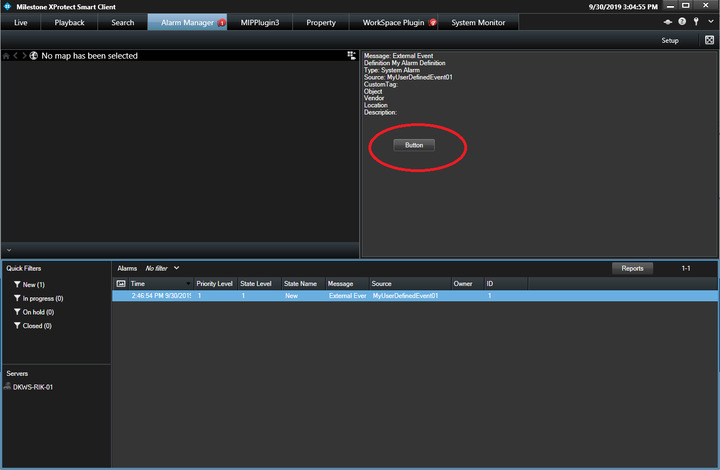
Basically Milestone receives an alarm from an external device which is shown on screen of smart client. The operator can then right click the blinking alarm and decides what actions to take for this alarm event. My question posed above is if these actions can be customized to include different types of reactions or can anything be customized for actions to an alarm event on smart client?
The right-click menu in the alarm list can’t be changed because it is a Smart Client built-in that is not open to modification.
Instead, as a possible workaround, it is possible to customize the preview in the upper right-hand corner on the Alarm Manager workspace. See below how I have modified the Alarm Preview plugin sample and added a button.