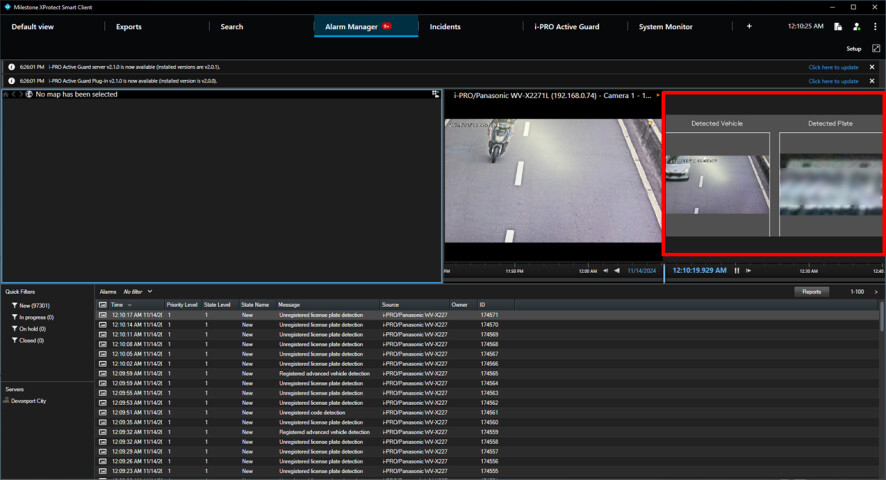
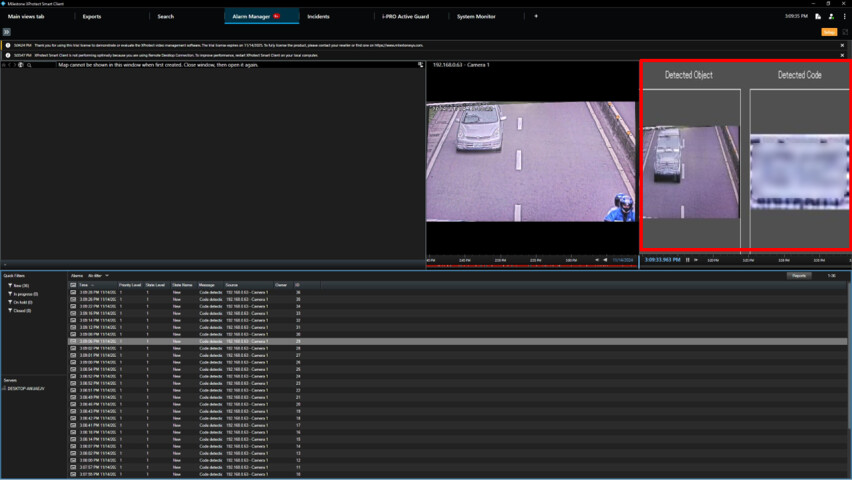
Our software sends analytics event (port 9090, xml format) to XProtect and the data includes field so that image is shown on Alarm manager tab.
We found behavior in XProtect 2024R2 changed from previous 2024R1 or earlier.
In 2024R1, as you can see in following screenshot, red part, image (425x235) is shown with original aspect ratio.
In 2024R2, image is stretched automatically.
Is there any way to keep original aspect ratio in 2024R2?
I was able to reproduce the behavior you have observed, and do see the same change in behavior. I have reported this to Milestone Development as a potential bug and I will update you here when I have feedback
Thank you for reporting this.
Thank you for your support!
Milestone Development has developed a fix.
If you download 2024R2, and takes care to you get the 24.2b, the fix is now included.
(Milestone retracted the first release and has now published a second release of 2024R2, please make sure to upgrade all your installations that were installed or upgraded with the first release. This means that future installations by you or customers using your integration will not need to install a hotfix.)
We tested new version and fixed. Thank you !
Thank you for verifying and thank you for the feedback.