We are evaluation this solution and I’ve downloaded the .NET SDK. It comes with many examples, but I’m not sure what would be the most suitable for what we need to do. Can you guys let me know what project can I use to connect to a camera and be able to record? Also, is there like a test camera that we can connect to? Thanks.
I would begin with the VideoViewer sample. It does live and playback and has a button where you can ask the XProtect to record.
For an easy test “camera” I recommend the DirectShow driver: https://force.milestonesys.com/support/articles/en_US/How_To/Set-up-DirectShow-Driver
Thanks for your reply, Bo. I’ll try your suggestions.
I managed to setup my server and added 3 cameras. However, I keep getting an error when trying to connect. Here are some screenshots. Any ideas?
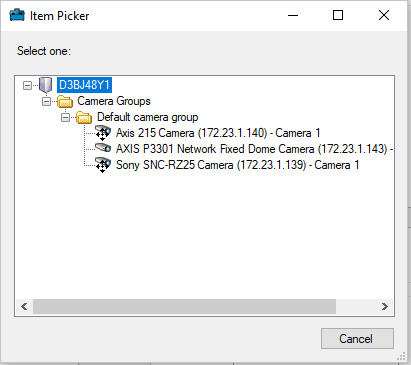
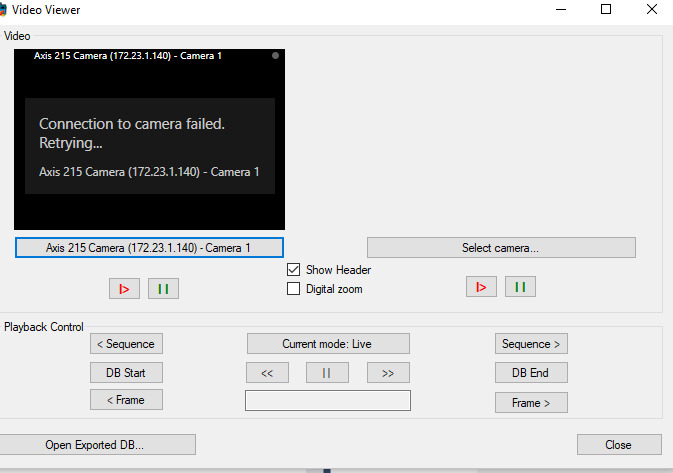
My first suspicion would not be the MIP SDK application but a general issue. You can establish if this is true by seeing if you have the same issue when using the Smart Client. Perhaps you can even see the error in the Management Client.
There is a number of knowledge base articles on troubleshooting this if it is a general issue. Maybe you can get more help in the Support Community - https://force.milestonesys.com/support/MccSupportCommunity
Thanks for your reply. I tried using the Smart client application but it doesn’t work either. I can’t even connect to the server to see the cameras.
First, when I run it I get this error :
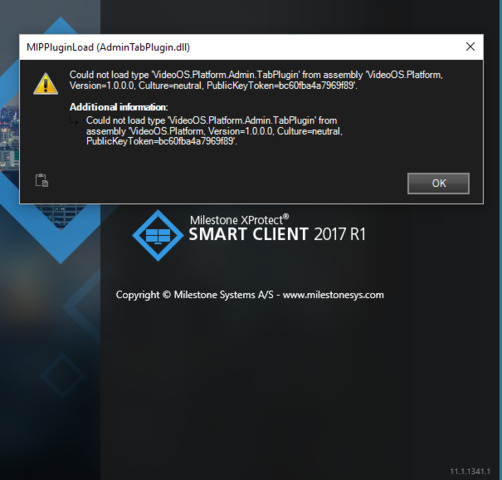
If I keep clicking on the OK button, it will eventually show the login screen. However after I enter the information, I get a “Failed to connect” error. Not sure if it has to do with the previous errors.
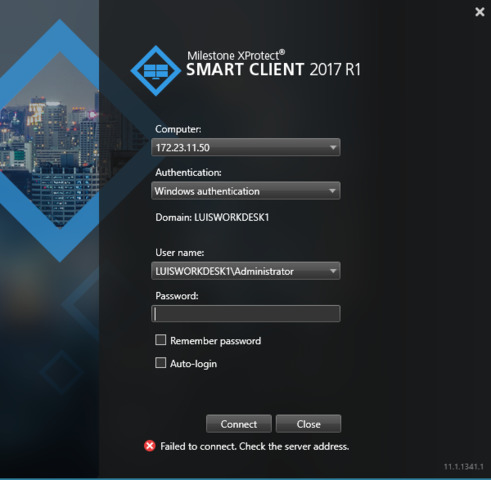
Could you let me know if I’m missing something? We are using Windows 10 Home to test this.
Thanks
Bo, we got it to work from the VideoViewer app. It seems it was a problem about the server using the hostname instead of the IP address internally. Our Network Administrator made some changes and now we are able to connect.
We would like to use the Smart Client, too. Do you know by any chance why could be that we are getting that error when starting it?
The load error is tied to the MIP SDK you have installed, see - https://force.milestonesys.com/support/articles/en_US/Troubleshootings/XProtect-Smart-Client-cannot-load-your-MIP-plugin
On IP versus DNS (DNS is recommeded but)-
ok. Thanks for answering, Bo.