Hi Jeffrey,
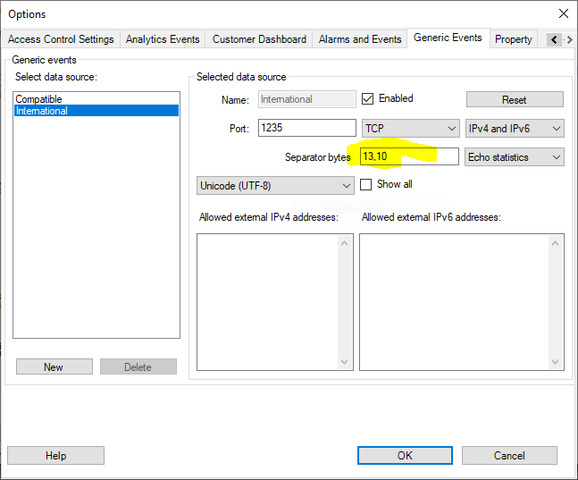
In my misguided attempt to build an example to show you why it works as expected, I may have found a bug where when the Event Server reads from the stream, and the buffer doesn’t end with the separator bytes, the message gets evaluated anyway, and then the connection gets closed by the server.
Usually small messages will arrive in their entirety, so a call to .Read(…) will result in the entire message being received in one go. But for various reasons messages can be broken apart and require multiple reads to receive the whole message.
To force this behavior, I made a small script to connect to the Event Server and send a few test strings. The first four end with a CRLF while the 5th one is only the first few characters, with the rest of the message and the CRLF in the 6th message.
I can predictably send multiple messages and have the event server evaluate them, and I can see the events in Smart Client as they arrive without having to reconnect to send each message. But after sending the 5th message, the one which does not end in a CRLF, I receive the statistic response from the Event Server even though it shouldn’t have evaluated my message yet. The 6th message is sent successfully but then when I try to read from the connection, I find that the connection was closed.
I first noticed something was wrong when I was using the classic telnet.exe tool and as soon as I sent a single character the connection was terminated. I couldn’t trigger a generic event at all from telnet because the connection would be terminated with a single keystroke.
I know it hasn’t always been this way - I’m running the 2020 R3 REST API beta build of XProtect Corporate and haven’t had a chance to test on a prior release to see if there’s a recent version without the same behavior. I’ll open a bug report this afternoon.
I attached my hastily written PS1 script which I used to reproduce the behavior for reference. My guess is that you’re specifically seeing the server ignore the second message because netcat is sending the string you provided, then following up with a separate write to the string with the \n character, so the Event Server is receiving the “incomplete” message in a single read from the stream and it would receive the final \n if it read from the stream one more time, but instead it evaluates the incomplete second message and closes the stream after receiving the rest of the message.
PS C:\Users\Administrator> C:\Users\Administrator\Desktop\GenericEventTest.ps1
VERBOSE: Sending 'Test1\r\n'
VERBOSE: Statistic Reponse: 29,5,1,Test1

VERBOSE: Sending 'Test2\r\n'
VERBOSE: Statistic Reponse: 30,5,1,Test2

VERBOSE: Sending 'Test1\r\n'
VERBOSE: Statistic Reponse: 31,5,1,Test1

VERBOSE: Sending 'Test2\r\n'
VERBOSE: Statistic Reponse: 32,5,1,Test2

VERBOSE: Sending 'Tes'
VERBOSE: Statistic Reponse: 33,3,0

VERBOSE: Sending 't1\r\n'
VERBOSE: We don't know it yet, but the Event Server closed the connection on its end after receiving that last message
Exception calling "Read" with "3" argument(s): "Unable to read data from the transport connection: An established connection was aborted by the software in your host machine."
At C:\Users\Administrator\Desktop\GenericEventTest.ps1:21 char:13
+             $bytes = $stream.Read($buffer, 0, $buffer.Length)
+             ~~~~~~~~~~~~~~~~~~~~~~~~~~~~~~~~~~~~~~~~~~~~~~~~~
    + CategoryInfo          : NotSpecified: (:) [], MethodInvocationException
    + FullyQualifiedErrorId : IOException